

🎄 Welcome to Day 12 of the 12 Days of AI Plays!
You made it! Over the past twelve days, you’ve built field agents, generated interfaces, automated multi-step workflows, created sample data, visualized maps, run competitive research, analyzed operations, and explored Omni’s guided intelligence.
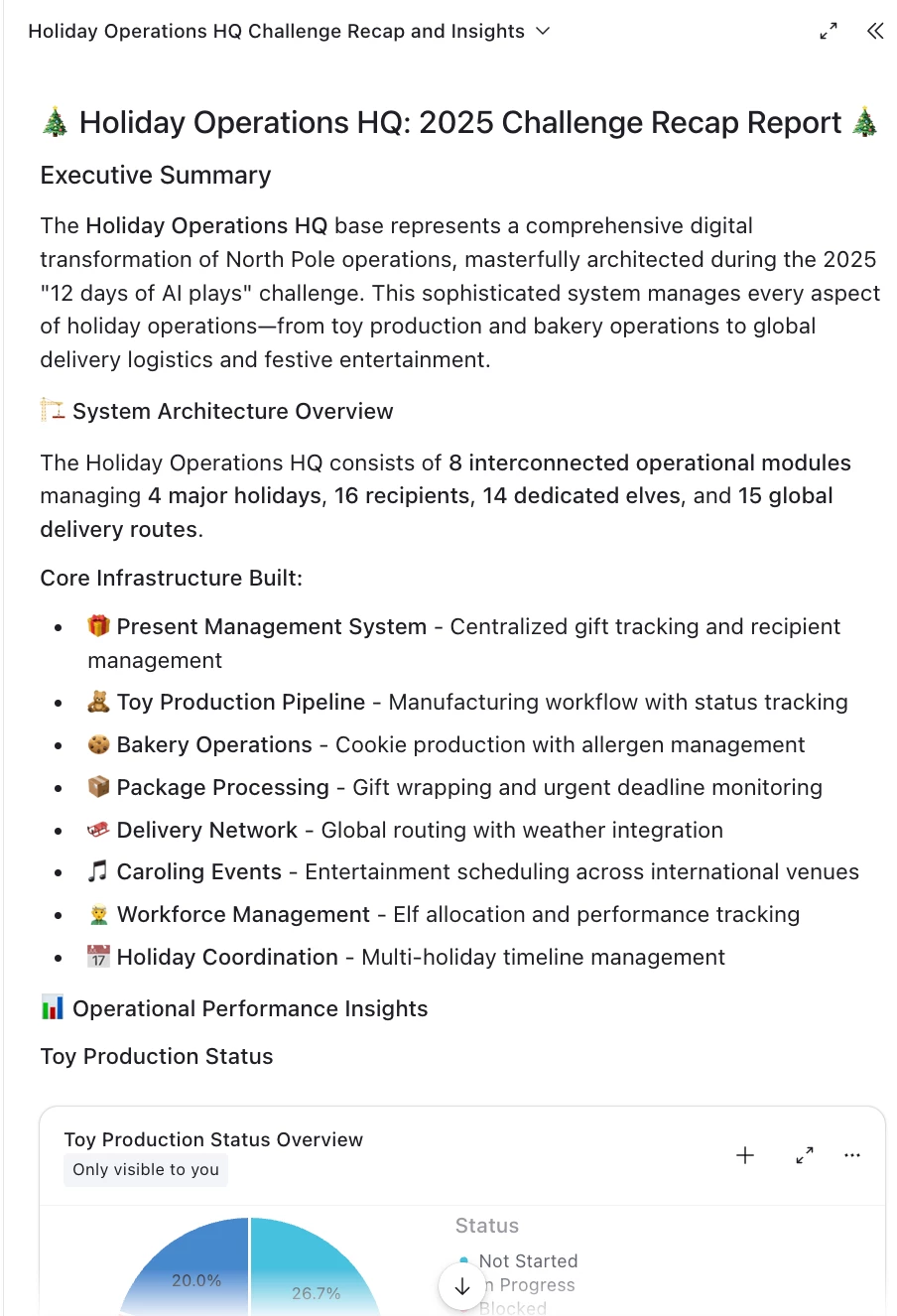
For our final challenge, we’re closing things out with one powerful capstone activity: use Omni to generate a full recap report of everything you’ve built inside Holiday Operations HQ.
This is your moment to pull together insights across the entire workflow — from Toy Workshop to Delivery Routes — using Omni’s newest reporting capability.
Your Mission
-
Ensure that AI Labs is enabled in your workspace — this feature is only available for users who have it turned on.
-
Open the Omni panel in your Holiday Operations HQ (or make a copy here)
-
Click the Tools option inside the Omni chat box
-
Ask Omni to generate a Holiday Operations Recap Report that summarizes everything your workflow covers.
Prompt ideas:
When prompting Omni, you can ask something like this:
“Create a comprehensive report summarizing all workflows, automations, AI agents, insights, and improvements built during the 12 Days of AI Plays in this Holiday Operations HQ base. Include sections for Toys, Packages, Delivery Routes, Elves, Caroling events, competitive analysis, and interfaces.”
Or go full holiday festive:
“Write a holiday-themed recap report describing everything built in Holiday Operations HQ during this challenge, with insights, highlights, and recommended next steps.”
👉 Tip: be sure to clarify your desired structure, tone, or formatting of the report. For example, you might ask Omni to:
-
Add visuals or tables
-
Highlight KPIs or metrics
-
Expand analysis sections
-
Produce a short or long version
-
Reframe it as a memo for leadership
-
Add recommendations for the next season
Using your report
Omni can generate a downloadable version or a polished text block to share with your team - try this out with your real use cases. (And we’d love it if you post your report as part of the challenge response too, of course! 🌠)
Goal of Today’s Play
This final challenge demonstrates how Omni can not only support operational work, but also synthesize that work into a meaningful, human-readable output — turning workflows into summaries, decisions into insights, and experiments into stories.
It’s perfect for:
-
End-of-project summaries
-
Stakeholder updates
-
Executive reviews
-
Retrospectives
-
Team documentation
-
Annual planning
And today, it’s the perfect way to wrap up your 12-day AI adventure.
💡 Check out more custom elements and share your own in our Built with Omni Showcase!
Share Your Finale!
Post in the comments:
-
A snippet or screenshot of your recap report
-
Any creative formats Omni produced
-
What insights surprised you the most
-
And your biggest takeaway from the 12 Days of AI Plays
Thanks for joining us on this festive journey. Happy holidays — and happy building! 🎁✨