Problem:
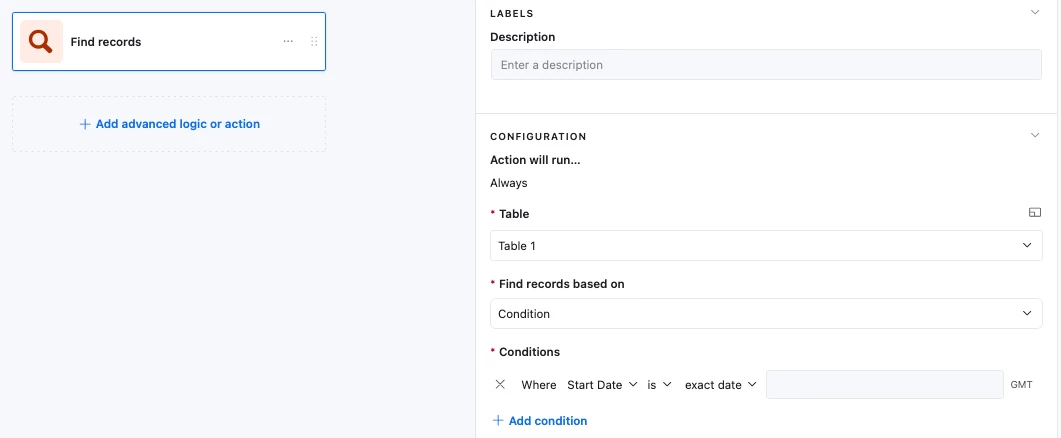
The ‘Find Record’ action only lets us search with static values, and so we can’t use another record’s date field value at all:
Solution:
Convert both Date field values into numeric Unix timestamps, then compare those numbers! The step by step guide can be found below, and here’s a link to an example base. You can duplicate the base into your own workspace to poke at it as well!
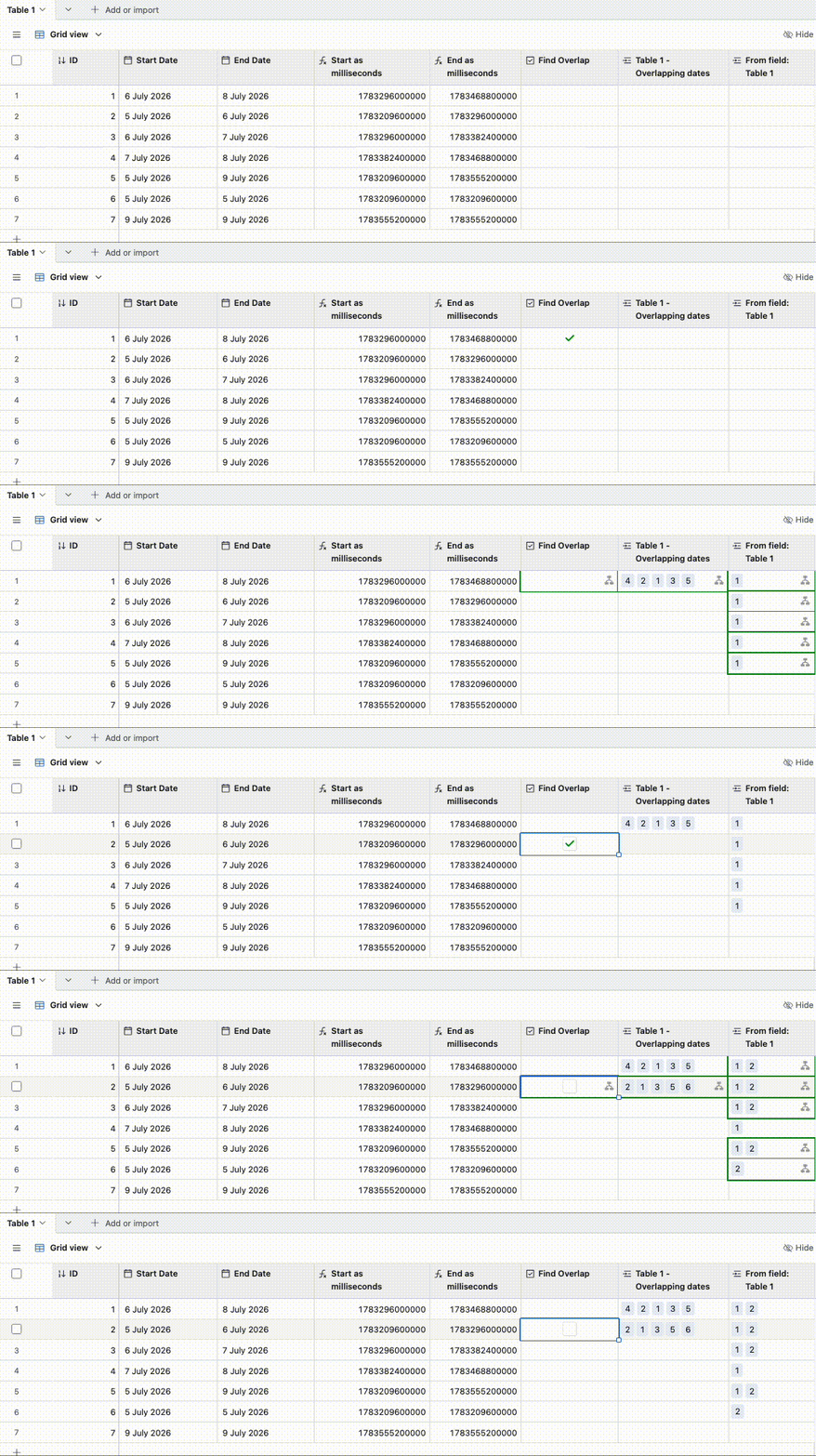
Table setup:
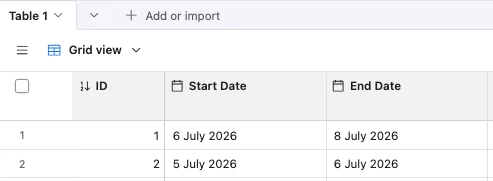
- We’re starting off with ‘Start Date’ and ‘End Date’ date fields:
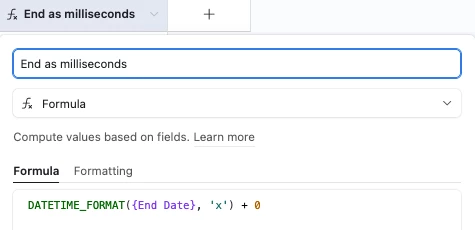
- Create a new formula field with the following formula for the Start Date field
DATETIME_FORMAT({Start Date}, 'x') + 0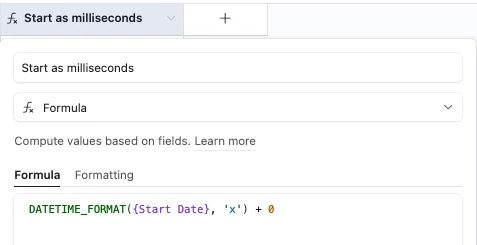
-
Explanation:
-
DATETIME_FORMAT()with the"x"format converts the date into a Unix timestamp measured in milliseconds (docs here)
However,DATETIME_FORMAT()returns the result as text, and so we add+ 0to convert the text into a number. Now that it’s a number, in theFind recordsaction we can use comparison operators like >=, =, etc
If we left it as text, we’d only be able to use the text operators like ‘Contains’ and ‘Is’
-
-
-
Repeat the process for the ‘End Date’ field
-
Create a checkbox field to trigger the automation
-
Create a linked field to the same table. This lets us link the found overlapping records to the triggering record
-
Your table should now look like this

Automation setup:
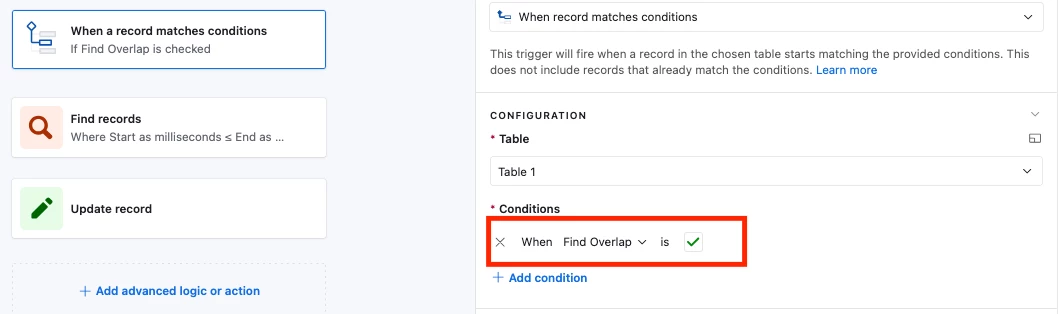
- Create a new automation that triggers whenever the checkbox field is ticked
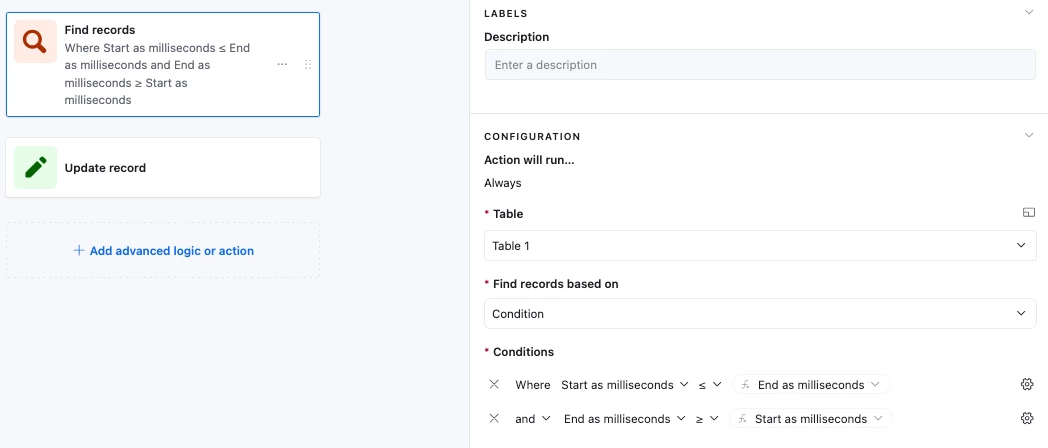
- For the Find Record action, set it up to look for all records in your table where:
- ‘Start as milliseconds’ is <= the triggering record’s ‘End as milliseconds’ value
- ‘End as milliseconds’ is >= the triggering record’s ‘Start as milliseconds’ value
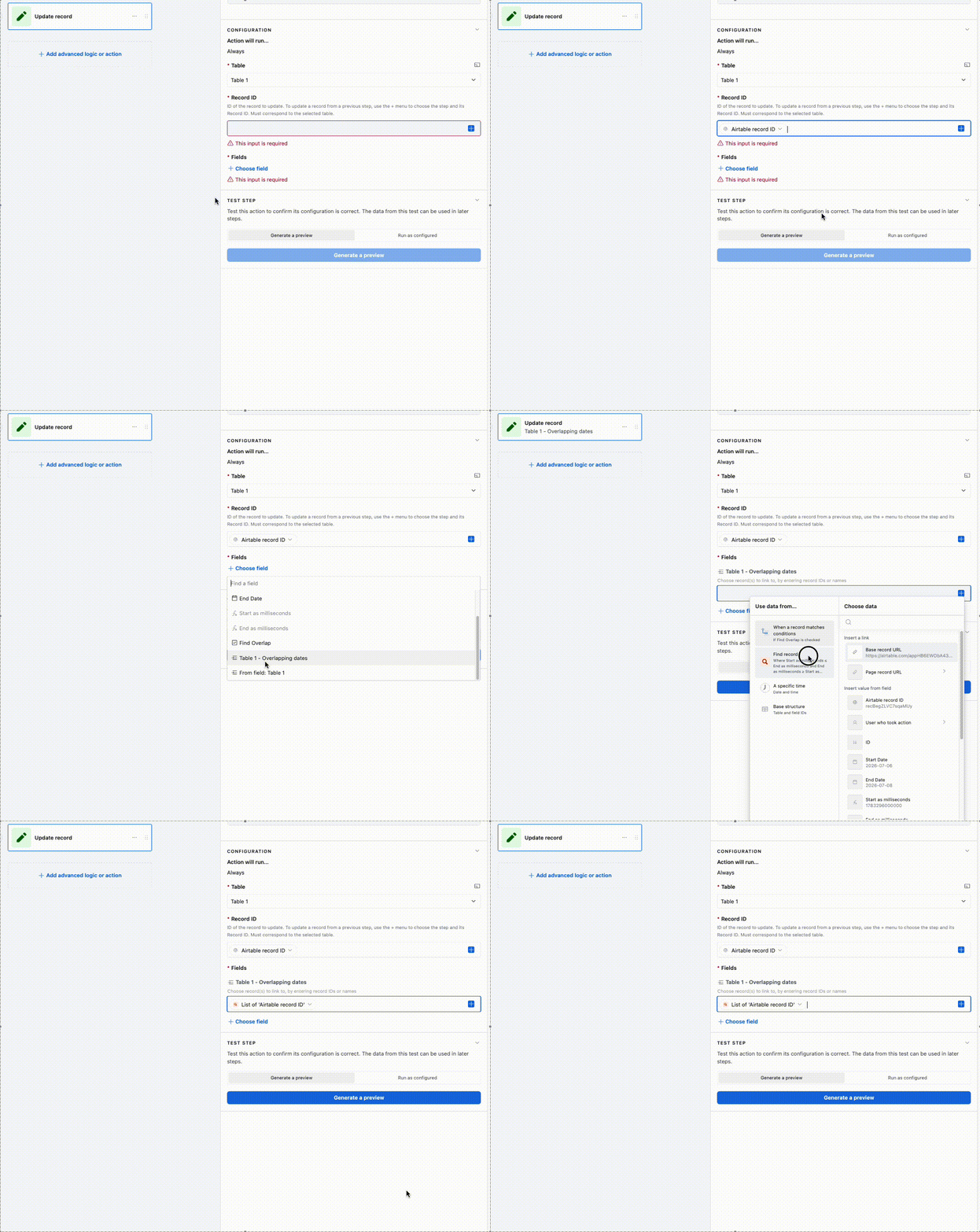
- For the final ‘Update Record’ action, update the triggering record with the results of the ‘Found Records’ action, and also clear the ‘Find Overlap’ field
-
This bit can get a bit confusing, and the gif below shows the following:
-
Selecting the triggering record’s ID
-
Putting the results of the ‘Find Record’ step into the linked field
-
-
-
And that’s it! Let me know if you have any questions or hit any issues with setup and I’ll do my best to help!
---
You can also hire me to build it for you. I’ve shared over 1,000 solutions in the forums, so there’s a good chance I can help with whatever you’re trying to solve
Take a look at some of my reviews, or schedule a free 30-minute call to discuss your project!