


Hi Airtable builders (and Shopify merchants) 👋
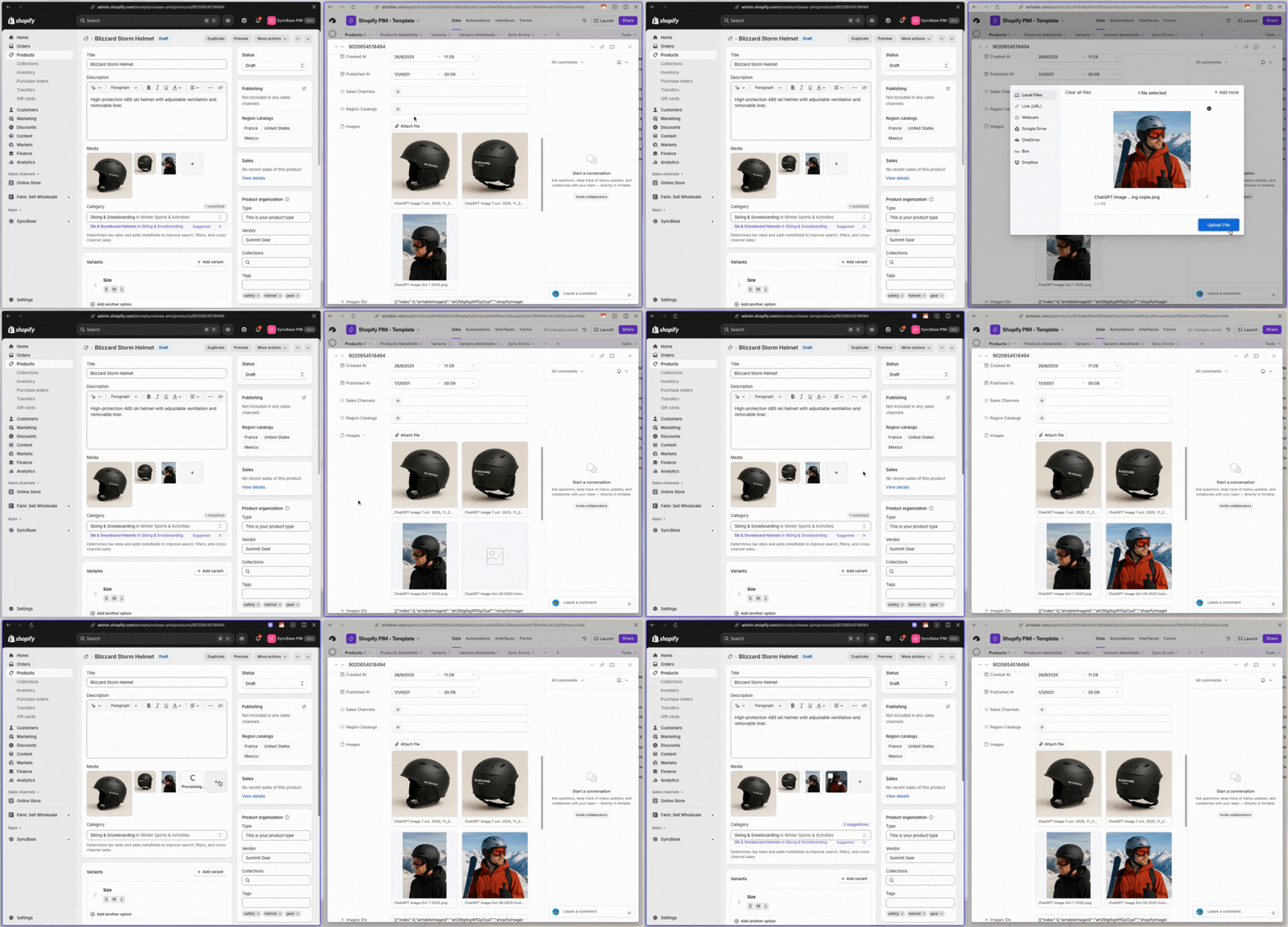
Many of our users asked for a way to sync Shopify product and variant images to Airtable.
So we built this new feature with SyncBase (our Airtable-Shopify integration)!
How does it work?
- Our app creates a “Products” table inside a new base (or inside an existing one if you prefer).
- On this table, you’ll now find an “Images” field (Attachment field type) containing all your product images from your store.
- You can add or remove any image directly from Airtable.
=> And best of all, it syncs instantly! ⚡
I hope this new feature helps some of you build your own Shopify PIM, ERP, or custom workflows inside Airtable. You can of course install and try the app for free.
We’re also about to release a feature that syncs all your Shopify files and media (including images) into a single Airtable table (with fields like file ID, alt text, and more) so you can manage everything from one place.
Always happy to hear your feedback, so let me know if this is something you’d be interested in!
