Quick Trick to Custom Interface Extensions

  • November 10, 2025
  • 4 replies
  • 641 views

Forum|alt.badge.img+2

For anyone else who hasn’t had a perfect experience with the new Custom Interface Extensions, or like me has gotten this terrible message:
{
“error”: “FORBIDDEN”,
“message”: “You can only run your development block in the original base where it was created.”
}

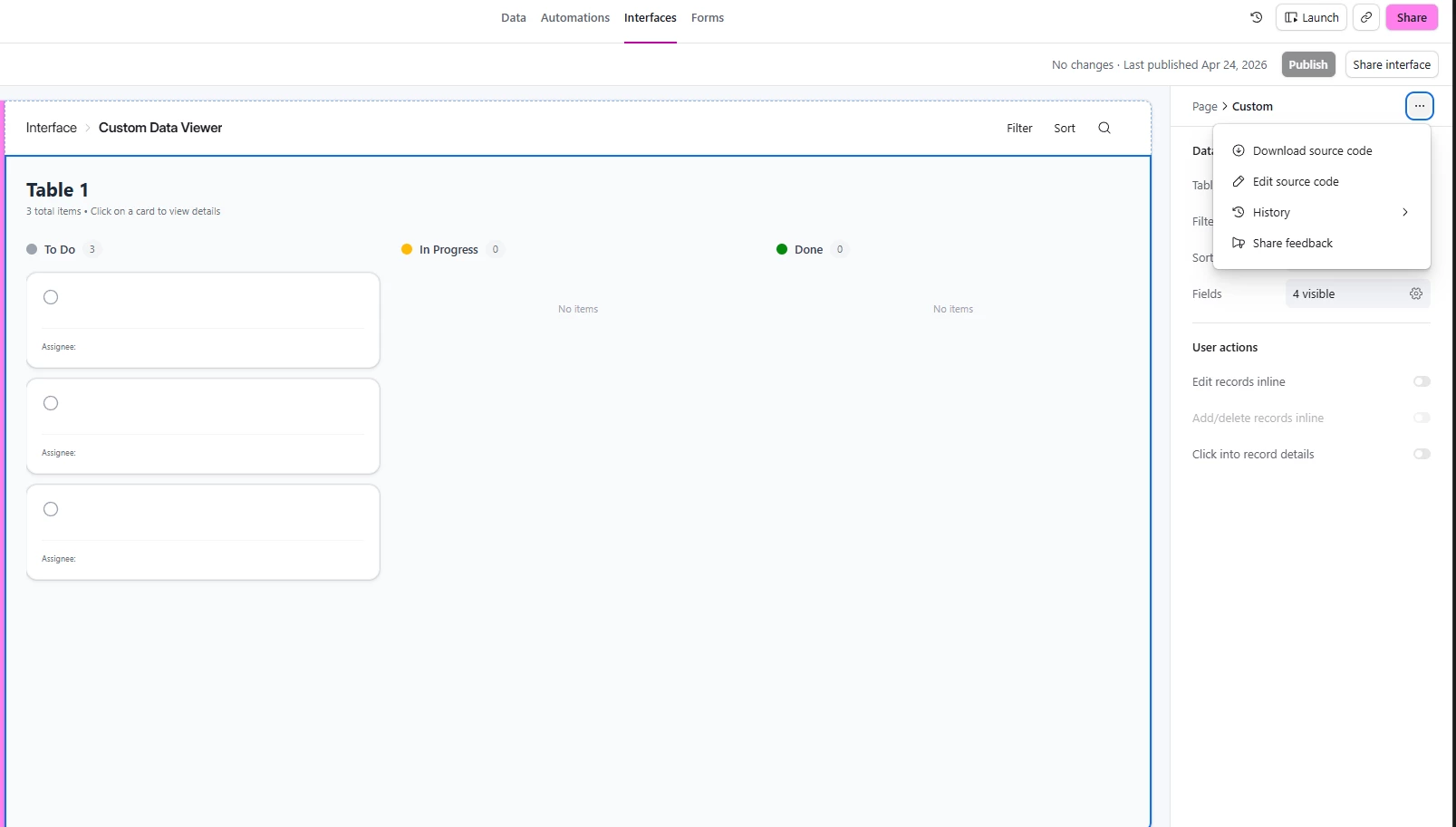
I have found a super easy solution. If you ask Omni to build you a simple custom interface extension, you can then go and hit “Edit Source” (right below the “Share Interface” button) and change the script however you’d like. I fed it to Claude, had Claude insert itself into the interface (plus it has Airtable MCP) and now have a simple RAG for my Airtable base. But you can really change the script however you’d like, without going down the CLI/Blocks SDK route. 

4 replies

Adnan Ahmed
Forum|alt.badge.img+2
  • New Participant
  • April 24, 2026

Hi Nick, where’s the “Edit source” button that you mentioned? Can you share a screenshot? I can’t find it anywhere!


Adnan Ahmed
Forum|alt.badge.img+2
  • New Participant
  • April 24, 2026

Found it, for anyone looking


Forum|alt.badge.img+2
  • Author
  • Participating Frequently
  • April 24, 2026

Found it, for anyone looking


Yes, exactly! The slightly confusing part is you have to make sure you’re clicked into the inside custom block, and not the overall interface! 


Adnan Ahmed
Forum|alt.badge.img+2
  • New Participant
  • April 24, 2026

Thanks so much for sharing this tip! Makes life so much easier!