specific time in a calendar

  • September 6, 2023
  • 6 replies
  • 142 views

Forum|alt.badge.img+2
  • New Participant

I run a podcast studio and I track the status of a podcast with names, dates, episode name, guest name, etc.

I have a column on recording date, but would like to add a specific time it will be recorded at.

so how do I add a specific time to a column?

I only see time created and timestamp but no option for specific time?

 

6 replies

Zack_S
Forum|alt.badge.img+17
  • Inspiring
  • September 7, 2023

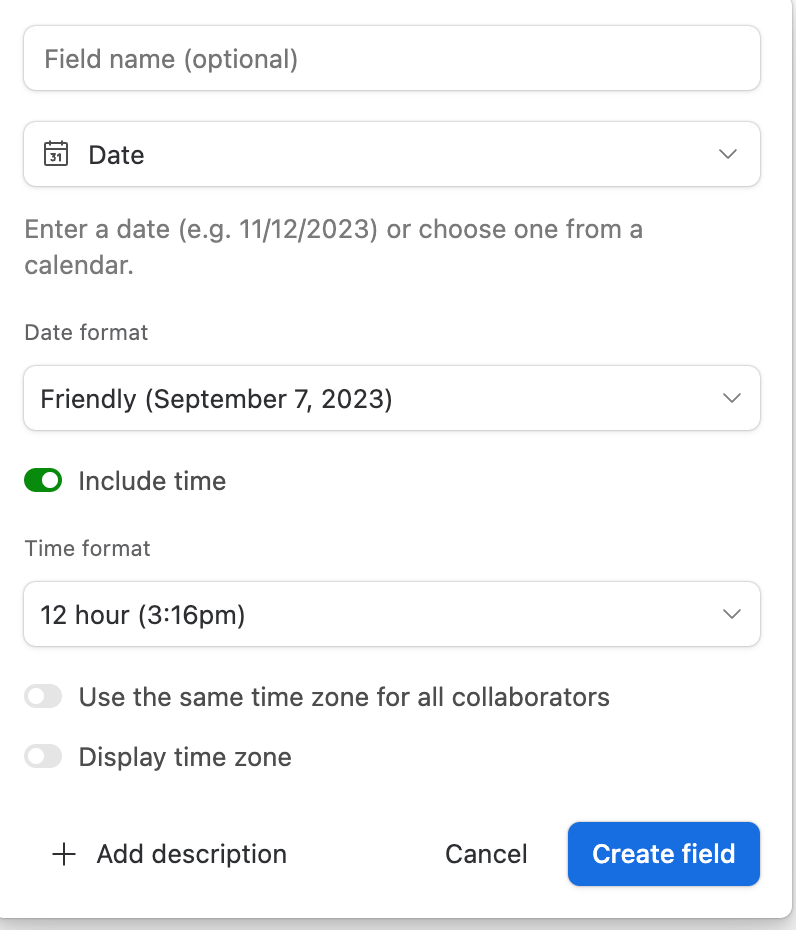
Within your date field there is a toggle to turn on time as well.


Forum|alt.badge.img+1
  • New Participant
  • September 15, 2023

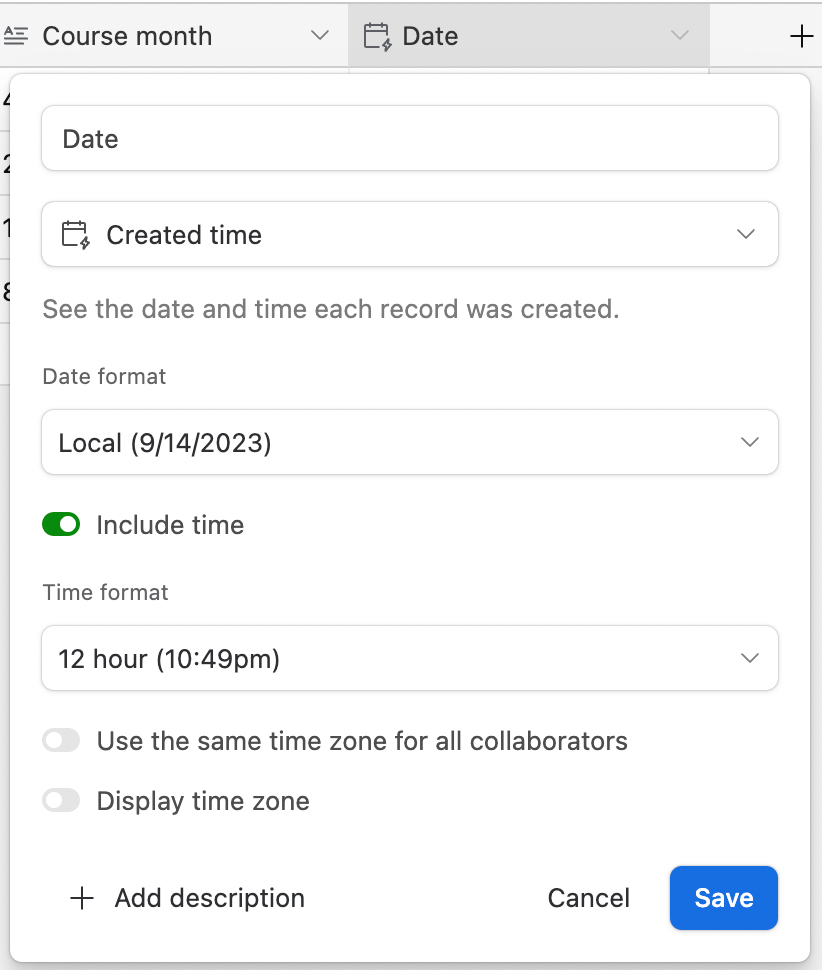
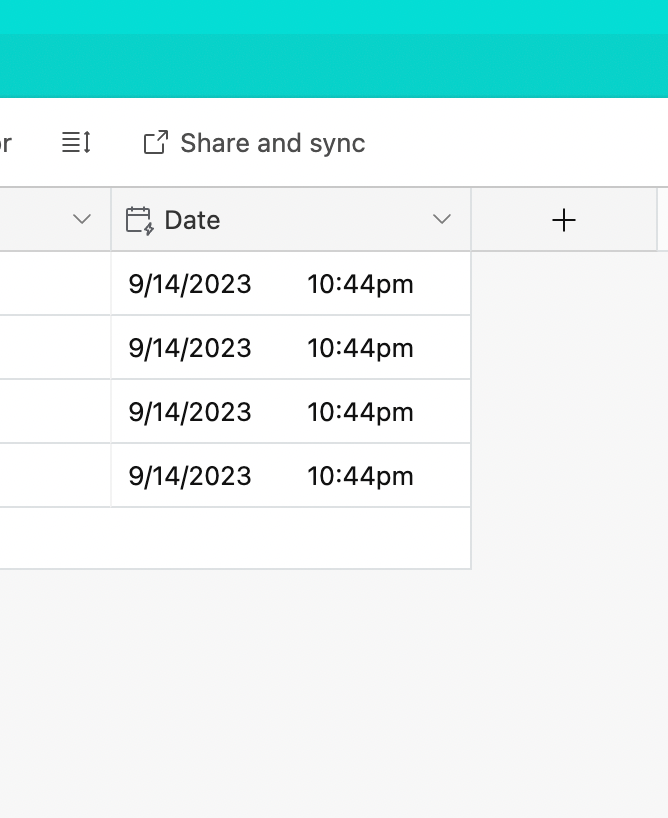
If you select include time under created time it should appear like this. Is this what you're wanting it to look like?


Forum|alt.badge.img+2
  • Author
  • New Participant
  • September 17, 2023

yes!

but as far as i know, the only option is created time and last modified.

i dont see option to put in a specific time that you typically have with, say google calendar.


Forum|alt.badge.img+1
  • New Participant
  • September 18, 2023

Hmm, that's weird. Is your column just a normal date field? Also, do you have the free airtable or pay a little monthly? I notice sometimes the free version is unable to do certain things but I feel like it would be able to do this.


Forum|alt.badge.img+2
  • Author
  • New Participant
  • September 21, 2023

I was using pro account for the first month and all the time options is created time and modified time.

im on the free plan atm.


Josh_Colina
Forum|alt.badge.img+12
  • Inspiring
  • September 29, 2023

Like Zack mentioned, you'll want to use a Date field and toggle on "Include time" - this will also make it so that you can plot out your records in a Calendar. I wouldn't recommend using Created Time or Last Modified Time fields for what you're trying to do.

If you don't plan on plotting out the times in a calendar and just want to plug-in free-text for your own tracking, you could also use a Duration field (which will look like, for example, "8:30" but technically be read by Airtable as 8 minutes and 30 seconds, depending on how you format it, and not 8:30Am or 8:30PM) or even Single-line Text