



Hi everyone,
It’s Kyle from Product, back to share more updates we have been busy on! (If you missed what we shipped last week, check out our 15 updates in 15 days right here).
This week we’ve focused on automations, from increasing every plan’s automation limits to new capabilities.
The highlights
1. More automations on every plan!
It’s one of your most requested changes, so I am pleased to announce that everyone now has more room to automate.
We have increased the caps of unique automations on EVERY PLAN from a fixed 50 to:
- 75 for Free
- 100 for Teams
- 150 for Business
- 200 for Enterprise
This applies to unique automations; automation run limits remain unchanged.
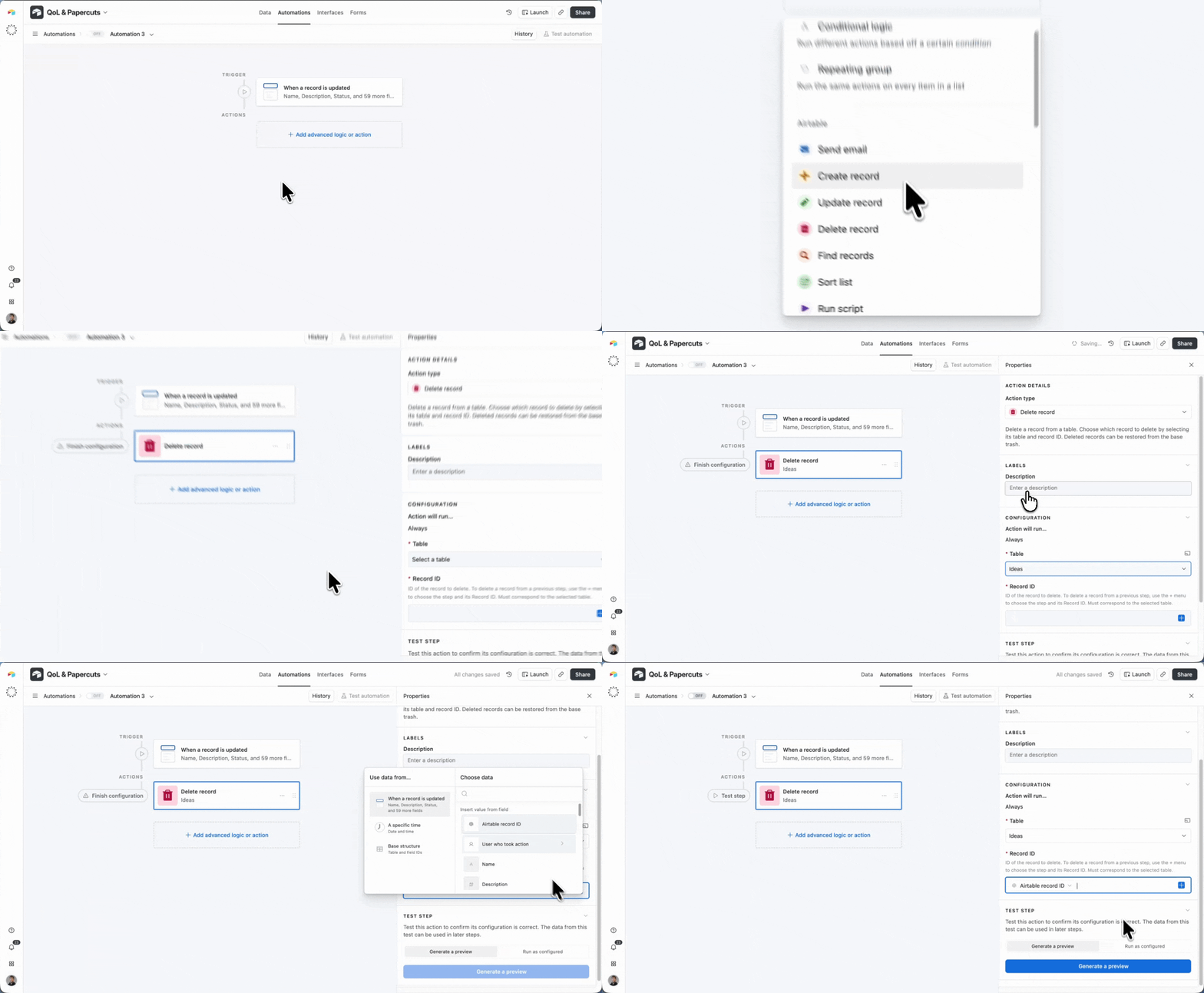
2. Delete a record from an automation
You can now delete a record as an automation action, no script or workaround required.
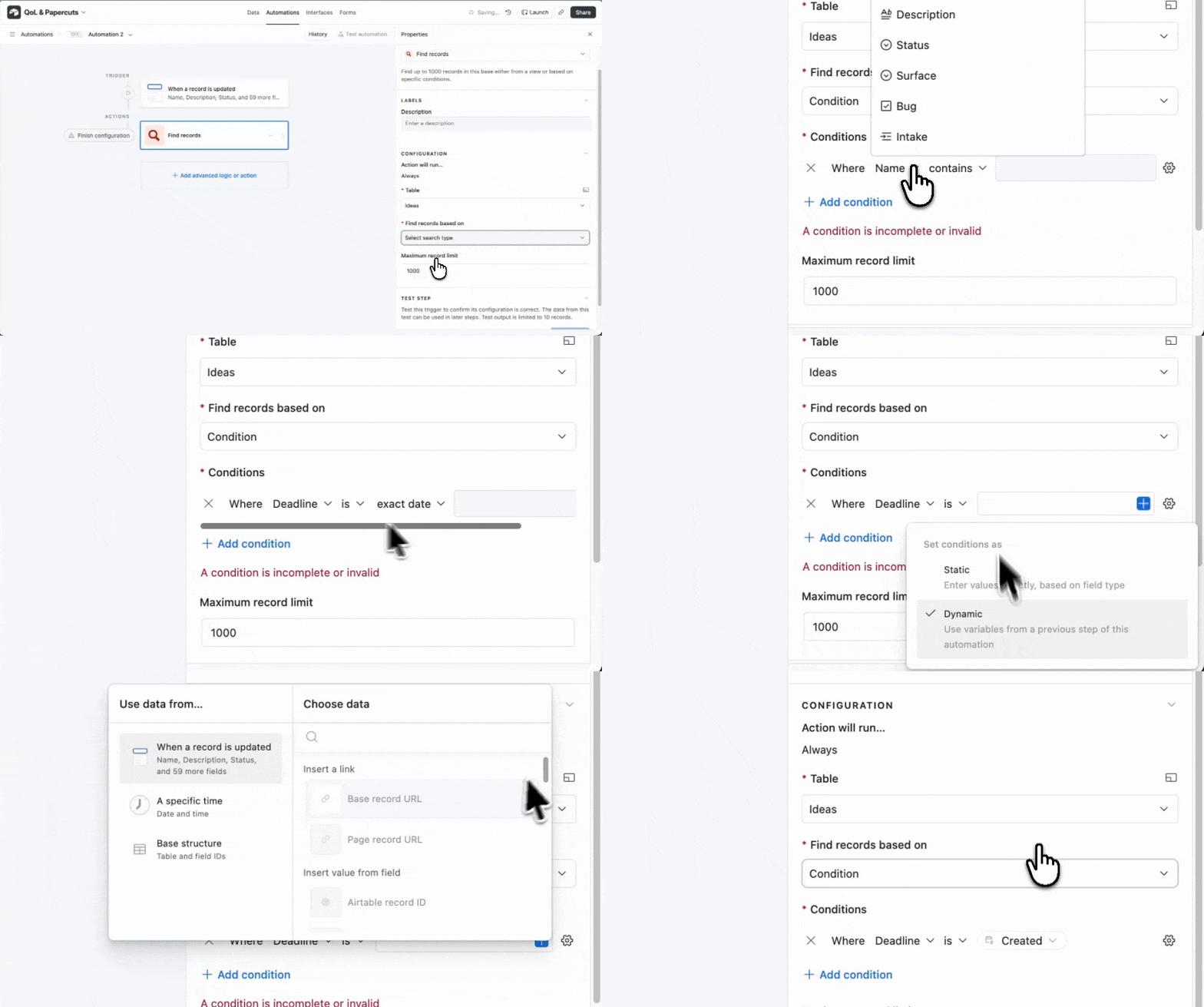
3. Compare two date fields in Find records
Find records Dynamic comparison has now been extended to support date fields. That means automations can now compare one date field to another directly, so date-relative conditions no longer need a workaround.
4. Create and edit custom scripts in automations via MCP
You can now create and edit custom scripts in automations via MCP. No more copying, pasting and repeating with each troubleshoot, now your agent can handle it all.
Usability improvements
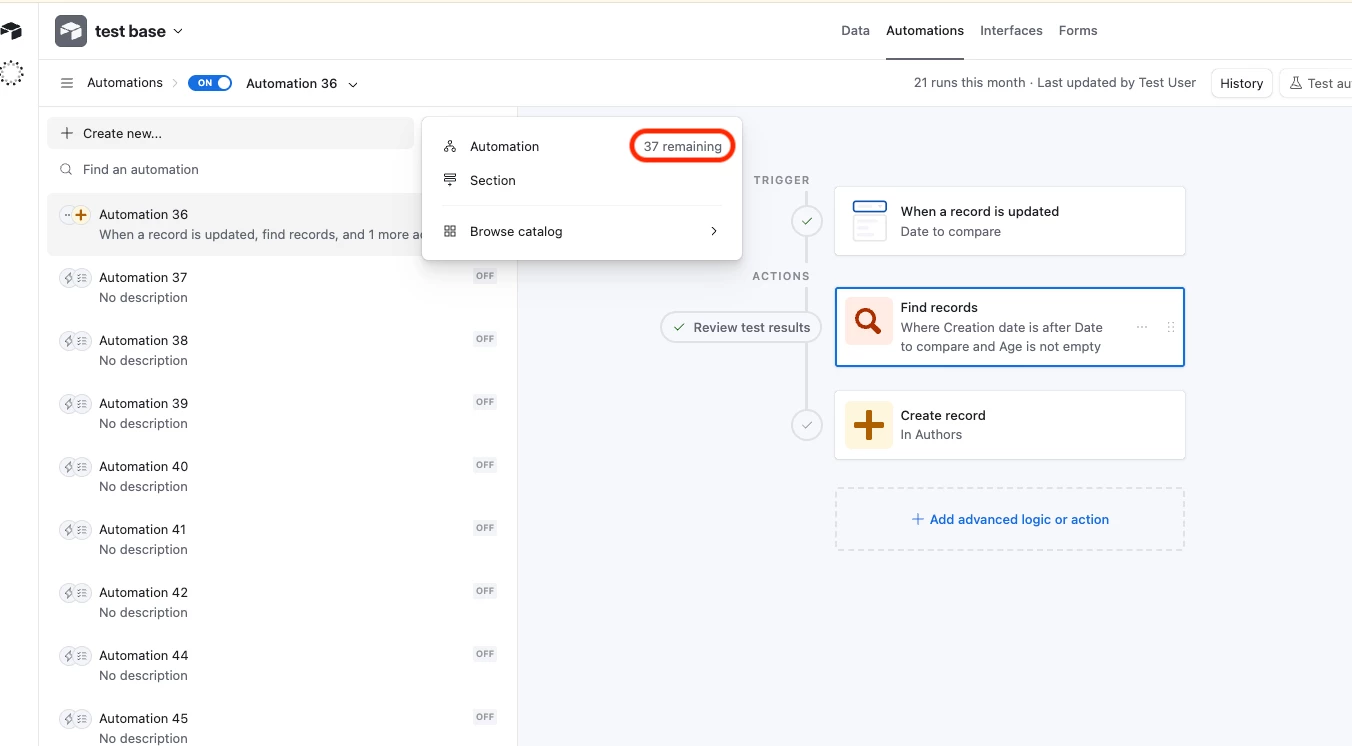
5. See how many automations you have left
Not only do you have more automations, you can now clearly see how many automations you have left before you hit the cap, right where you build them.
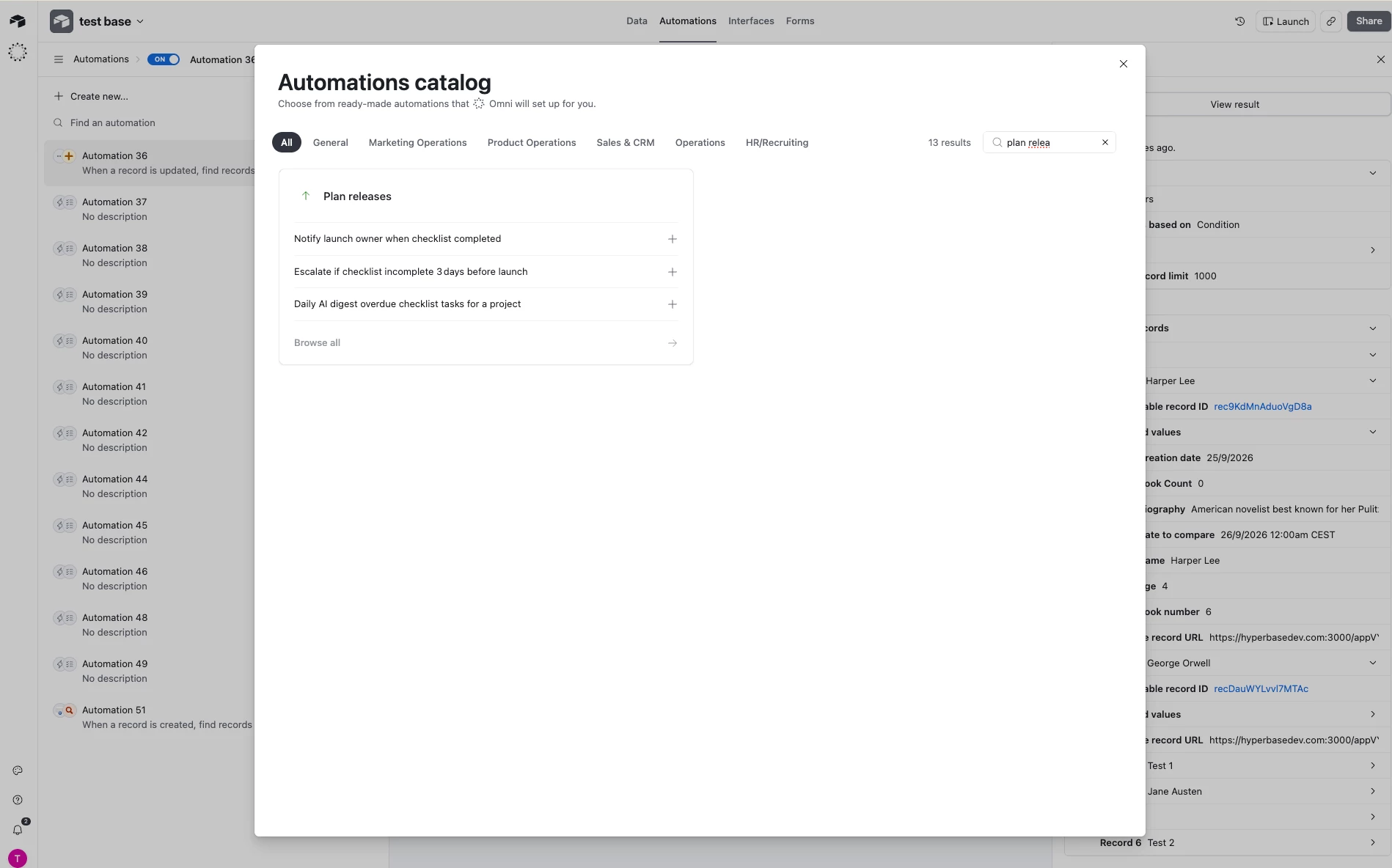
6. Search the automations catalog
You can now search the automations catalog directly, instead of browsing category by category, to find the template you want faster.
7. Field duplication opens the new field's settings
Not an automation but we had to include it; when you duplicate a field, its configuration panel now opens automatically, so you can rename or adjust it straight away rather than trying to find it.
Hope you like them! We will continue to work based on your feedback from here and the requests form, so please keep letting us know what you want us to work on next.
Kyle