Linked records not connected when creating new records

  • November 1, 2022
  • 17 replies
  • 213 views

Forum|alt.badge.img+16

Hi everyone,

I have been troubleshooting this for hours. This is an automation that used to work and suddenly it no longer does.

I have an automation, triggered by a button, It’s a simple form submission and the button triggers the creation of various new records in different tables. Many of these records are linked. The Links are written by the automation.

All of this works great. But for the last of the records, that is supposed to be created, it does not. The records IS created, however the linked records are not connected. I am linking to records that were created in earlier steps. And linking these records in the earlier steps was no problem.

I do not get error messages or anything. The link simply does not get written.

Any thoughts?

17 replies

Rupert_Hoffsch1
Forum|alt.badge.img+21

Hi @Tobias_LGKR, difficult to troubleshoot without seeing exactly what you’re pasting into the linked records field. Can you share screenshots?


Forum|alt.badge.img+16
  • Author
  • Known Participant
  • 61 replies
  • November 1, 2022

Hi @Tobias_LGKR, difficult to troubleshoot without seeing exactly what you’re pasting into the linked records field. Can you share screenshots?


Hi Rupert,

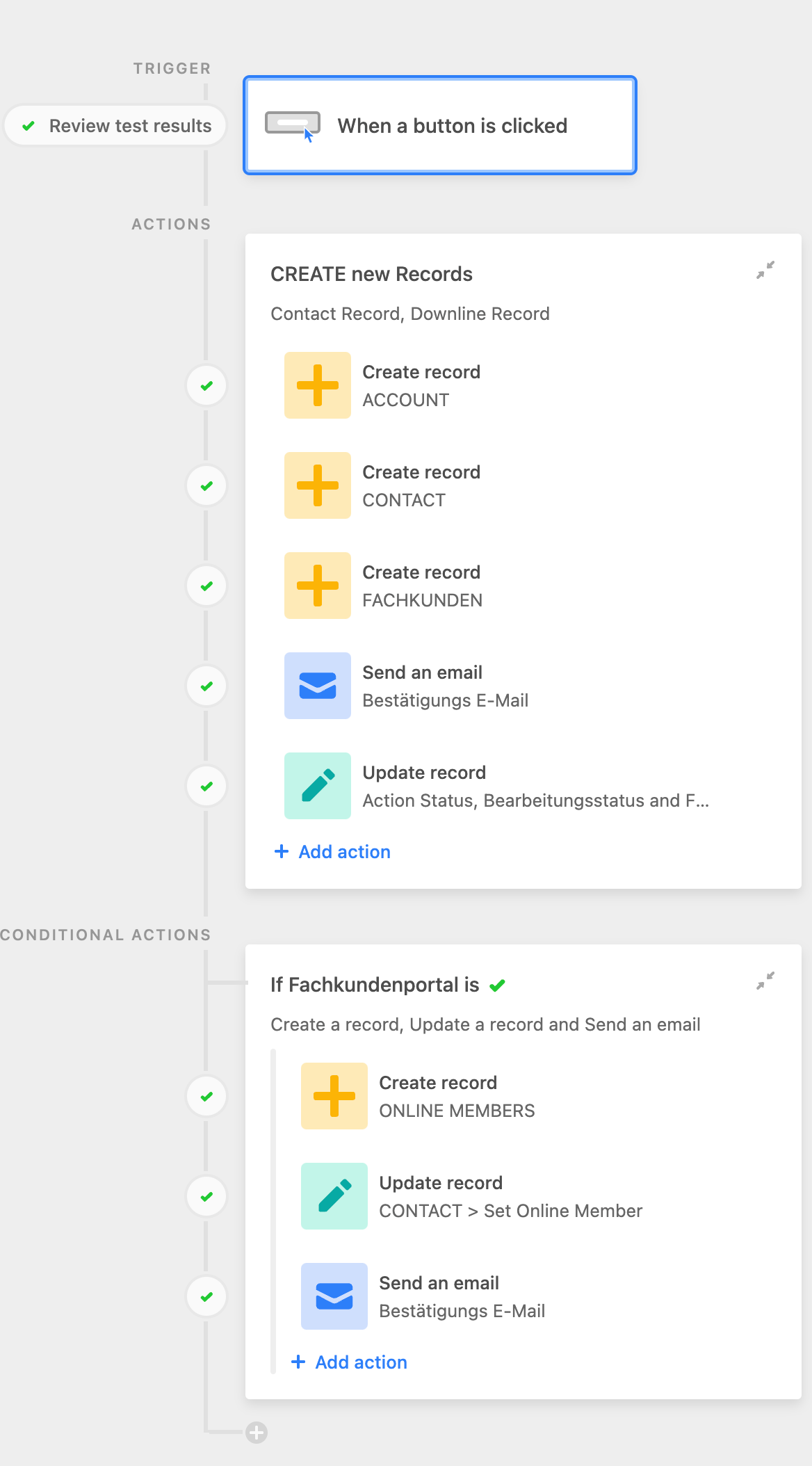
This is the automation tree:

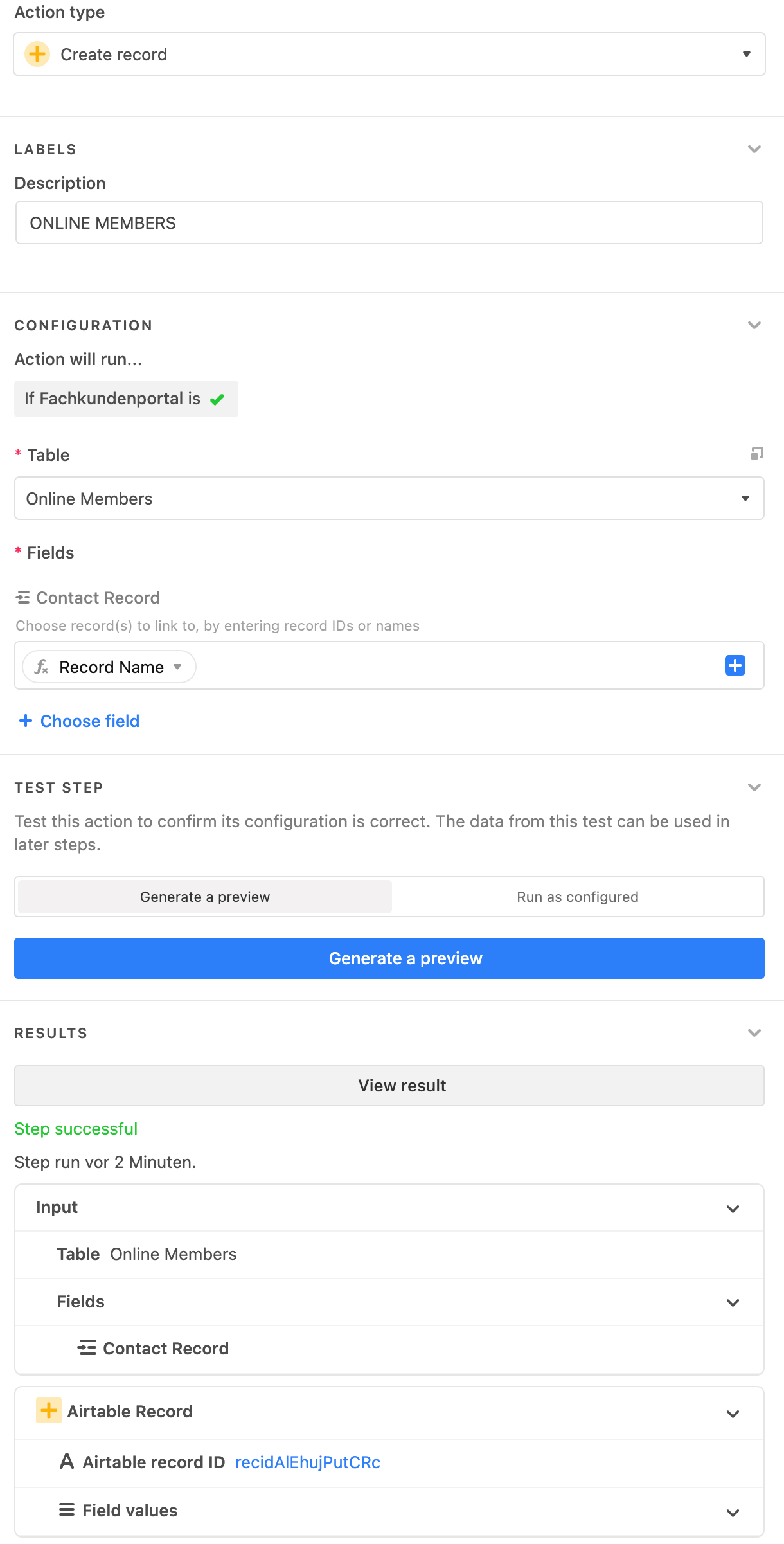
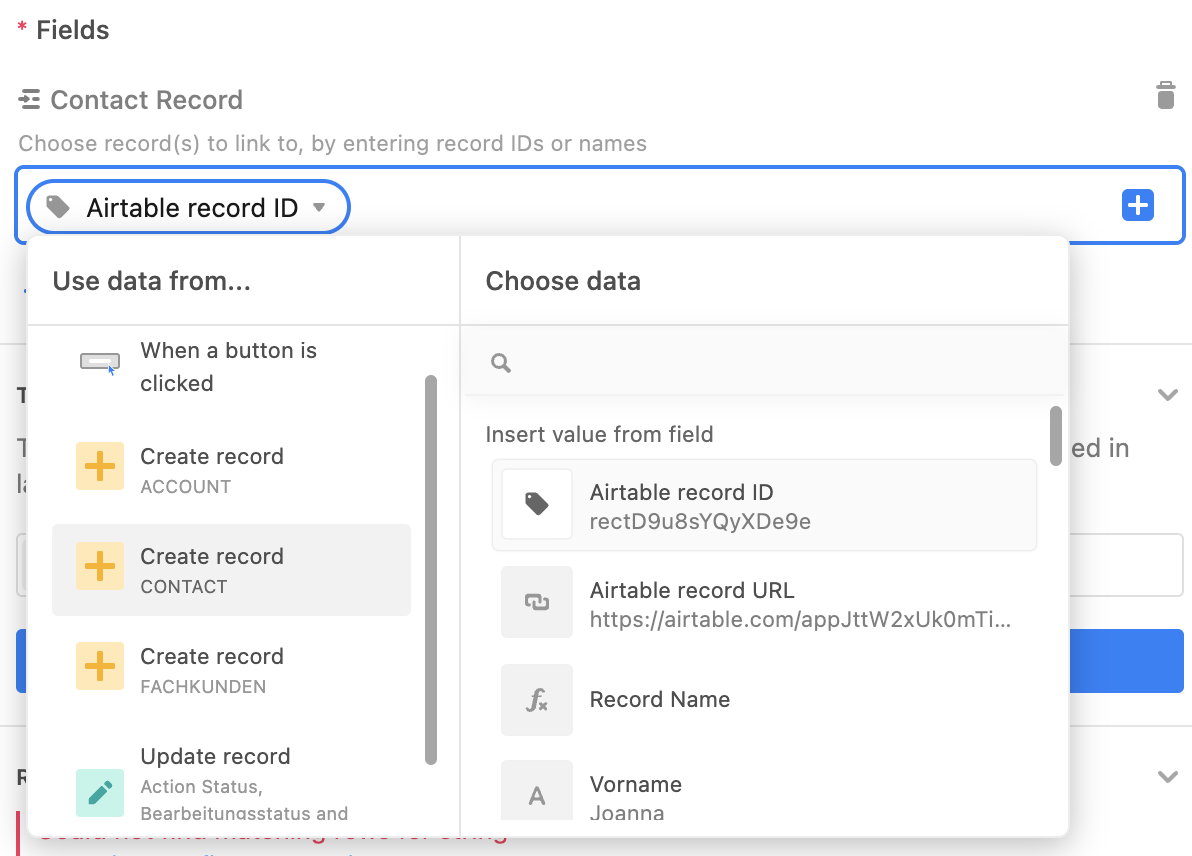
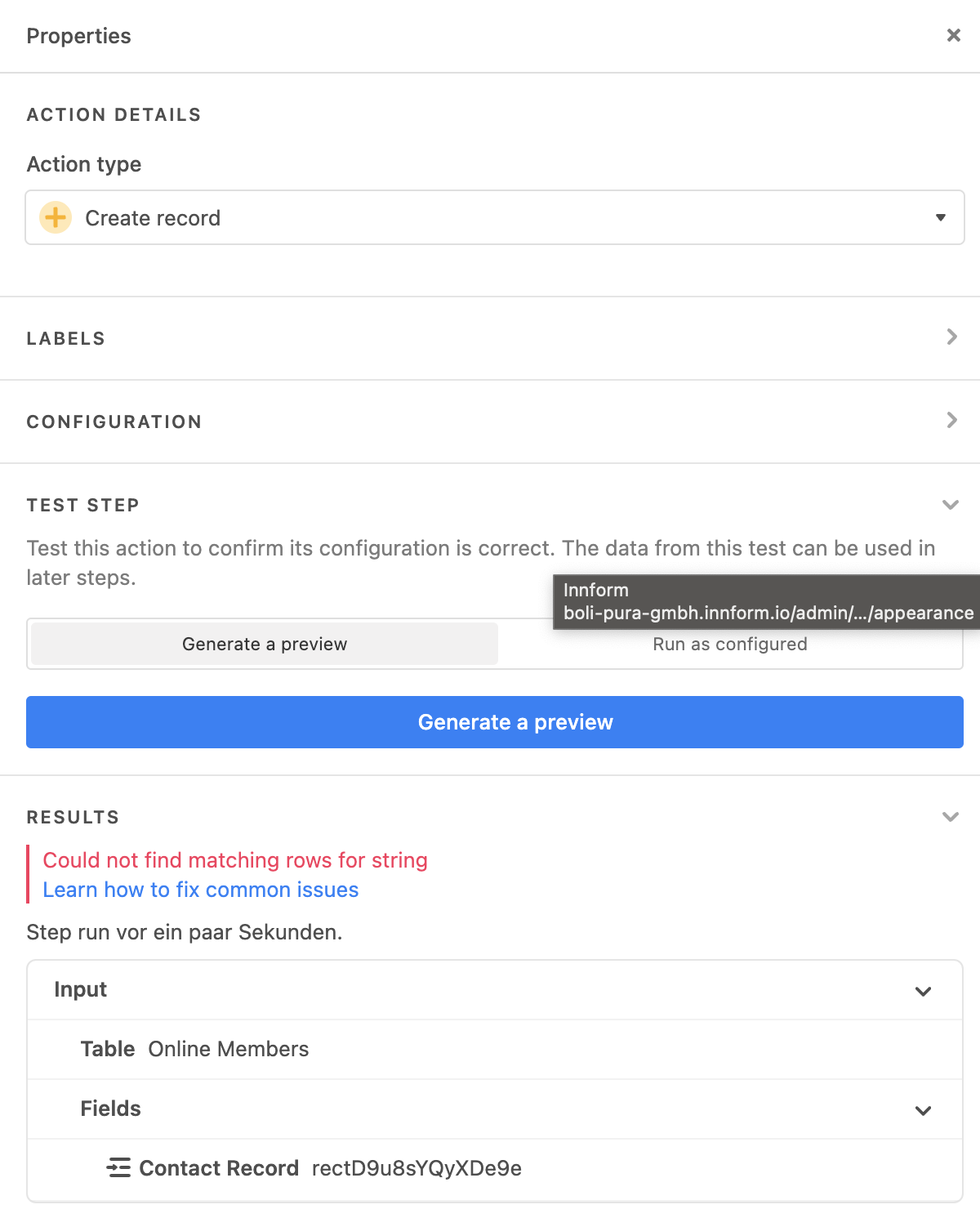
The problem occurrs in: Create new Record: ONLINE MEMBERS

The linked record to CONTACT Record just does not get written in. But it exists. And I can link them manually.


Rupert_Hoffsch1
Forum|alt.badge.img+21

Hi Rupert,

This is the automation tree:

The problem occurrs in: Create new Record: ONLINE MEMBERS

The linked record to CONTACT Record just does not get written in. But it exists. And I can link them manually.


What looks suspicious to me is that you’re passing a name (apparently from a formula) to the linked record field. Are you sure you’re passing a record id there?


Forum|alt.badge.img+16
  • Author
  • Known Participant
  • 61 replies
  • November 1, 2022

What looks suspicious to me is that you’re passing a name (apparently from a formula) to the linked record field. Are you sure you’re passing a record id there?


No, I am not. I am passing the NAME field of the table.

a) the automation will not accept the record ID. I get an error.
b) I do this all the time all over the place.

Almost all of my NAME fields in my tables are Formula Fields, building the name of that record.


Rupert_Hoffsch1
Forum|alt.badge.img+21

If you want to link to a record by record name, the name needs to be the same. What’s the primary field in the table you’re linking to? Is it maybe calculated (aka a formula field)?

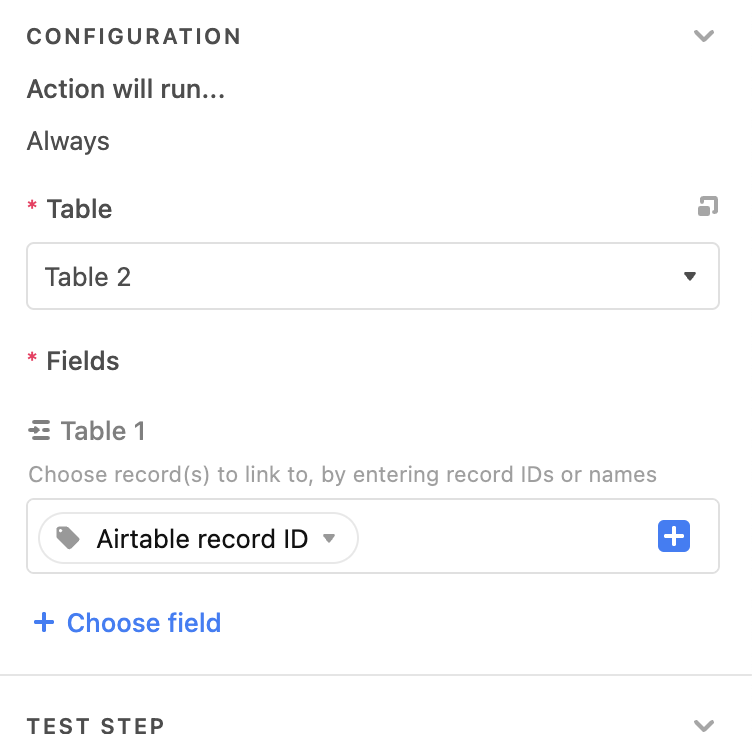
Why don’t you just pass the record id of the record in an earlier step?

In this example, the record passed was also created in a step before and I simply took the record id.

All in all, my guess is that you’re passing a name that doesn’t exist in the table you’re referencing.


Forum|alt.badge.img+16
  • Author
  • Known Participant
  • 61 replies
  • November 1, 2022

If you want to link to a record by record name, the name needs to be the same. What’s the primary field in the table you’re linking to? Is it maybe calculated (aka a formula field)?

Why don’t you just pass the record id of the record in an earlier step?

In this example, the record passed was also created in a step before and I simply took the record id.

All in all, my guess is that you’re passing a name that doesn’t exist in the table you’re referencing.


RECORD NAME is the primary field of the table.

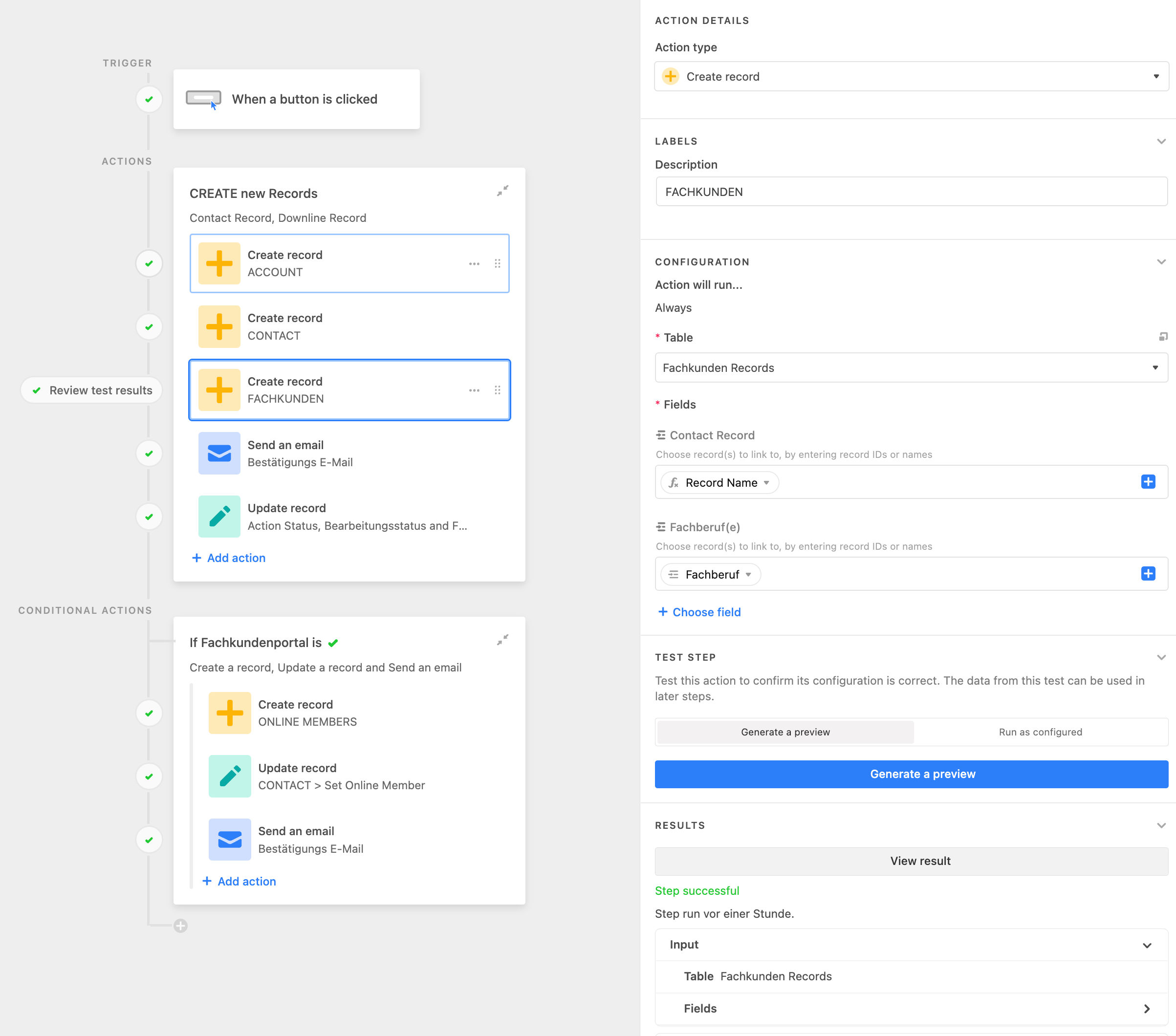
I am doing the exact same thing all over the place. In an earlier step I am doing the exact same thing with the exact same CONTACTS table. I am writing the RECORD NAME field to the CONTACT RECORD link field. This exact same scenario is working in at least 3 dozen automations but all of a sudden it isn’t working here.


Rupert_Hoffsch1
Forum|alt.badge.img+21

Other ideas I would have and try to troubleshoot:

  1. Are you testing your entire automation? If you’re only testing partially, the record from earlier might not exist anymore (as you might have deleted the record since it was only created for testing purposes).

  2. For me it feels dangerous to pass a formula field as a primary field identifier. I’m usually working in Airtable scripts and I would always go for record ids as they’re definitely unique (whereas you could have two people with the same name for instance). So that is something I would look into as well. There is no reason to pass the name here, you could simply take the record id from the earlier step.


Forum|alt.badge.img+16
  • Author
  • Known Participant
  • 61 replies
  • November 1, 2022

I get an error message, when I try passing the ID

![Bildschirmfoto 2022-11-01 um 12.01.53|399x500](upload://i65

TQJ6oYLCQLqajzQkSFpML3jJ.png)


Rupert_Hoffsch1
Forum|alt.badge.img+21

I get an error message, when I try passing the ID

![Bildschirmfoto 2022-11-01 um 12.01.53|399x500](upload://i65

TQJ6oYLCQLqajzQkSFpML3jJ.png)


what’s the error message?


Forum|alt.badge.img+1
  • Participating Frequently
  • 7 replies
  • November 1, 2022

Yes It is good idea to translated and formula for Zodiac Signs and Chinese Zodiac are working. Pig Horoscope 2023 in Chinese Horoscope is very respectable position because it is connected our life and emotion.


Forum|alt.badge.img+16
  • Author
  • Known Participant
  • 61 replies
  • November 1, 2022

what’s the error message?


Sorry, the image did not load


Mohamed_Swella1
Forum|alt.badge.img+17
  • Inspiring
  • 1030 replies
  • November 1, 2022

Sorry, the image did not load


The error is that it couldn’t find a record with that name in the linked table. And since the primary field in the other table is a formula (im assuming) it couldn’t create a new record.

Make sure it exactly matches.


Rupert_Hoffsch1
Forum|alt.badge.img+21

Sorry, the image did not load


My guess is that you’re not testing the entire automation from start to finish (so whatever you’re referencing here doesn’t exist anymore).

Either the record doesn’t exist at all or the name simply doesn’t match (please check what you’re searching for and see whether it exists as a name).

Please also see an earlier thread on this exact error message: Automation Giving Error "Could not find matching rows for string" and also not pulling all fields specified


Forum|alt.badge.img+16
  • Author
  • Known Participant
  • 61 replies
  • November 2, 2022

My guess is that you’re not testing the entire automation from start to finish (so whatever you’re referencing here doesn’t exist anymore).

Either the record doesn’t exist at all or the name simply doesn’t match (please check what you’re searching for and see whether it exists as a name).

Please also see an earlier thread on this exact error message: Automation Giving Error "Could not find matching rows for string" and also not pulling all fields specified


I am. From head to toe. And it also does not work, when actually running the automation.

I hear all of your answers but they still make no sense to me as EXACTLY the same scenario works without problems in at least a dozen different automations across my bases.

The other ERROR MESSAGE I got before is that the field can not accept the data provided. This happens when I try to write the Record ID instead of the NAME.


Forum|alt.badge.img+3
  • New Participant
  • 3 replies
  • October 10, 2025

Has there been any solution on this old threat? Same issue here.


TheTimeSavingCo
Forum|alt.badge.img+31

If you could DM me a link to a duplicated copy of your base with no data in it I could take a look at this for you; hard to troubleshoot this via text / screenshots!


Forum|alt.badge.img+3
  • New Participant
  • 3 replies
  • October 15, 2025

Thanks so much for your response. Fortunately, it now works. The fields were configured well, but there was a syncing glitch. I just changed the field type, and when I then turned it back to the same linked field it initially was, it worked this time.