Question

Usual "concatenate trick" to solve "Cannot assign list of string to string" doesn't work

  • May 28, 2026
  • 7 replies
  • 115 views

Forum|alt.badge.img+17

Hi,

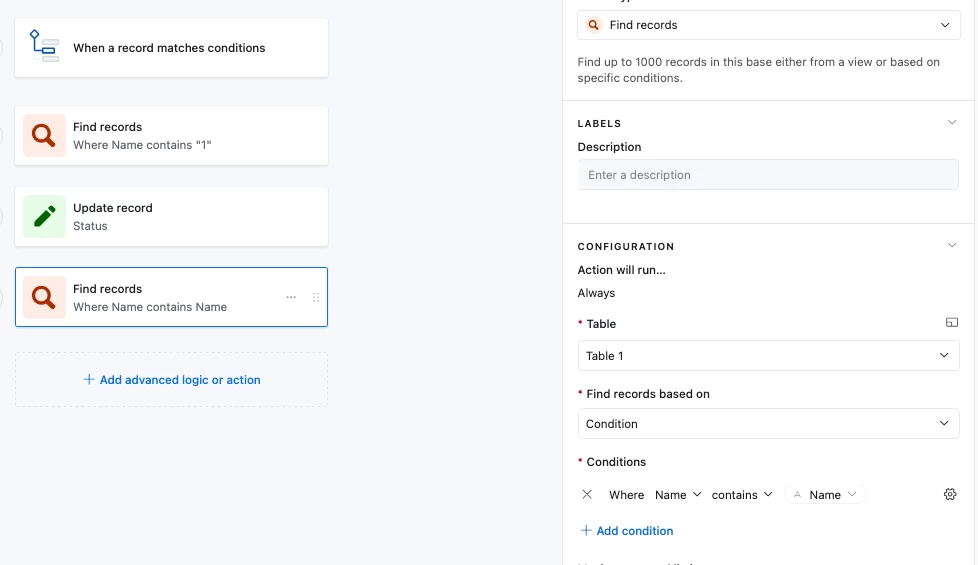
Using “When a record matches conditions” I want to “Find records” using a result in a previous “Find records”. That result is originally a LookUp, which result I know I can’t use as a dynamic condition in an automation, giving a “Cannot assign list of string to string” error.

Hence I created a formula field which CONCATENATEs the LookUp to what I though is a string. Regardless of that, I still get the same error, and cannot use the new formula field in the automation either.

The result is a recordID so cannot format these into single selects, they are unique.

What have I forgotten about how these work 🤔?

Rgds,

Björn

7 replies

Forum|alt.badge.img+17
  • Author
  • Known Participant
  • May 28, 2026

UPDATE: I realised I don’t need a separate Find records step, I can do a direct Update record. There both the lookup and the formula version work. 

Would still like to understand how to deal with the Fin records, for future reference.

Rgds,

Björn


ScottWorld
Forum|alt.badge.img+35
  • Genius
  • May 28, 2026

@0800-grizzly 

To turn a lookup field into a string, you would need to append an empty string of text like this:

{Lookup Field} & ""

- ScottWorld, Expert Airtable Consultant


TheTimeSavingCo
Forum|alt.badge.img+32

Yeah that’s because ‘Find Record’ is returning an array, not a single result

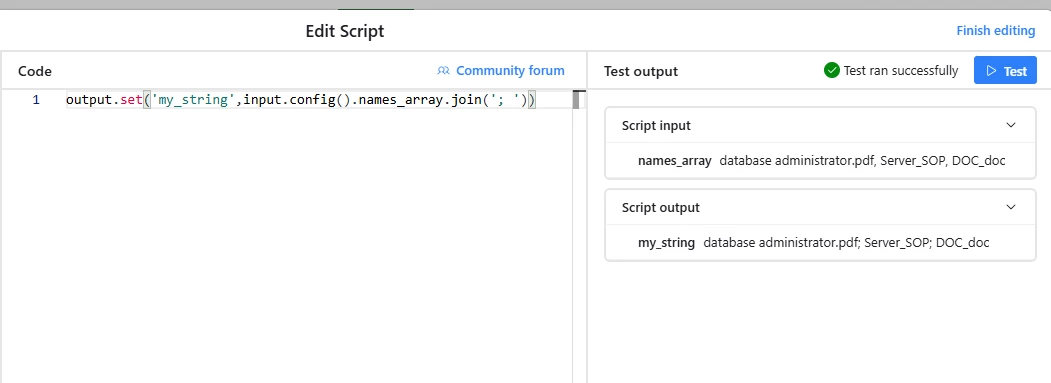
I usually add a ‘Run a script’ step to convert it into a string / number as needed

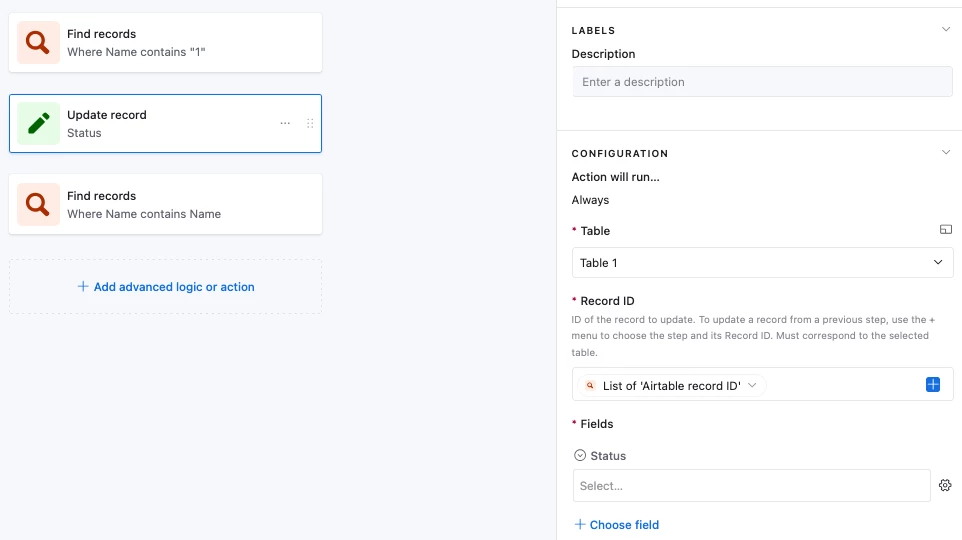
@Alexey_Gusev has a simpler nocode workaround using an ‘Update record’ step and updating nothing for the record in question, and then using the ‘Update record’ step’s output for the next Find Record step.  You’ll need to have a field that you’ve set up specifically for this though so that you can update it as a blank though I think?  Alexey, apologies if I’ve misunderstood what you meant; any errors are my own!


Forum|alt.badge.img+17
  • Author
  • Known Participant
  • June 3, 2026

@ScottWorld, thank you, sorry for late reply. 

@0800-grizzly 

To turn a lookup field into a string, you would need to append an empty string of text like this:

{Lookup Field} & ""

- ScottWorld, Expert Airtable Consultant


I forgot to mention, but I’m quite sure that I tried also this, and it didn’t help. Now when I tested again, it seemed to work.

Did you delete a reply regarding this being an Airtable bug? I got an email with that reply, and this would explain that it didn’t work then, but now it does. If Airtable fixed the bug, I mean :).

Cheers,

Björn


Forum|alt.badge.img+17
  • Author
  • Known Participant
  • June 3, 2026

@TheTimeSavingCo, thanks and sorry for late reply.

When searching before I posted, I stumbled across these older replies and discussions you had with ​@Alexey_Gusev, but I thought they addressed a different topic.

Wouldn’t the easy way still be like above here in ​@ScottWorld’s reply, adding &”” to a LookUp formula field?

Or do these address different situations?

Cheers,

Björn


TheTimeSavingCo
Forum|alt.badge.img+32

Hm, if you’re doing a single Find Record step and you need search on a lookup field then that works, yeap!

You mentioned you’re doing a Find Record on the results of another Find Record step and I wasn’t able to get it to work for that though.  Any chance you could share a screenshot of your setup?  It’s a lot easier to use and I’d love to start doing this instead!


Alexey_Gusev
Forum|alt.badge.img+25

Hi,

I would rethink it from the beginning, if it is still a problem.
Find Records is a step that always returns array (including empty array or array with single element)
Lookup is array too. So basically from a single record trigger, when you are trying to use result of your Find Records, you are getting Array of Arrays. IDK what’s the condition on your Find Records, and
of course it depends on your final goal, but looks like overcomplicated way. 
It is always better to use proper ways for each type of data,
Like you can use Repeated group for array results, or you can use array of IDs for link field.
But if not, there are many “band-aid fixes”: limit Find Records result to 1, use formula to concatenate, or even one line script step