I was idiot-checking some advice I was about to give (meaning I was the idiot needing to be checked) when I ran into this. There’s an earlier mention of this problem from January 2016, so I am going to assume that was fixed long ago and something similar has broken since then.
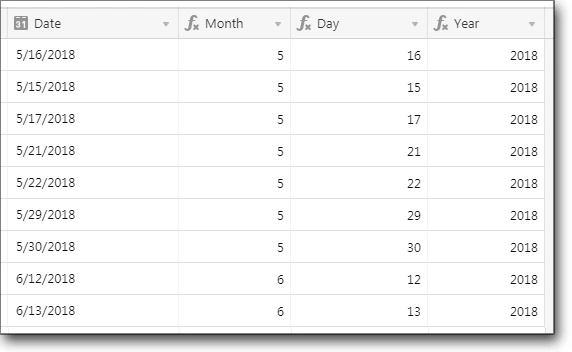
In the following screenshot, {Date} is a looked-up date field, while {Month}, {Day}, and {Year} are formula fields that simply call the function indicated with {Date} as the parameter. (That is, {Month} is a formula field with the formula MONTH({Date}), and so on.) Note the results for {Day}.
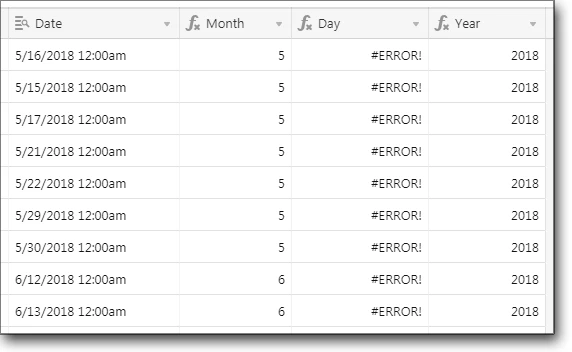
I then modified {Date}'s configuration, changing it to a date field. Here’s the result: