



Hi everyone,
It's Kyle from Product here with our fourth batch of updates. (If you missed what we've shipped before, catch up on our 15 updates in 15 days, our automations improvements, and our Calendars, Comments & Permissions bundle.)
This week we've shipped 15 updates covering Automations, Interfaces & Navigation, and a number of them retire the workarounds you probably built yourself. Here's what's new:
Automations that do more
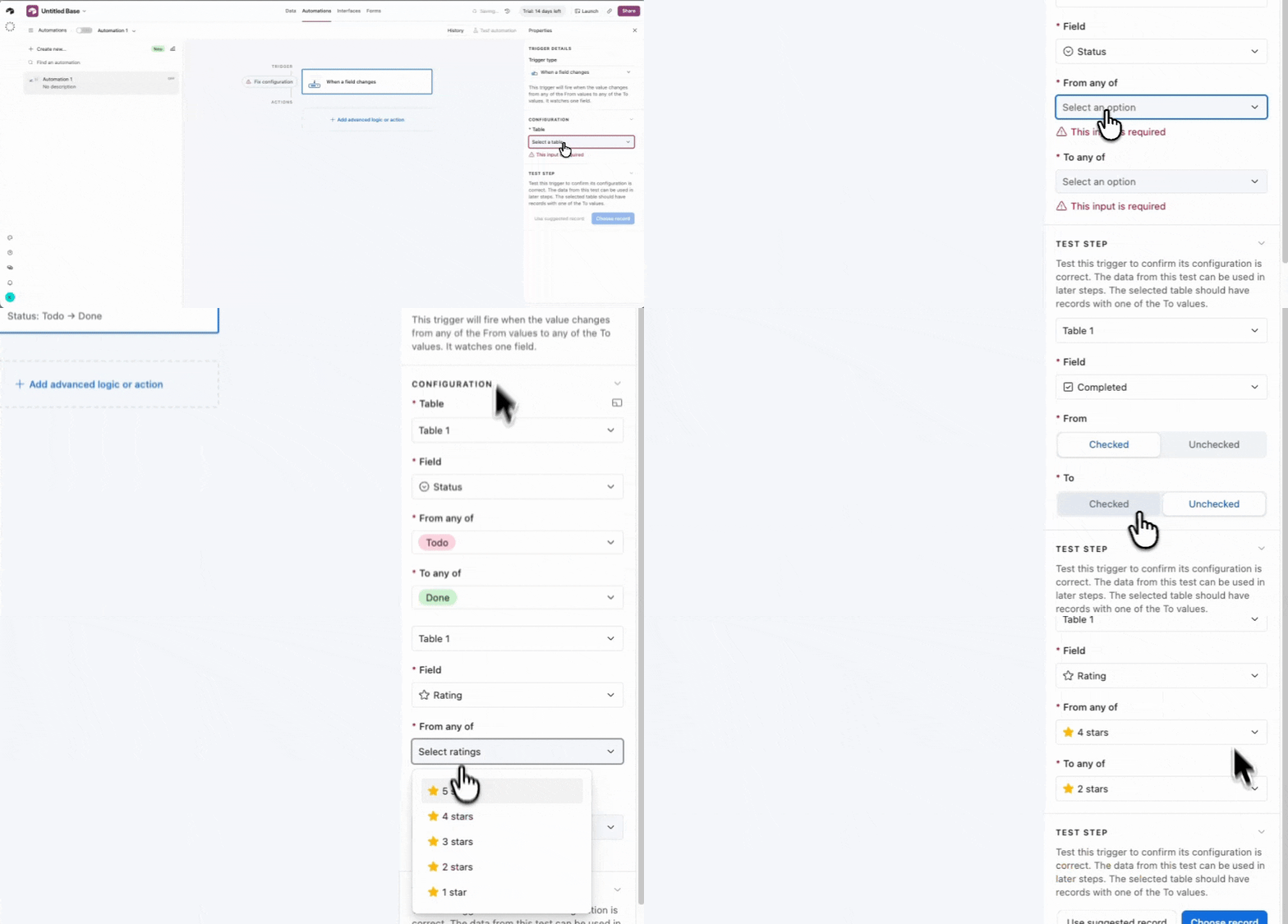
1. Trigger on a specific value change
Fire an automation when a field changes from one specific value to another, (e.g. Status: In Process → Completed). No more workarounds with a manual "previous value" field and a record-updated trigger.
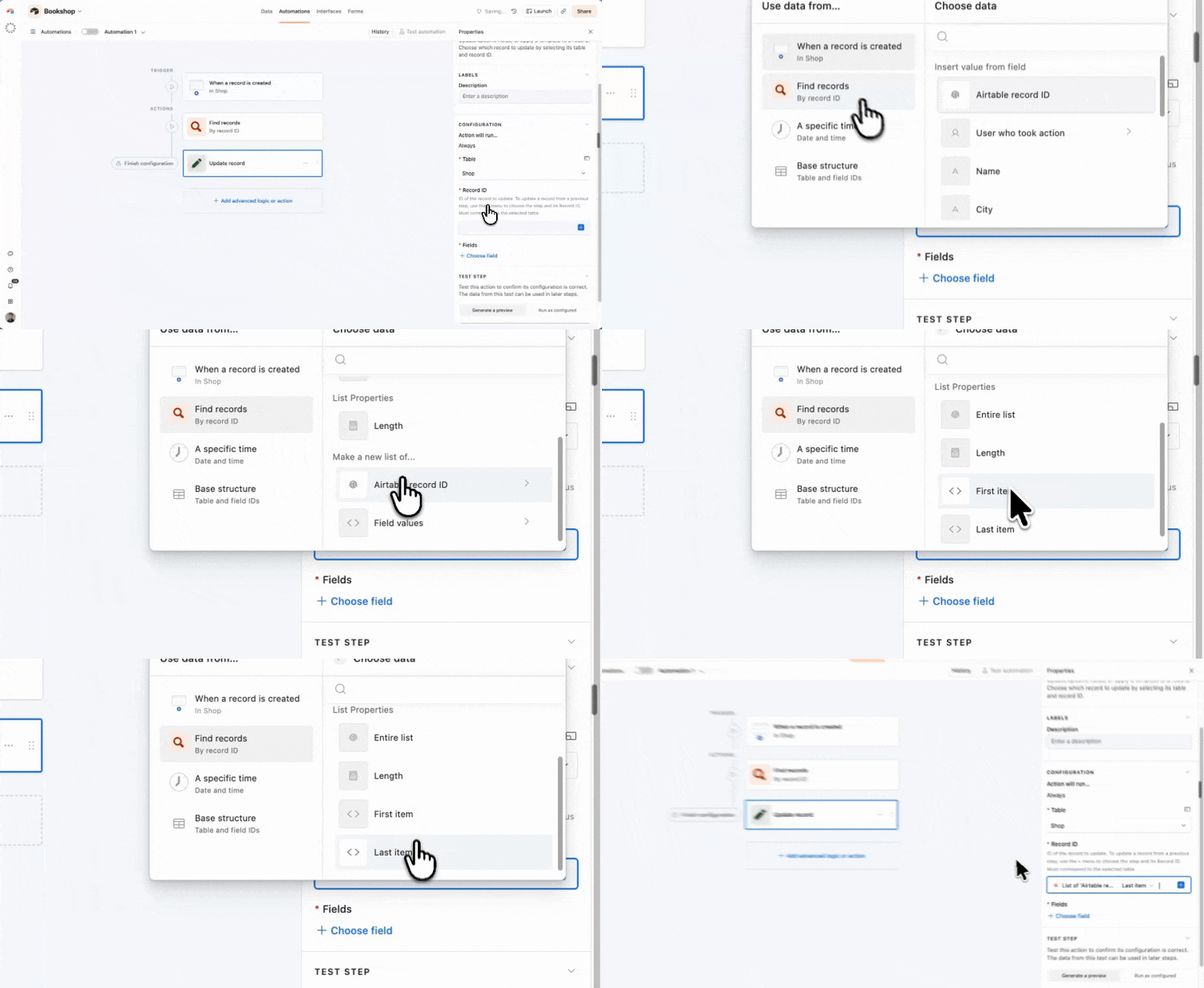
2. Return a single record you can use
Find records can now return just one record, ready to use in your next steps. No more scripting or array indexing to pull it out of a list.
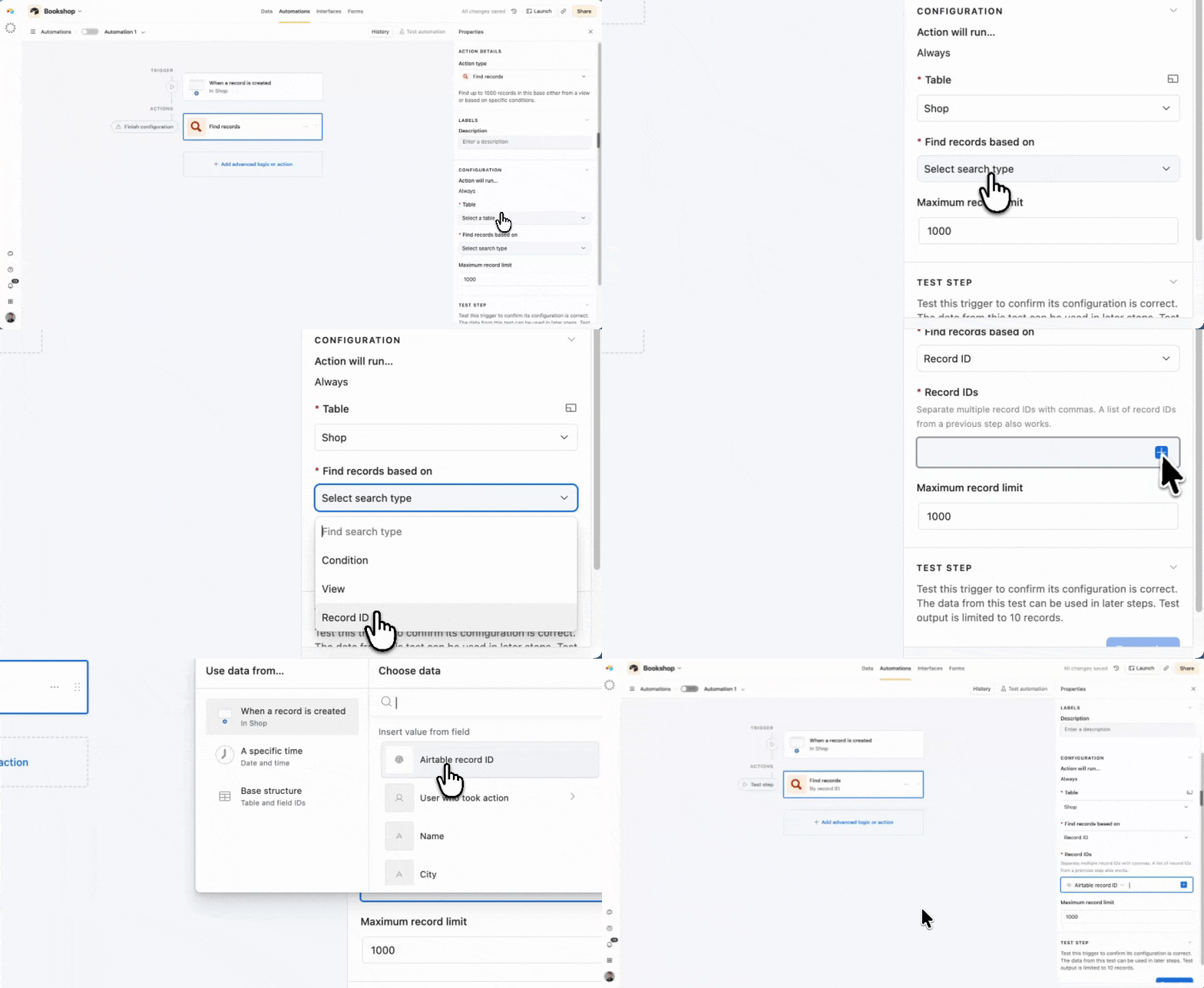
3. Look up a record directly by its record ID
Find records can now match on the Airtable record ID directly. You no longer need to keep a separate Record ID field to compare the token against it.
Improved Interfaces
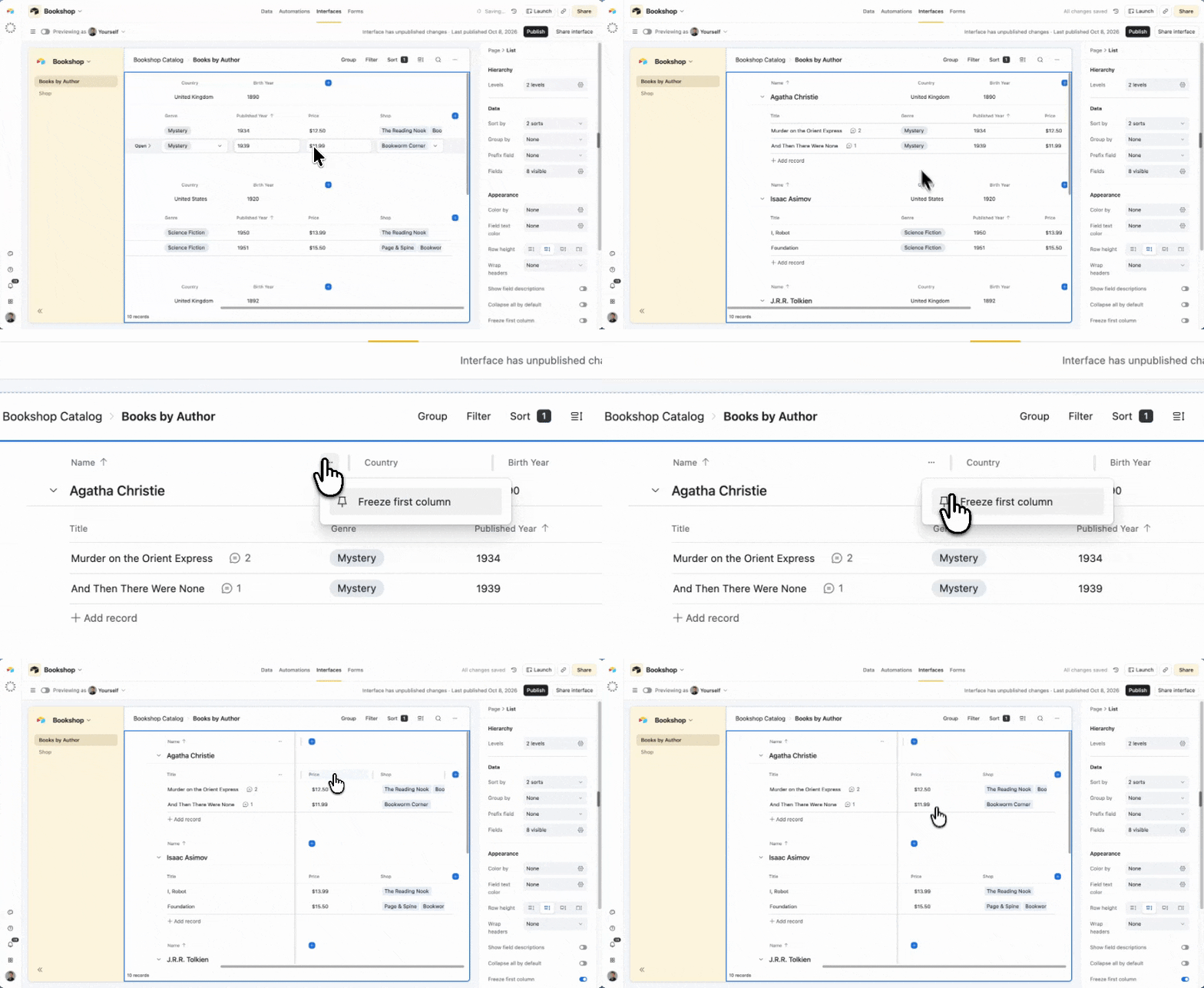
4. Freeze columns in list view
Freeze the first columns of a list so they stay visible as you scroll sideways, just like in Grid view.
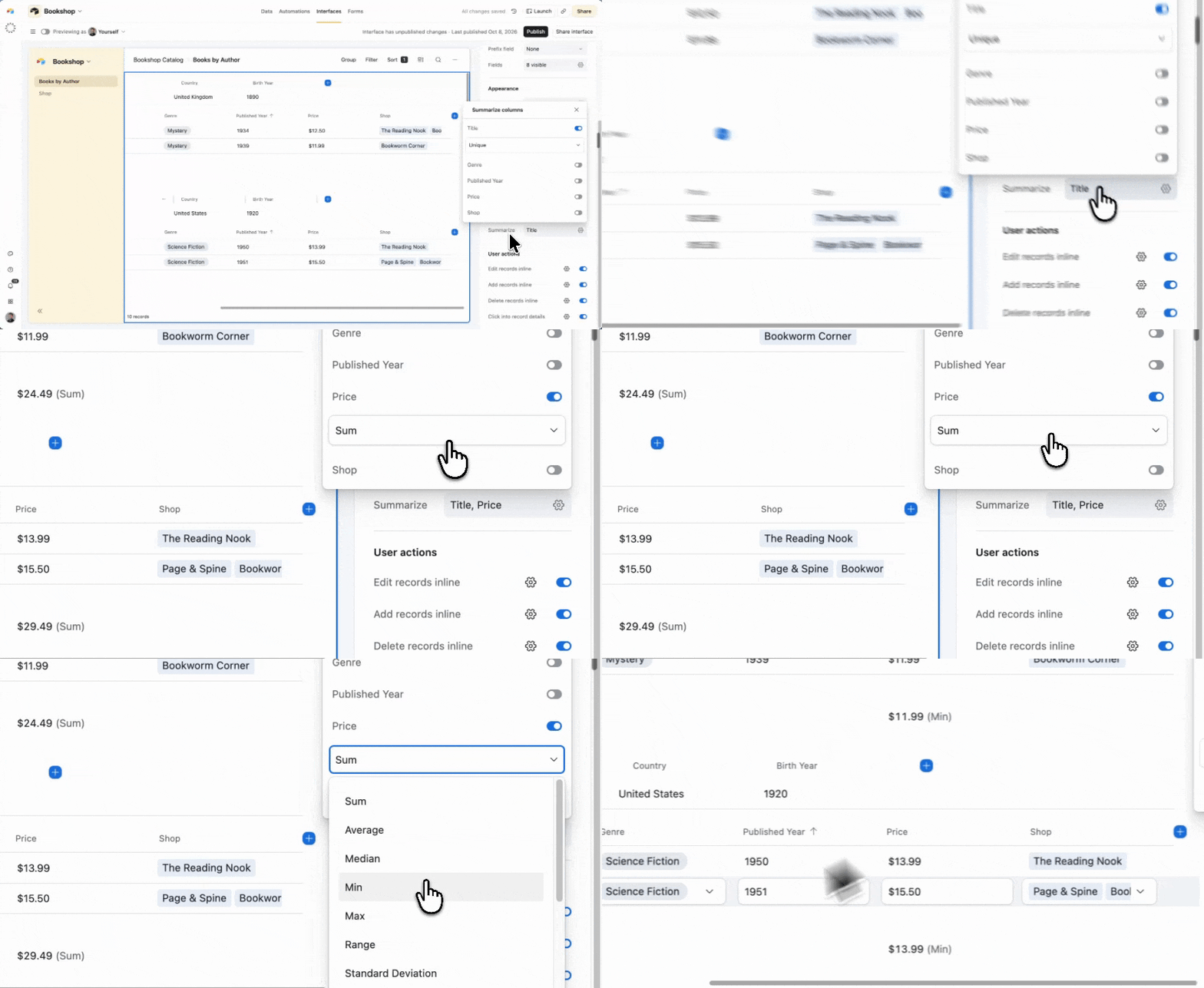
5. Aggregations in Interface Lists
Interface List views and List pages now show field totals and summaries at the foot — sum, count, average and the rest — just like Grid views.
6. Per-stack totals in Kanban
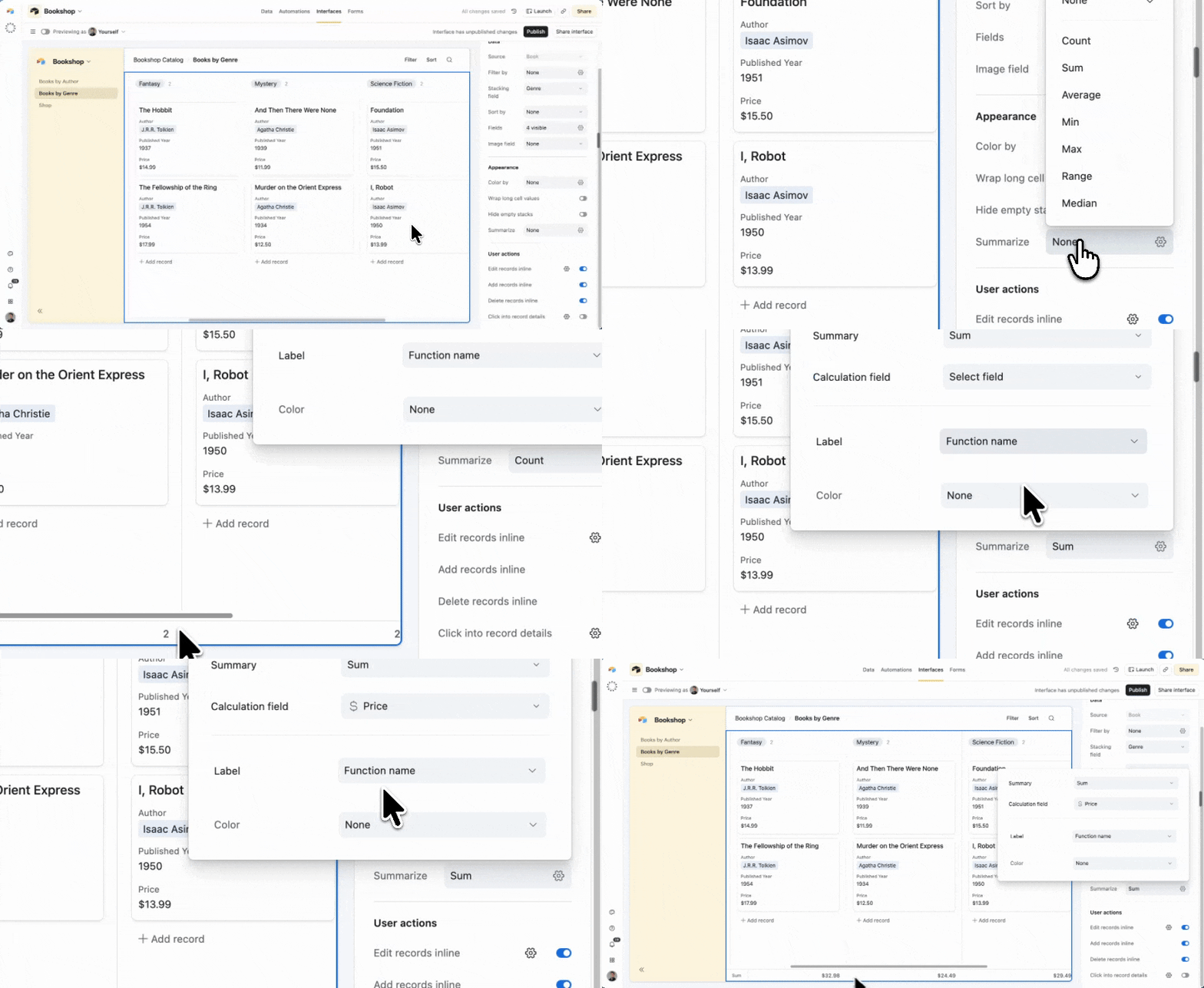
Kanban views can now show a summary for each stack (e.g. the sum of deal value across each pipeline stage), not just the card count, so now you can read your pipeline in the view where you actually manage it.
7. Filter interface pages by ratings fields
Interface dropdown filters now support ratings fields, completing filter support across all field types.
8. Grid elements: lock fields
Lock fields so it can’t be edited inside the grid. This used to only be possible on List elements but can now be used on the grid.
Frictionless editing
9. Bulk download attachments
Download every file (or version) in an attachment cell, instead of one at a time.
10. Arrow and Tab keys work in expanded cells again
You can once more move between cells with the arrow and Tab keys while a cell is enlarged in Grid view — restoring fast data entry and review.
11. Tab and arrow keys advance in linked-record cells
Create or search a linked record inline, and use Tab and arrow keys to move focus to the next field again — allowing you to link customer → product in one pass.
12. Full-screen formula editor
Expand long formulas into a full-screen editing box instead of working within the 2-3 line field. It works just like the full-screen prompt box in Field Agents.
Easier navigation
13. Search shared interfaces by base name
Search the Quick switcher for interfaces shared with you by their base name, even if you don’t have access to the base or workspace.
14. Find a page using its link
Paste a page's URL into search to jump straight to it. Handy when you're working across multiple accounts.
15. Multi-select when creating a token
When you create a token in Builder Hub, the scope picker now stays open so you can select several scopes in one pass, instead of reopening per scope.
Thanks for all the feedback and requests so far, and please keep it coming!