Welcome to the Airtable Community! Check out our resources on this page to help you get started. Let's learn and grow together!
Recently active
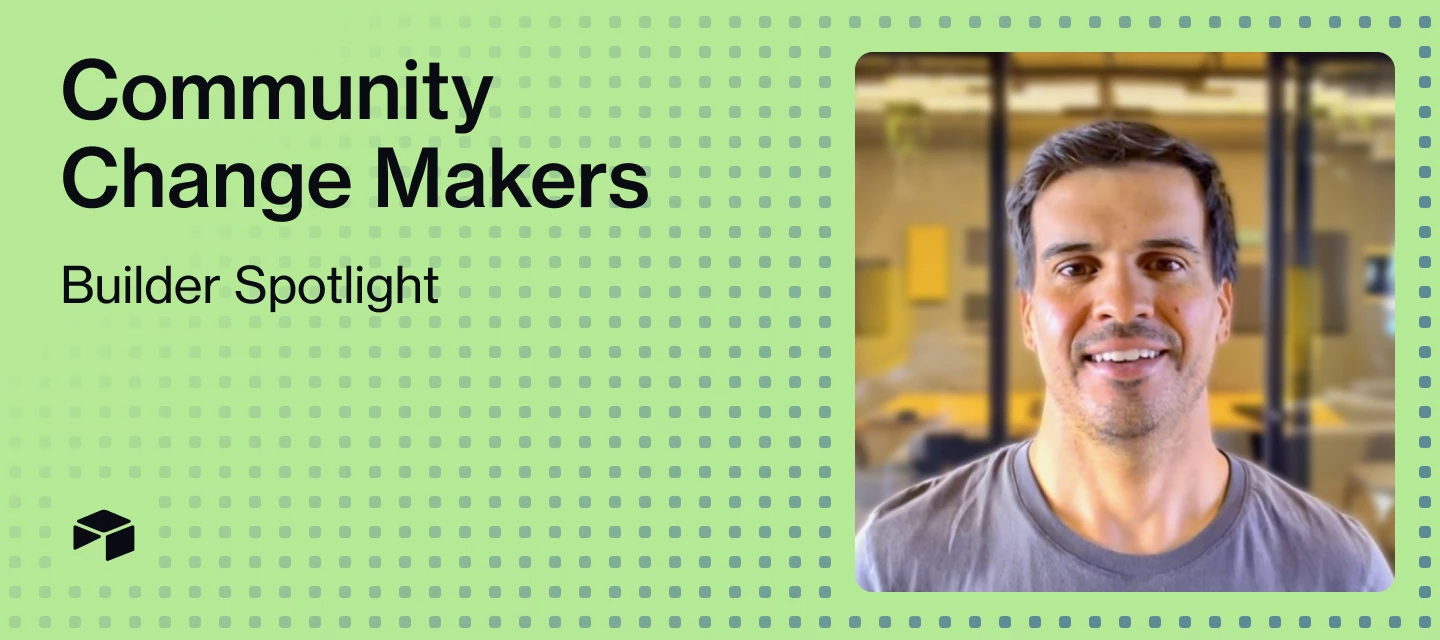
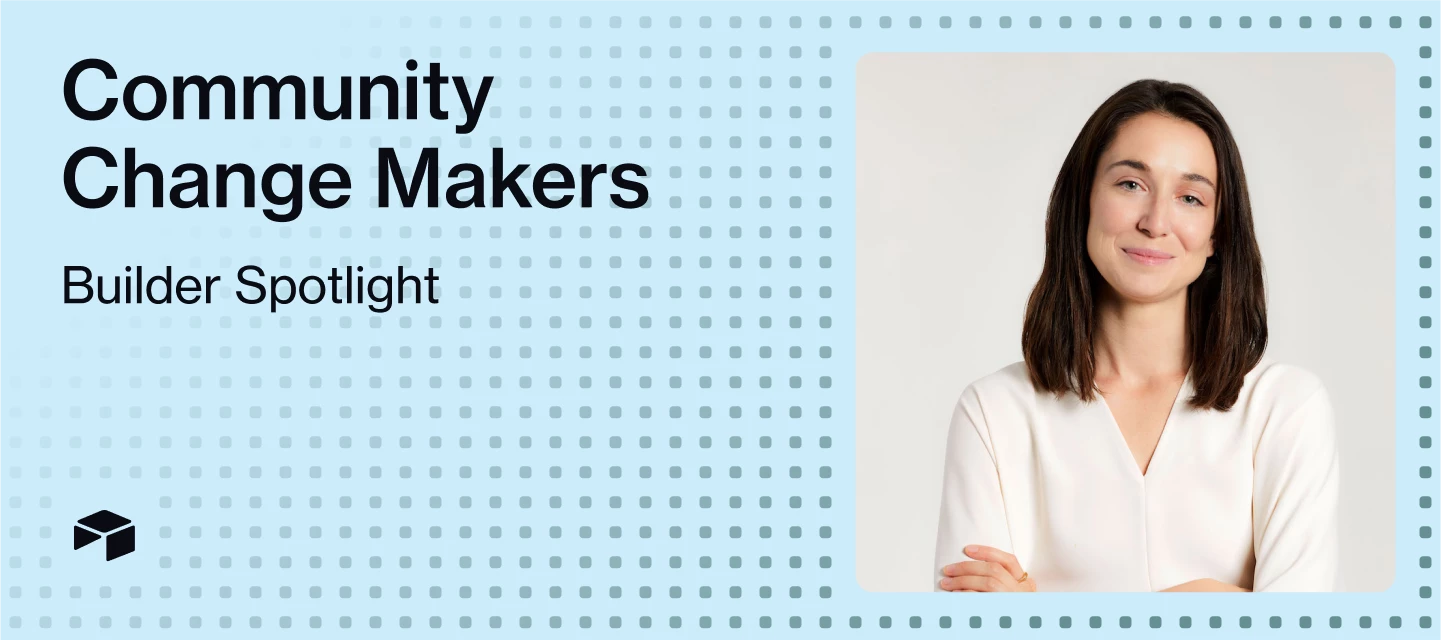
Welcome to Change Makers, our series highlighting customer stories and builders making an incredible impact with Airtable. Today’s Change Maker co-leads the Airtable EDUser Group, a space for any and all Airtable users in education.For anyone who’s ever hit the limits of a spreadsheet, discovering Airtable can feel like unlocking a new level in workflow design. Our Airtable EDUser Group’s co-leader Gaston Viau (@gaston) was a Google Sheets enthusiast before discovering Airtable in 2021, but, since then, has never looked back. Now, as the co-founder and CEO of Boltflow, he’s on a mission to help others unlock the full potential of this powerful platform. Meet Gaston, Co-Founder & CEO of Boltflow 📖 If you weren’t in your current role, what would you be doing?Probably designing houses. Construction has always been a passion — and honestly, building in Airtable feels oddly similar. You start with a solid foundation (your data layer), then layer structure and creativity until somethi
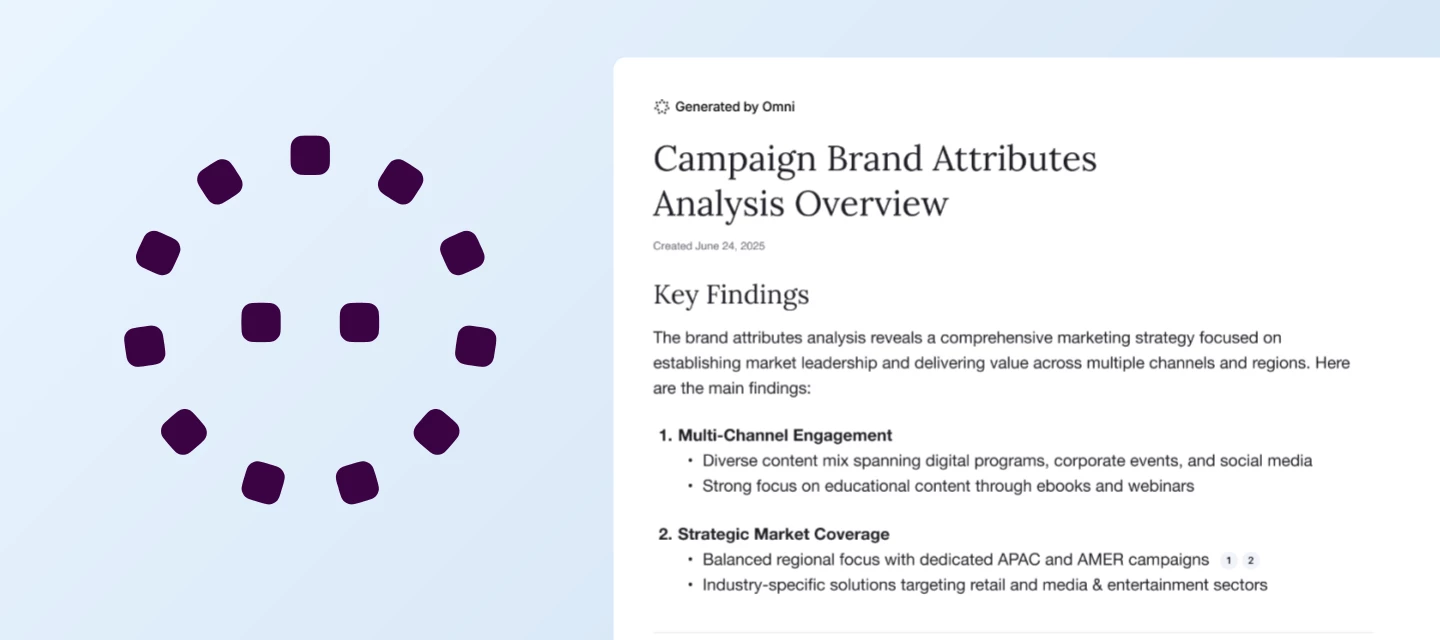
We’re excited to announce the launch of Omni Reports to AI Labs — a powerful new way to turn your Airtable data into actionable insights and beautifully formatted reports, all in just a few clicks. With Omni Reports, you can:Track campaign performance and content pipelines with automated marketing summaries. Get a clear view of what’s working, spot trends, and share results with your team—no manual number crunching required. Monitor product progress and team alignment with daily or weekly project updates. Keep everyone on the same page with up-to-date snapshots of milestones, blockers, and next steps, generated directly from your project data. Analyze sales pipelines and customer feedback to drive smarter, data-driven decisions. Surface key metrics, identify opportunities, and understand customer sentiment—all without building complex dashboards. How it works:Omni Reports uses AI to analyze your Airtable bases and automatically generate tailored reports based on your data. Just select
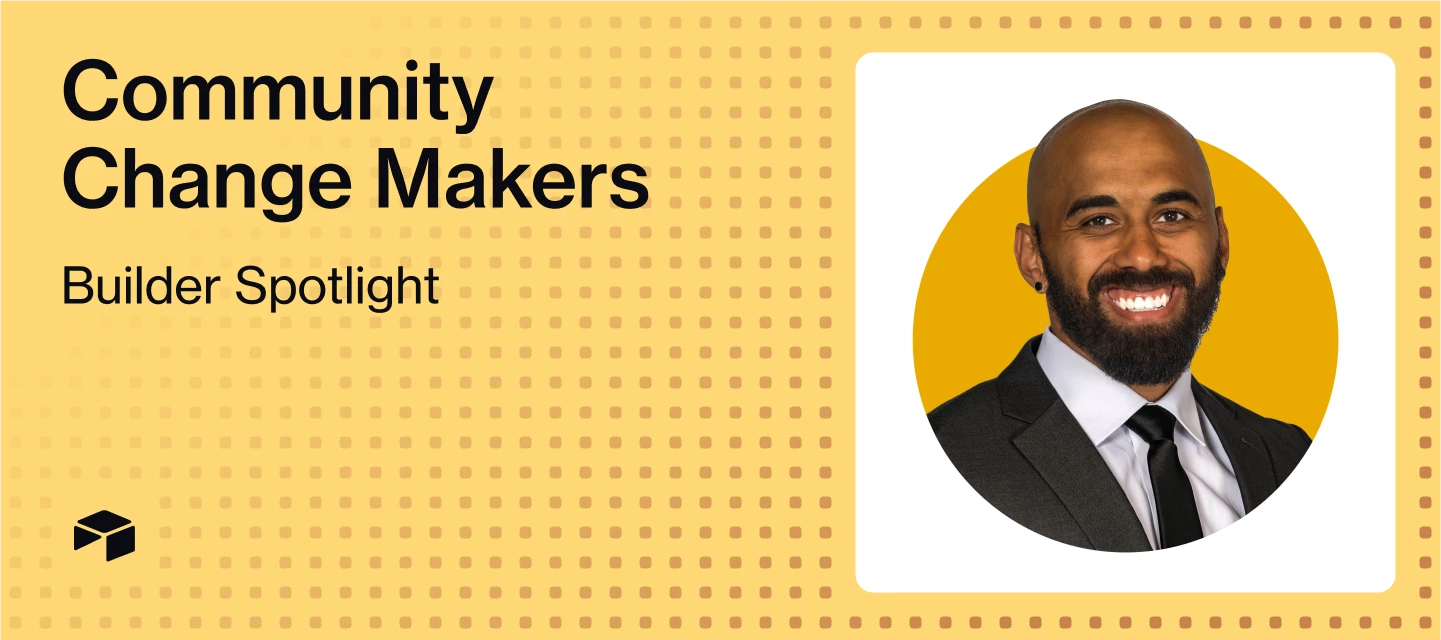
Welcome to Change Makers, our series highlighting customer stories and builders making an incredible impact with Airtable. Today’s Change Maker is a co-leader of the Airtable EDUser Group! Meet Blessing, Director of Data Operations and Administration at Teachers College, Columbia University 📖 If you weren’t in your current role, what would you be doing?I’d probably be living somewhere remote—not too remote, because I need WiFi and easy access to boba—but remote enough to be able to sit in front of a computer and write all day. Just cranking out pages upon pages of epic Elden Ring and Foundation-esque SFF novels and feature-length film scripts that feature rich, complex, galaxy-spanning worlds that feel uncanny—somehow both eerily familiar and bizarrely foreign.My dream? To write a Denis Villeneuve-directed, female-led, grounded sci-fi spy thriller that’s a gut-punch of emotions and smooth fight choreography—think The Bourne Identity meets Arrival.🦸🏻♀️ What’s your superpower at work
Hi Airtable Community! My name is Mina Kwong and I am a Scaled Customer Success Manager here at Airtable. When I’m not building in Airtable, I love to explore new restaurants and coffee shops in New York City! I’m excited to host October’s Set the Table on October 14, where you’ll get to connect with other new users and pick up best practices to set yourself up for long-term success. ✅ What to Expect:A quick recap of recent Airtable updates and announcements A walkthrough of key onboarding resources Best practices for building your first app in Airtable Practical tips to help you get the most out of Airtable Open Q&A — ask me anything about getting started! 🚫 What We Won’t Cover:Technical troubleshooting or bug fixes Billing, account, or subscription questions Product feature requests (submit those via our Product Ideas board!)For technical or account-related questions, your Account Executive or our Help Center are great go-to resources.Click here to register for the event.Hope t
Hey Airtable Community,I’m a few days late, but can you believe that October is here? Time to break out the cozy sweaters, sip on pumpkin spice everything, and maybe start planning those Halloween costumes! Speaking of treats (not tricks), let's celebrate our September Top Contributors who deserve all the candy corn for being such phenomenal members of the community.Reminder: When recognizing our Top Contributors, we look at the quantitative data (e.g. likes received, answers given), as well as the quality to make sure everyone follows our Community Code of Conduct and Guidelines in their activity.In September, our Top Contributors provided 24 answers, 453 replies, and received 144 likes. And, at the top of the leaderboard, our top 5 earners cumulatively collected 3,283 points 🤯 Congrats to all and thank you for being an essential part of the Airtable Community! Top Solution Authors 🧠@Mike_AutomaticN, @TheTimeSavingCo, and @ScottWorld - 6 Answers Given @Alexey_Gusev - 3 Answers
Hi everyone, I’m Carla – a software engineer at Airtable and I am really happy to share that we’ve added the ability to dynamically filter results in linked record pickers! You can now limit the records that can be selected on a linked record field by configuring a filter based on the value from another field from the same record. For example, when assigning People to a Task, instead of browsing through the full table of People, you can now filter the linked records available for selection based on another field on the Tasks table, in this case we can use the value of the Skills Required field to filter the list of People to only those that have the relevant Skills:How to configureOn a linked record field configuration, toggle on the option to Filter record selection by a condition.Select a linked record field from the linked table and click the cog on the right to switch to a Dynamic condition.Select a linked record field from the current table, and Save. We’re rolling
We are thrilled to announce that as of today Airtable Academy is now open to all customers! Whether you're using our Free, Team, Business or Enterprise Scale plan, you can now access this invaluable resource to elevate your Airtable skills, onboard new team members, and demonstrate your platform expertise through certification. What is Airtable Academy? Airtable Academy is your go-to resource for learning everything about Airtable, from the basics of database management to advanced features like automations and integrations. Our self-paced courses are designed to help you master the platform and unlock its full potential, no matter your level of expertise. Whether you’re just getting started with Airtable or you’re a seasoned pro, the Academy offers tailored coursework to fit your needs. With modules ranging from introductory topics like "Navigating Interfaces" to advanced content involving automations and formula-building, Airtable Academy provides a learning path that meets you wher
Welcome to Change Makers, our series highlighting customer stories and builders making an incredible impact with Airtable. Today’s Change Maker is a co-leader of the Airtable EDUser Group! Meet Paris, Assistant Director at Ascend WV 👀 What’s a fun fact most people (or your coworkers) don’t know about you?When I was a student at West Virginia University, I was the rock climber featured on top of Seneca Rocks for the school’s “Let’s Go” marketing campaign. If you look hard enough, you can still find TV ads and banners of me waving a WVU flag while perched on a precarious rocky ledge. Honestly, I probably spent more time doing things like performing, competing in Mountaineer Idol, playing in my band, than I did studying. Not sure if I majored in Marketing or in extracurriculars — but both have served me well so far!🤝 If you weren’t in your current role, what would you be doing?I’d be back in Southeast Asia, where I spent years working in the global humanitarian aid sector. There’s somet
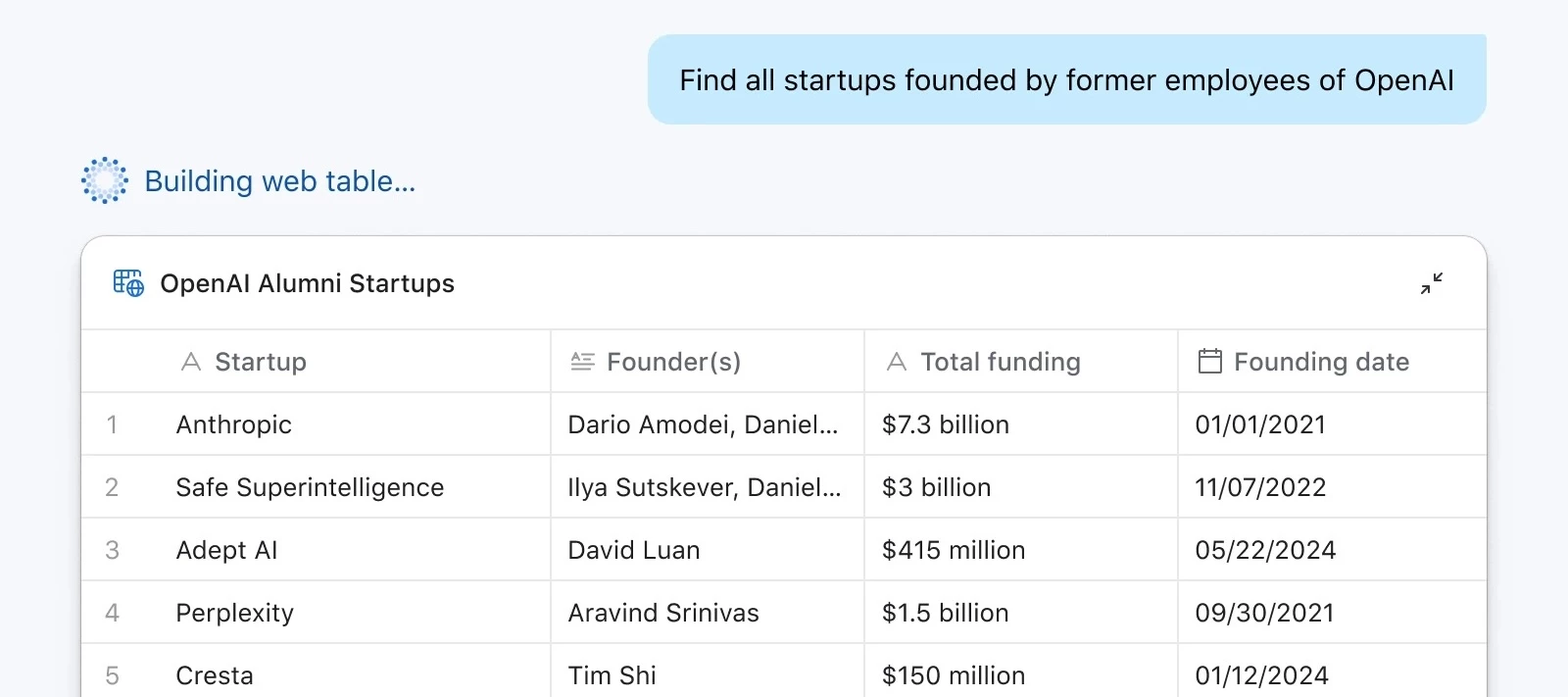
Hi everyone, Kenzo here from the Airtable Product team. Today we’re rolling out Web Tables in Omni (AI Labs) — a new way to research people and companies, and to power workflows such as sales prospecting, company research trackers, and recruiting outreach. Web Tables let you create structured datasets of people and companies from the web, directly in Airtable. This unlocks new kinds of apps you can build without manual data collection or cleanup, such as:Company Research Tracker – monitor startups, competitors, or YC companies with founder and funding details, then track them in your company tracker app. Example prompt: Find all Y Combinator companies founded since 2022 that are in the fintech or AI sectors. Recruiting Pipeline – find candidates, their roles, and recent job changes, then add them to your Recruiting base and link them to open roles. Example prompt: Find all software engineers in San Francisco who have recently left Stripe or Coinbase. Sales CRM – build prospect lists
You’ll see Airtablets pop in and out of the forum and user groups, but the team below are the ones who moderate this space. We’d love to get to know you a bit more, so here are some fun facts about us first! @kev is the Director of Digital Programs at Airtable, where he leads the teams growing Airtable Community, Airtable Academy, AI programs, and the digital customer experience. At work, his goal is to make the Airtable *Builder* the hero of the story. When not at work, he lives outside of Boston with his wife, two kids, and their black lab Sully and can be found rooting for all of Boston's major sports teams. Most used emoji: 🤙 Favorite weekend activities: Hitting the beach, supporting his kids' increasingly busy sports calendars, and convincing his wife they should go to another concert. @MaddieJ is a Principal Program Manager for the Airtable Community, passionate about fostering community connection. When she’s not sparking discussions in the c
The Airtable Community is founded on collaboration and a shared love of the Airtable platform. In the forums, you can post questions or start conversations about a wide variety of topics or even showcase your own Airtable use case. In addition to helping a fellow member solve a question or inspiring others by sharing what you’re building, there are actions members can take to improve the search algorithm and add credibility to the forums! Keep reading to learn how you can make the most out of your time here.Posts & Replies Best practices for Posts & Replies Best Answers Likes 👍 Posts & RepliesTo start your own Topic, simply click the ‘+ Create Topic’ button at the top right next to your user avatar.You can then choose between creating a Question or a Conversation. Use the former if you need help with something, and use the latter if you’d like to start a discussion with other members.Once a Topic is published, anyone can reply to it. The formatting options for Replies are
Welcome to Change Makers, our series highlighting customer stories and builders making an incredible impact with Airtable. Today’s Change Maker was one of the winners of our MVP AI Build Contest, showcasing innovative use of Airtable AI. Meet Lauren, Director of Business Transformation at Kno2 🦸🏻♀️What’s your superpower at work?I can take a big, messy, chaotic process and figure out how to streamline it, usually in a way that’s both more human-friendly and automation-ready. Since the release of Airtable’s Omni and Field Agents, I have been uncovering even more use cases for AI, designing systems that not only work for everyone today but can also evolve and get smarter over time. 🌱 What’s a small change that’s had a big impact on your workflow?Building “decision-ready” views in Airtable. Instead of showing stakeholders everything, I curate it so the view answers one question or drives one decision. It saves hours of back-and-forth and basically removes the “I didn’t have the info”
Did you know that you can customize your Airtable Community experience by subscribing to the content you’re most excited about and following members that inspire you? Don’t worry, here’s how to start building your directory of go-to resources.How to Subscribe to Content Subscribing to a Board versus a Post Viewing and managing your subscriptions Following other Members How to Follow a Member How to Unfollow a Member Bonus: Private Messages How to Subscribe to ContentBy subscribing to content you will have the most up to date information on the topics and content that matter most to you. You can subscribe to a board (ex. Automations under Ask the Community or Announcements under Welcome) or to specific posts. When you subscribe to a post or board, you will be notified when someone publishes a new topic or reply. Subscribing to a Board versus a PostTo subscribe to a Board you will see a Subscribe button on the right side of the page. Click on Subscribe and you are done! To subscribe
Hi Airtable Community! My name is Zach Krumrey and I am a Scaled Customer Success Manager here at Airtable. I’m excited to host another Onboarding Office Hours on September 9th at 12PM CST where you’ll get to connect with other new users and pick up best practices to set yourself up for long-term success. ✅ What to Expect:A quick recap of recent Airtable updates and announcements A walkthrough of key onboarding resources Best practices for building your first app in Airtable Practical tips to help you get the most out of Airtable Open Q&A — ask me anything about getting started! 🚫 What We Won’t Cover:Technical troubleshooting or bug fixes Billing, account, or subscription questions Product feature requests (submit those via our Product Ideas board!)For technical or account-related questions, your Account Executive or our Help Center are great go-to resources.Click here to register for the event.Hope to see you there!
Hello! I’m Ayesha, a Product Manager here at Airtable. We’re so excited to share an improvement to interfaces that will let you share some page types publicly in a read-only format. You can share a link to these pages or embed them in other websites. What are publicly shared interface pages? Most interface pages can now be publicly shared and can be accessed by a non-Airtable user without being logged in. These pages are read-only and your audience will be able to filter, sort, search, and expand details on your page. How do you create a publicly shared page? After you have published one of the supported page types, the share dialog will feature a new “Share Publicly” tab. Turning on the switch will enable public sharing using a unique link that is generated when the toggle is turned on. What does a public page look like? You can check out a real example at https://www.airtable.com/whatsnew!We’ve embedded a public interface page that shows our recent launches. Other comm
Welcome to Change Makers, our series highlighting customer stories and builders making an incredible impact with Airtable. Today’s Change Maker was one of the winners of our MVP AI Build Contest, showcasing innovative use of Airtable AI. Meet Alex, Senior Tools Manager at Airbnb ☕️ Coffee, tea, or something else entirely to fuel your workday?Coffee (usually too much). I've been trying to mix in some decaf but it's tough. 🕹️ If you weren’t in your current role, what would you be doing?Making video games or music, or both. But I'd probably still be tracking it all in Airtable. 🧑🏻💻 What’s the most surprising use case you’ve seen (or built) in Airtable?Gotta go with the OG W Vann Hall's community post where he created conditional linked records... before they even existed in Airtable natively. Such an exciting moment in Airtable building that really inspired me to push the limits. 🗯️ What advice would you give to someone just getting started with Airtable?Think of something you'd li
Hey Airtable Community, Did you know the first day of fall is September 22? Another fun holiday in September…Eat an Extra Dessert Day is TODAY, September 4th! So here’s a blog spotlighting our top contributors in August who I hope will treat themselves to an extra dessert today for being such amazing members of the community!In August, our Top Contributors provided 26 answers, 420 replies, and received 157 likes. And, at the top of the leaderboard, our top 5 earners cumulatively collected 3,303 points 🤯 Congrats to all and thank you for being an essential part of the Airtable Community! Top Solution Authors 🧠 *@airvues - 10 Answers Given @TheTimeSavingCo - 7 Answers Given @Alexey_Gusev, @Mike_AutomaticN, and @Tyler_Thorson - 3 Answers Given **@RedwolfSports, @Taha-Jiruwala, @CaitlenBerg, @DisraeliGears01, @Richard - Simplified Webhooks, and @will_from_cd - 1 Answer Given *Congratulations to @airvues for dethroning our usual top solutions authors for that first spot
Your public community profile is where Airtable community members can see the information that you have chosen to share, your community rank & stats, as well as your posts & replies. Keep your profile up to date so members of the community can get to know more about you! Below we will walk you through some of the different components that make up your profile page.Snapshot of an example profile page 1. Username & Profile AvatarOn the top left header you’ll find your username, ranking/role (more to come on this!), and a quick link to edit your settings.You can change your profile avatar by selecting the Edit profile button located under your ranking. In your profile settings, you can then either Edit or Remove avatar to then upload a new one.* You are the face of your brand and your profile avatar is the first impression another member will see, make it uniquely you!2. Community Metrics SnapshotYour metrics snapshot share your top stats with other members:Topics - total numb
Welcome to Change Makers, our series highlighting customer stories and builders making an incredible impact with Airtable. Today’s Change Maker was one of the winners of our MVP AI Build Contest, showcasing innovative use of Airtable AI. Meet Dominique, Data and Operations Director at HearstLab 🦸🏻♀️What’s your superpower at work?I’m surrounded by people who make it easy to do great work. I’ve had leadership that genuinely supports innovation, and I get to build for (and with) exceptionally brilliant people. I’ve also been lucky to work with companies I believe in, which is a huge motivator.Helping people do their best work feels meaningful and selfishly, building for great brains makes me better. It pushes me to think differently, stretch how I approach systems, and co-create tools I never would’ve reached alone. Especially now, as we bring AI into more of what we do, it’s an exciting time to be a builder and a translator.🗯️ What advice would you give to someone just getting start
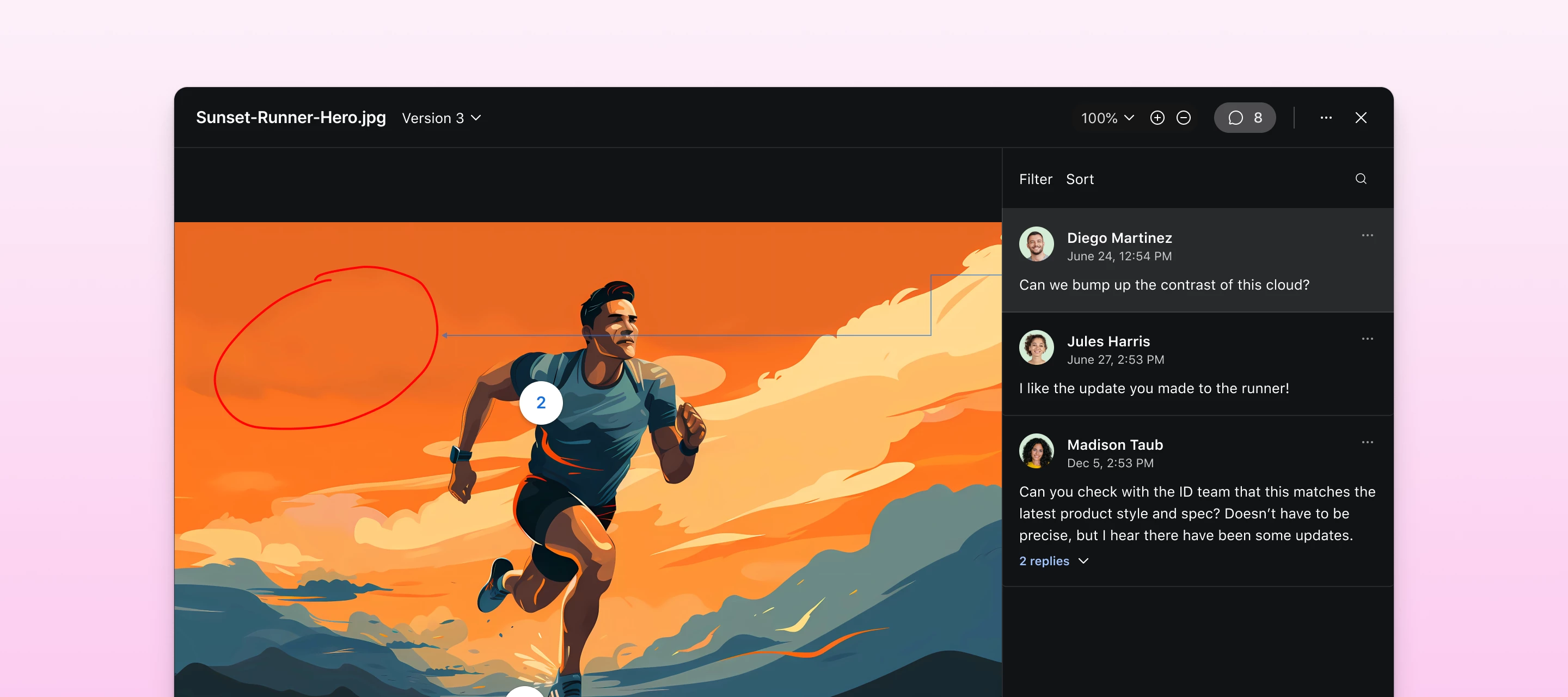
Hello Airtable Community! My name is @Akshar_Patel and I am a Product Manager here at Airtable. We're thrilled to announce a powerful new feature that will revolutionize how creative and marketing teams manage their review and approval workflows: Proofing. What is Proofing?Proofing provides an integrated workflow for creative and marketing teams to upload, version, review, annotate, and approve digital assets directly within Airtable—eliminating the need for external review tools.With this new feature, you can now combine the power of Airtable's project management capabilities with professional-grade proofing tools in one seamless experience. You can track versions, compare files side-by-side, add detailed annotations, and collect stakeholder feedback without ever leaving your Airtable workflow.We recommend using Proofing for key use cases like:Creative agency workflows - Marketing teams managing multiple client campaigns who need to track asset revisions and collect approval feedback
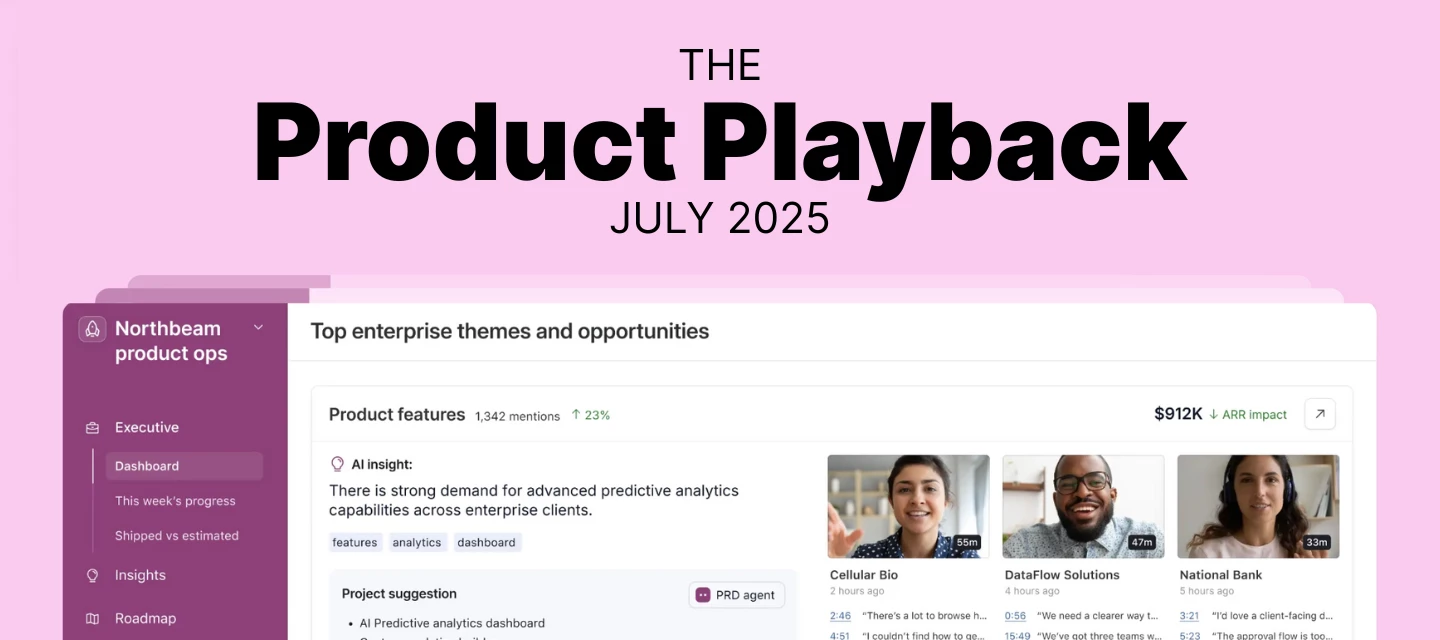
Hey Airtable Community!I'm @Zach from the Product Ops team at Airtable. Welcome to our (NEW!) quarterly Product Playback: a snapshot of what we're hearing from you and how we're responding.Thank you for sharing your ideas. In the past few months, you've submitted over 150+ ideas through our Product Ideas form. We know you've invested significant time providing this feedback, and we want to show you where it's landing. This post reflects the themes we're seeing most often and provides insight into what we're working on.About this post: We'll cover the most requested features, what we've shipped, what's in progress, and what we're considering. Our roadmap evolves based on customer needs, technical factors, and market dynamics, so plans may shift. But we want to keep you informed about our current direction.Ready? Let's dive into what you've been asking for and what we're building. First, a quick note re: the recent UI updates supporting our platform evolution.We've rolled out updates to
Thank you to everyone who joined our August Onboarding Office Hours event with @Courtney11 today! We had a fantastic session covering Airtable best practice, plus a quick look at Omni and Airtable Field Agents. For those who couldn't make it or want to revisit the discussion, you can find the full event recording below: And here are links to the resources shared on today’s call: Stay up-to-date with the latest features and improvements on our What’s New page Connect with other users (join a user group!), ask questions, and share your insights in the Airtable Community Deepen your Airtable knowledge with free courses and tutorials on Airtable Academy Need account-specific, technical assistance? Visit our Help Center Explore professional assistance with Airtable Services and discover our Partner Network who can help you build custom solutions And as promised, here's the link to the Onboarding base we referenced during the session. We look forward to seeing you at our next sessio
Hello everyone, I'm a product designer at Airtable. This quarter, our team is working on a number of improvements to Timeline view based on all the feedback we've heard (much of that from the community so thanks for the great ideas!). We're starting with improvements to the way we render labels. Previously labels were cut off very often, whenever records were too short or just off the edge of the viewport. This meant reading data required a lot of zooming, scrolling, and hovering. Today we're making this much easier by releasing three key updates: Labels now stay on the screen as you scroll, so you can continue to read them. Labels overflow, so so they're visible even when the records are very short or zoomed out. Records beyond the fold are now pointed to by arrows, so you can preview and navigate to them. Jump into one of your Timeline views today to try these updates yourself. We hope you enjoy these improvements, but please continue to share your feedback here as well as y
Welcome to the Airtable Community — we’re so excited to see you here! The Airtable Community is a place to learn, share ideas and develop connections.Here you will feel empowered to: Engage in forums and discussions where you can post questions and answers Learn about the latest releases and meet Airtable’s team Exchange ideas and suggest product improvements Join community hosted events to better your craft Deepen your connection with Airtable and other power usersIf you’re wondering where to start, you’ve come to the right place. Below, we’ve outlined tips and tricks to ensure you are set up for success, connect with other members, contribute to the conversations, and get the most out of the platform. Register/Log inLuckily for you, it’s easy to set up your account because the Airtable Community exclusively supports login via Single Sign-On (SSO) so all you need is the email address that you use to access Airtable.Simply click Login at the top right of the community and then click Lo
Hi Airtable Community! My name is Courtney Lall and I am a Senior Scaled Customer Success Manager here at Airtable. When I’m not building creative solutions in Airtable, I’m probably sipping on a matcha or hunting down the latest food trend. I’m excited to host August’s Onboarding Office Hours on August 12th, where you’ll get to connect with other new users and pick up best practices to set yourself up for long-term success. ✅ What to Expect:A quick recap of recent Airtable updates and announcements A walkthrough of key onboarding resources Best practices for building your first app in Airtable Practical tips to help you get the most out of Airtable Open Q&A — ask me anything about getting started! 🚫 What We Won’t Cover:Technical troubleshooting or bug fixes Billing, account, or subscription questions Product feature requests (submit those via our Product Ideas board!)For technical or account-related questions, your Account Executive or our Help Center are great go-to resources.C
Already have an account? Login
Enter your E-mail address. We'll send you an e-mail with instructions to reset your password.