Welcome to the Airtable Community! Check out our resources on this page to help you get started. Let's learn and grow together!
Recently active
Hi there! I’m Rosalind – a product marketing manager at Airtable focused on helping teams build powerful, custom applications that make work more efficient. Today I’m happy to share more about some of our latest updates to comments in Airtable. Now, you can quickly react to comments & keep up with async conversations with your team through Airtable. What’s new? Reactions. With comment reactions, you can quickly share feedback and show support with an emoji reaction. Threading. With threaded record comments, you can add a comment in reply to another comment to help keep async discussions organized. Comment watching. Comment watching allows you to monitor specific comment threads and get notifications when new comments are made. Our three new commenting features are available for all users. Sign into Airtable to give it a try and let us know what you’d like to see next!
Hi everyone, I’m Simon, a manager at Airtable on Product Design, overseeing our new Design Systems team. I’m excited to share some updates that we’ve recently made to colors on the platform, designed to improve the Airtable experience. These updates include:Increased vibrancy and contrast of core colors. We’ve refined both the contrast of text and colors against backgrounds.A dark, high-contrast color palette: 10 brand-new colors available to Pro and Enterprise teams.Greater distinction between color combinations, such as those used to indicate status in multiple select fields. Improved support for people with anomalous trichromatic and dichromatic color vision.We hope these updates help your daily workflows, and we’ll continue to refine and make improvements over time. Thanks to the community for your continued, thoughtful feedback, and as always, we welcome you to submit new product ideas to help us shape the future of Airtable.To learn more about applying color in Airtable, see
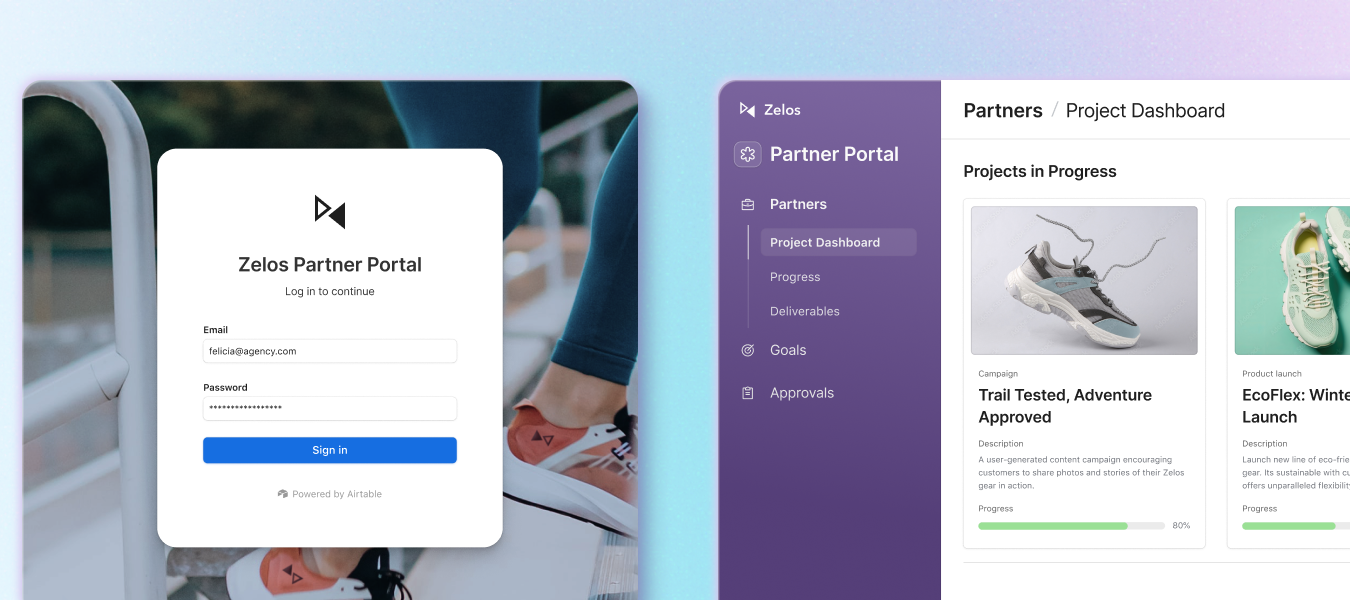
Hello! I'm Ayesha, a Product Manager at Airtable. We're excited to announce that Portals is now generally available, giving your organization seamless guest access capabilities. What are Portals? Portals let you invite users outside your organization as guests to your interfaces. These guests will see a branded sign-in screen and can collaborate within your interfaces—making it perfect for:Client portals: Give clients real-time access to project updates and deliverables Vendor management: Create a centralized directory where vendors can track projects and view invoices Customer support: Provide customers visibility into your roadmap and collect their suggestions What's new in our GA release? Branded experience for external users:Simplify access for vendor-client relationships, contractors, and more Customize the sign-in page with your logo and background image Scale affordably with lower-cost guest seatsFull control for admins:View all external guests and their access points Restrict g
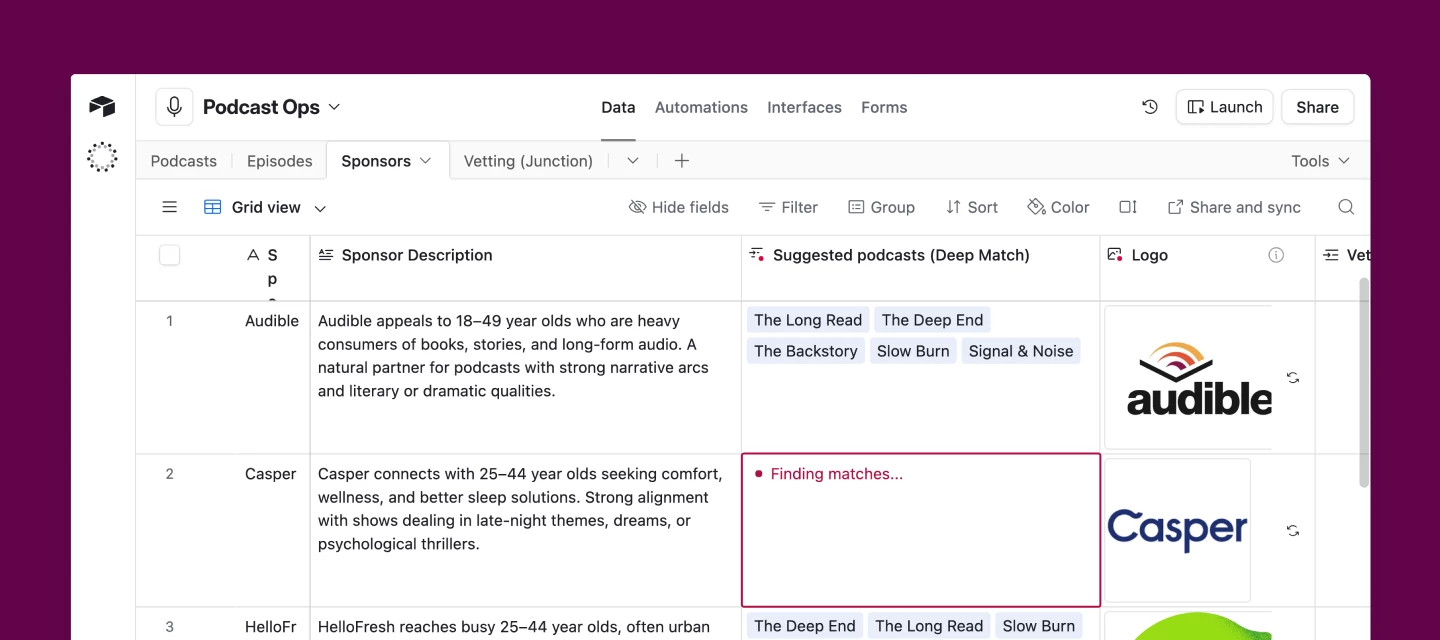
Today we're rolling out the deep match field agent, a new type of field agent that finds and links the most relevant records from your data. What is the deep match field agent?This field agent intelligently surfaces the most relevant records from across your tables and links them together — automatically. Instead of manually hunting for connections between records, deep match reads your data, understands the context, and makes the match for you.Whether you're connecting related products, routing feedback to the right team, or pairing opportunities with the best fit, deep match field agent does the heavy lifting so you don't have to. How teams are using the deep match field agent Match sponsors to podcasts: Podcast networks are using deep match field agent to pair new sponsors with the right shows in their catalog — based on audience, content themes, and more.Route customer feedback to product owners: Analyze free-text feedback forms and automatically link responses to the relevant pro
Welcome to Change Makers, our series highlighting customer stories and builders making an incredible impact with Airtable. Today’s Change Maker leveraged Airtable's AI features to transform her organization’s payment approval workflow from a 2-3 day manual process to same-day execution with full compliance audit trails. Meet Sonia (@Sonia_AV), Investment Operations & Compliance ManagerQ: Do you have a go-to creative outlet or way to unwind after a busy day?A: CrossFit! I'll admit I'm naturally lazy about exercise and it takes effort to show up, but once I'm there, focusing on reps and completing the workout is the perfect way to switch off. My favorite part? When it ends!Q: What's a small feature or automation that makes a big difference in your day-to-day?A: Slack notifications from Airtable automations. They tell me when actions are completed (not when I have more work to do!), so I don't need to track everything on my to-do list. I've even personalized them with Spanish phrases
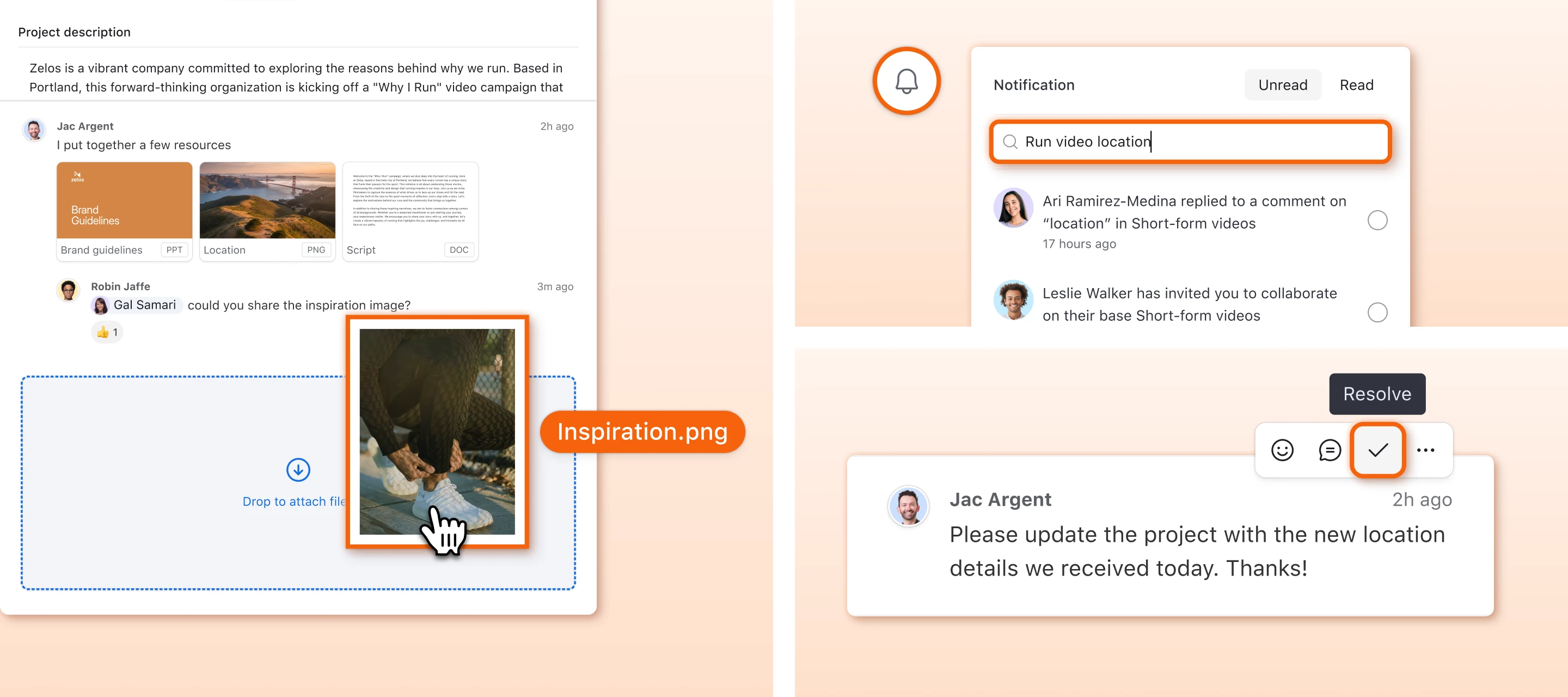
Hi everyone, I'm Akshar Patel (AP), a Product Manager here at Airtable. Today I'm excited to share three updates that make it easier to collaborate with your team directly inside Airtable, so you don't have to jump across tools to keep conversations moving. Whether you're giving feedback on a record, tracking what's been addressed, or trying to find that one notification from last week, these updates are for you. 1. Attach files directly to commentsYou can now attach files (images, PDFs, videos, documents, and more) right inside your comments on a record. Instead of describing what you're referring to or linking out to another tool, drop the file directly into the conversation. Think design mockups, screenshots of bugs, signed contracts, or reference docs. How to use it: Click the paperclip icon in the comment input area, or drag and drop files directly in Each comment supports up to 5 attachments (max 10 MB per file) Click any attachment thumbnail to open it in a full-screen viewer
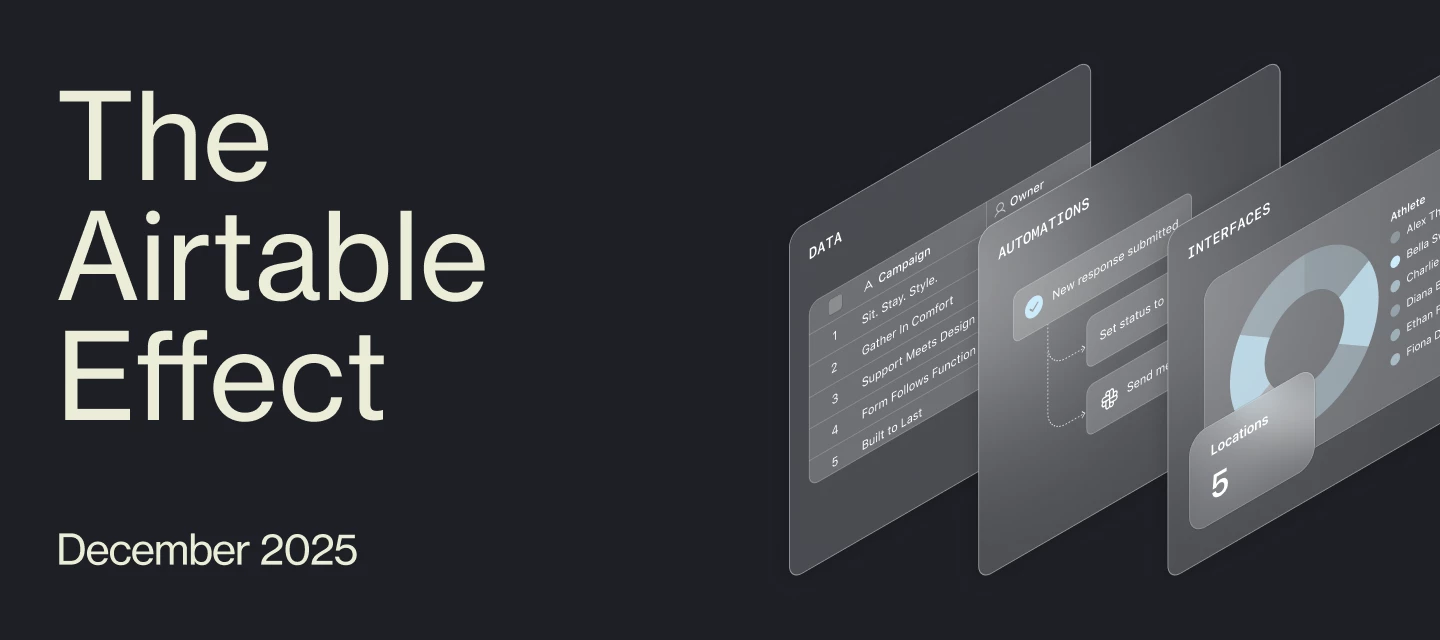
Welcome to the December 2025 edition of The Airtable Effect—a monthly roundup of what’s new, what’s inspiring, and what’s possible with Airtable. Whether you're an everyday builder, a certified pro, or just getting started, this newsletter is for you.In each rendition of the newsletter, we’ll bring you:New product and program launches and updates The latest educational content from Airtable Academy Highlights from the Airtable Community Upcoming events you won’t want to missYou can find The Airtable Effect every month:In your inbox (are you opted into marketing emails?) On LinkedIn (make sure to subscribe to this newsletter!) In the Airtable Community (check the Onboarding Resources section)Let’s take a look back at what happened in Airtable last month. 🎄 The '12 Days of AI Plays' Holiday ChallengeThis December, we introduced something brand new to the Airtable Community: a holiday build challenge designed to spark creativity, level up AI skills, and bring a little seasonal magic to
After weeks of creativity, storytelling, and incredible submissions from the Airtable Community, we’re excited to officially announce the Grand Prize winner of the Community Creator Challenge.🏆 Congratulations to @liz12 Liz’s video delivered the highest conversion rate after two weeks live in-market, earning her the $10,000 Grand Prize. Her submission stood out for its clarity, creativity, and the authentic way it showcased how Airtable powers her real-world workflow. 🎬 Watch the winning video How Liz uses AirtableIn her video, Liz walks through how she uses Airtable as the central hub for her daily workflows managing Grammy-winning audio engineers.Her base helps her manage: Client data Project details Billing status Having everything in one place gives her a clear picture of what’s active, what’s upcoming, and where projects stand at any given time.She also highlighted a few powerful ways she extends her Airtable workflow:✨ AI-powered scheduling estimates Liz uses Airtable AI
Hi all -- @kev here to excitedly announce that we have a brand new, one-of-a-kind event coming up next month -- and we’re looking for the best Airtable builders to compete! You’re invited to apply to the Airtable Buildathon on March 19 in NYC, a one-day, high-energy competition where you’ll solve real business problems with AI and compete for $100K+ in cash prizes... (!!)Let’s be clear: this is not a typical hackathon.It’s a live competition specifically for Airtable builders. You’ll work in ready-to-go Airtable environments, take on AI-driven bounty challenges, and ship working solutions that solve actual problems.And the best part? You can win old, hard, cash. The experience (This is where things get interesting…)When you arrive, you won’t be walking into folding tables and quiet keyboards. You’ll step into:A red carpet entrance A live DJ spinning beats during build sprints Six hours of high-energy build time A real-time leaderboard tracking bounty completions An arena-style entert
Welcome to Change Makers, our series highlighting customer stories and builders making an incredible impact with Airtable. Today's Change Maker is a graduate of the Airtable AI Incubator who built an intelligent workspace that's revolutionizing how design teams work with product data. Meet Aaron, Digital Operations Manager at Raw🎨 If you weren't in your current role, what would you be doing?I think I would have probably tried to find a way to get into web design. Over the last few months, after spending time making intuitive, functional, and of course aesthetically pleasing, user experiences for the team at work, I’ve put a lot of time into a project for my Sunday League football club building out our website and creating something that spreads the word of what we do as a club and spotlights the important safe space we create for people and the good we do. Doing that has unlocked a passion for web design that I haven’t had in about 15 years - bonus fun fact I used to design websites (
Welcome to Change Makers, our series highlighting customer stories and builders making an incredible impact with Airtable. Today’s Change Maker is an Airtable MVP who built a dedicated solution to manage negative NPS responses end-to-end for her organization.About the BuilderStefanie Lukner (@stefanielukner) is the Global Head of Digital Products at Waterdrop, a global hydration brand, where she leads the development of scalable digital tools and data-driven workflows across markets. She discovered Airtable while seeking solutions to improve customer experience and internal efficiency.What's a fun fact most people (or your coworkers) don't know about you?Most people know me from digital products, but I'm actually a former Austrian Youth Champion in Western Riding — boots, hat, and all. 🤠What's your go-to productivity hack or ritual?A classic paper-and-pen to-do list that you can check off for that little dopamine rush.What's the first thing you ever built with Airtable?The first thin
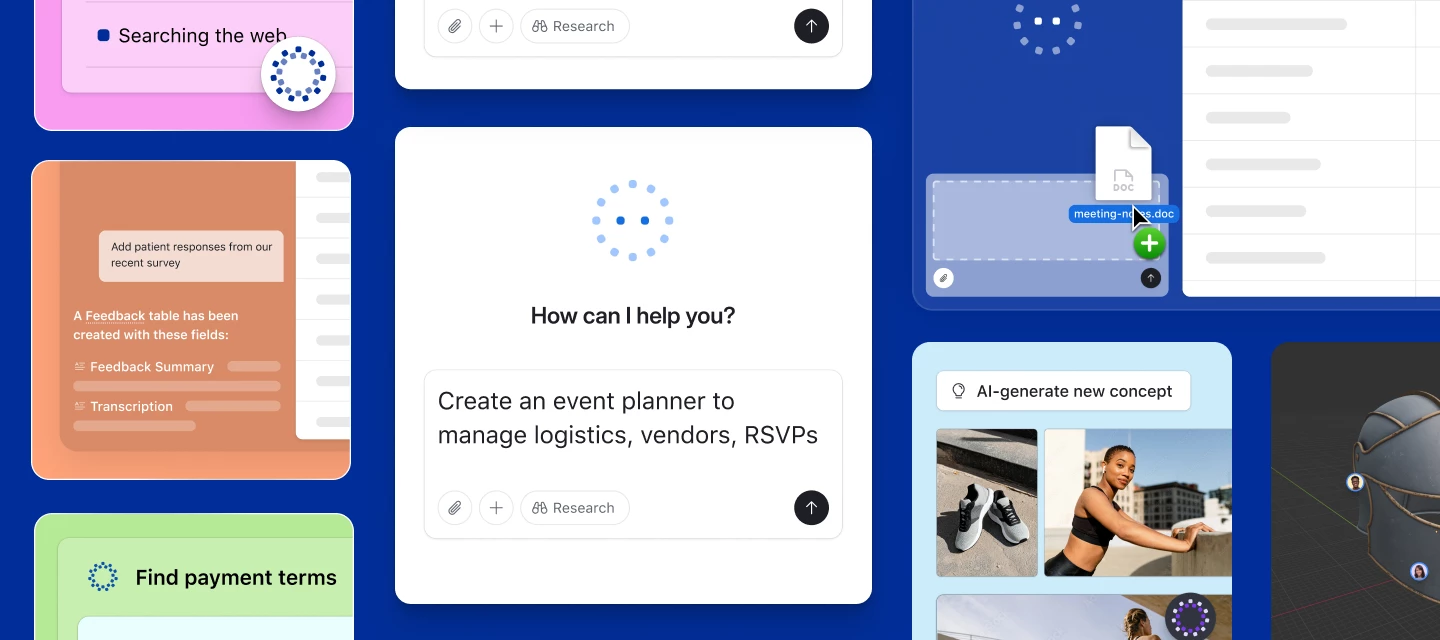
Today, we’re excited to announce that Airtable AI is getting even better by combining the power of AI with the up-to-date information on the Internet. Airtable AI fields and AI automation actions can now search the web to get up-to-date and accurate information about companies, industries, people and more. You can use it for workflows such as: Finding and synthesizing company news to prepare for meetings Enriching prospect lists and personalizing sales outreach Researching industries and competitors to refine positioning & messaging Book more meetings, increase your win rates, and be more prepared, all while saving time and driving efficiency. How and when to use AI web search Some tasks are straightforward for large language models and don’t require access to the Internet, such as translating content between languages. However, for accessing up-to-date information, such as the current CEO of a specific company, Internet access is a necessity. You’ll also want to enable w
We’re excited to announce that Image Generation & Analysis is now available in Airtable. Our new AI Plays showcase how you can use Image Generation agents in your workflows:Visualize marketing campaign concepts in real-world settings—see how your ideas look before you launch: Try this AI Play Localize imagery for international markets—instantly adapt visuals to resonate with audiences around the globe: Try this AI Play Review assets for brand compliance—automatically check that images meet your brand’s guidelines, saving time and reducing manual review: Try this AI Play Plus: Field Agents can also now find images from the web—pull in logos, headshots, and style references directly into your app. How to get startedImage Gen is available today for all customers on Free and Teams plans. Business and Enterprise Scale customers can access Image Gen via AI Labs. We’ll share more updates soon on bringing Image Gen to all Business and Enterprise Scale customers.To enable on Business/Ente
Hey, Bronwen here! Airtable's social media manager 👋 We're running our very first Best of Airtable Awards and we want YOU to help decide the winners. Head to our Instagram Story to cast your votes across categories like best AI use case, best new product launch, and standout community members. 🔨 Best Supporting Builder (most likely to know the answer to your question):@TheTimeSavingCo @ScottWorld @Alexey_Gusev @DisraeliGears01 🔗 Best Community Connector (most likely to nerd out about Airtable with friends): @Mike_AutomaticN @RuddConsulting @BenGreen @jerilee 🌟 Most Engaged MVP (most likely to bring up Airtable at a dinner party):@Max_Bernstein @MilhoanDesign @MatteoCrOps @pwin25 🚀 Best New Product Launch:Omni Field Agents Hyperagent🤖 Best AI Use Case:Document analysis Web research Image & video generation Customer feedback analysis✨ Best Way to Use Omni:Build custom interfaces Deploy field agents Analyze data Get data from the webNarrowing down the nomin
TL;DR: We’ve added the ability to automatically collect form submitter info so form responses can be tied to a specific person. Hello everyone! My name is Stella, and I’m an engineer at Airtable focused on improving the in-base forms experience. We’ve received many requests from form creators who want the ability to see who submitted a form response without needing to add an additional name or email form field. We’re excited to announce that we’ve added a new feature to the form view that will allow form creators to collect submitter information automatically. Form creators can opt into this functionality using the ‘Collect respondent email addresses automatically (sign-in required)’ toggle at the bottom of the form designer. When toggled on, form submitters will be asked to sign into Airtable or make an account so their name and email address can be collected with their form submission. Then, form creators will be able to see who submitted the form in the ‘Created
Welcome to Change Makers, our series highlighting customer stories and builders making an incredible impact with Airtable.Shelyn Liu oversees product and revenue operations at Gradual, a unified community experience platform. “I heard about Airtable from product-ops peers and tried it when we needed to quickly connect Deals, Contacts and Requests,” she said. Airtable ended up becoming their perfect solution to build streamlined workflows that power their product marketing and revenue operations strategy.“We shipped a working base in a day and never looked back. It became our single source of truth we could grow without re-platforming.” And with Airtable AI, they built a single source of truth for both prospects and customer data, helping her team cut down on the tool-hopping they used to do. Meet ShelynWhat's your go-to productivity hack or ritual?I generate a one-page "demo brief" in Airtable using AI fields that compile a lead's website, LinkedIn, and notes—so I walk into every call
Hey Airtable community! 👋We've been getting questions about AI credits and what they actually mean for your day-to-day workflows. I wanted to share some concrete examples of how credits are consumed so you can better understand the value included in your plan—and make the most of this powerful functionality. Quick Context Every Airtable plan includes AI credits that reset monthly, pooled across your organization:Team: 15,000 AI credits per user per month Business: 20,000 AI credits per user per month Enterprise Scale: 25,000 AI credits per user per monthThese credits power various AI features across the platform, from Omni to document analysis and image generation. The great news? Most common actions use very few credits, meaning you can accomplish a lot with what's included. Real Usage ExamplesHere's a breakdown of common AI actions and their credit costs:🚀 Omni - Building & Modifying Apps: 0 credits Yes, you read that right! Creating new apps or modifying existing ones with Omn
Hey Airtable Community,We’re excited to share that our monthly Onboarding Office Hours are getting a refresh! Starting this fall, we’re rolling out a new format and a new name: Set the Table: Builder Basics.These sessions are designed specifically for beginners or Builders who’d like a refresh in order to feel confident with Airtable. In these 45 minutes sessions, you can expect: Build Along Demo: Follow our Scaled Customer Success Managers in a guided demo, and build alongside them in your own practice base. ⚡Hint: Ask Omni to build your first base! With a simple prompt, or by leveraging our AI Plays, AI can help you get a head start. Live Q&A / Expert Panel: Get your Airtable questions answered live. You can even post them ahead of time in the Community for our team to tackle during the session. Onboarding Plan Base: Leave with access to our onboarding plan base to continue learning after the event. Whether you’re brand new to Airtable or looking for a more interactive wa
Welcome to Change Makers, our series highlighting customer stories and builders making an incredible impact with Airtable. Today’s Change Maker is one of our Airtable MVPs.Mike Bukhin (@m1keb) is the cofounder of Misha & Puff, an ethical luxury apparel brand for babies and kids. Misha & Puff started with a small, specific use case in Airtable and just kept building over the last 12 years after seeing Airtable’s flexibility. Mike’s role has become increasingly focused on building operational systems and says “Airtable allowed us to evolve without being locked into rigid templates, and the iteration speed has been our superpower.” The Challenge & Airtable SolutionMisha & Puff faced a common scaling challenge: critical product information scattered across multiple systems. Think spreadsheets for specs and costs, email threads for decisions, shared drives for assets, and separate tools for project management, sales and operations all in different places.Different teams wer
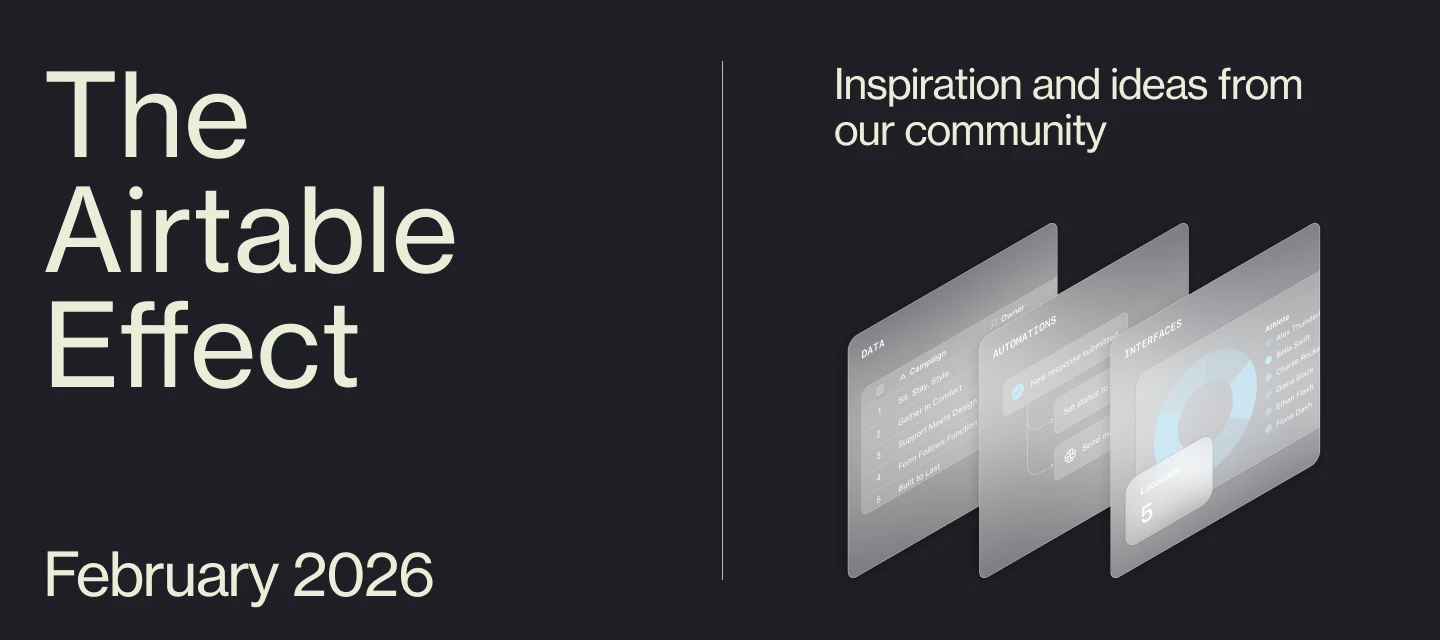
Welcome to the February 2026 edition of The Airtable Effect—a monthly roundup of what’s new, what’s inspiring, and what’s possible with Airtable. Whether you're an everyday builder, a certified pro, or just getting started, this newsletter is for you.In each rendition of the newsletter, we’ll bring you:New product and program launches and updates The latest educational content from Airtable Academy Highlights from the Airtable Community Upcoming events you won’t want to missYou can find The Airtable Effect every month:In your inbox (are you opted into marketing emails?) On LinkedIn (make sure to subscribe to this newsletter!) In the Airtable Community (check the Onboarding Resources section)Let’s take a look back at what happened in Airtable last month. 🤖 Calling all builders! Over $100K in prizes on the line for our first ever Airtable BuildathonWe're looking for the best Airtable builders to compete in the Airtable Buildathon on March 19 in NYC at HALO 28—a one-day, high-energy comp
Hey Airtable Community! ICYMI, Airtable just launched Superagent, helping you turn complex business questions into boardroom-ready answers, beautifully rendered as reports, slides, or websites. (I’ve experimented with it and it’s sooo cool!) We also have an AI User Group right here in the Airtable Community (come join us!) hosting monthly events for anyone curious about AI. Our next event will be on February 12, where you’ll get to hear directly from the team who built Superagent. 🗓 Here's what you can expect at this 30-minute event: A live demo of Superagent in action How Superagent turns a single question into rich, interactive, and visually stunning deliverables When Superagent is the right tool for solving complex business problems How the product team thinks about agent-driven work, end to end Live Q&A with the builders behind the product 👀 Who should attend Teams exploring agent-driven workflows Leaders and practitioners who regularly tackle strategic or high-sta
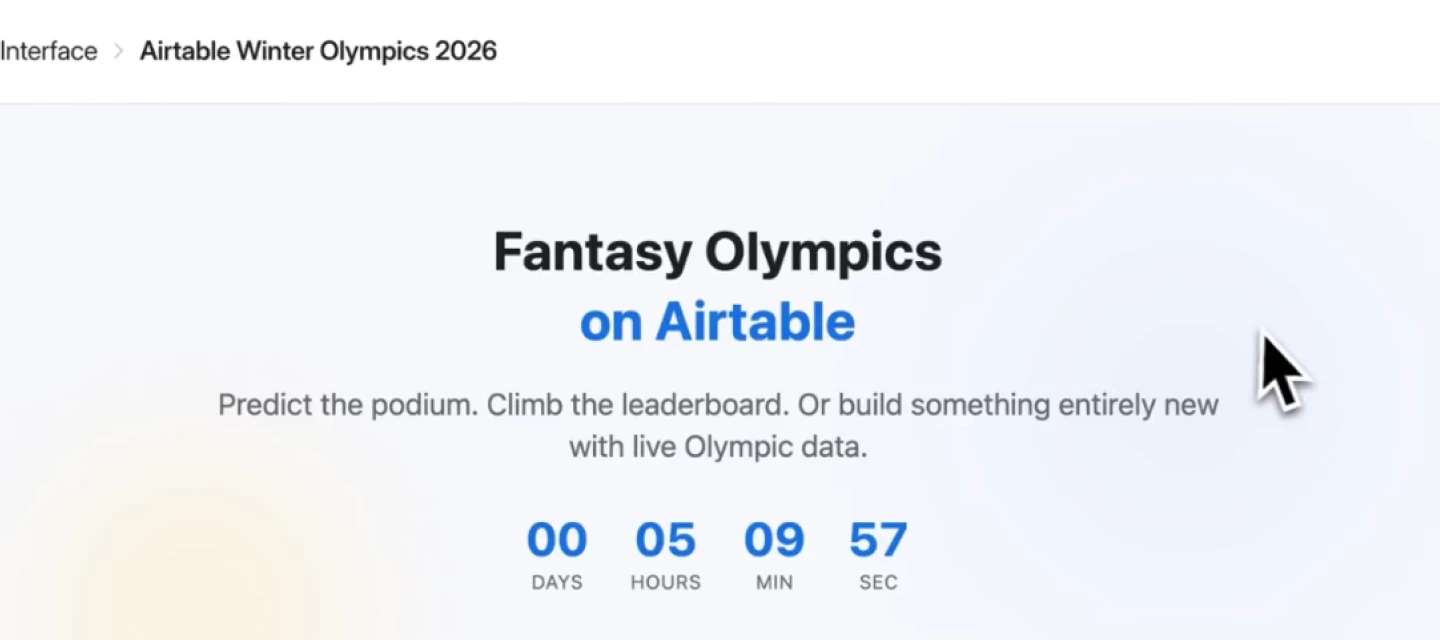
🥇 We partnered with Rob Weidner (@Rob_Weidner1) to build the ultimate Fantasy Olympics app on Airtable (in 2 days).And you can copy the whole thing and make it your own. » Explore it here « How it works: Submit predictions for upcoming events and compete on the live leaderboard Get daily AI-generated digests of results and highlights Explore historical Olympic data going back decades And we want you to remix it into something even better. First, make your picks. Submit your predictions for upcoming events. Track the live leaderboard.Then, sync the data. Pull these Olympic datasets directly into your own base.Make a copy, tear it apart. Adapt these techniques to your own apps. Play along and build something awesome!Hear more from Rob about how he built the app with Claude Code + Airtable: » Explore it here «
Hi there! I’m Rosalind – a product marketing manager at Airtable focused on helping teams build powerful, custom applications that make work more efficient. I’m eager to share that we have just launched support for pivot tables in interfaces! Starting today, all users on a Teams plan or higher will have access to pivot tables directly in interfaces. What is a pivot table? A pivot table is a powerful data analysis tool for succinctly summarizing and analyzing large datasets. The format of a pivot table lets you rearrange and aggregate data dynamically, making it easier to identify patterns, trends, and insights. Historically, the only way to use pivot tables in Airtable was via the Pivot table extension. With the launch of this new feature, you can easily add pivot tables directly to an interface page without relying on an extension. How can you use a pivot table? Aggregate and summarize your data. Pivot tables allow for the aggregation and summarization of large datasets into man
Hey Airtable Community,As we step into the month of love and appreciation, there's no better time to celebrate the incredible members who made January such a strong start to 2026 💝Whether you're planning Valentine's celebrations, gearing up for the big game, or simply enjoying the fresh energy of a new year, we hope you'll take a moment to recognize these outstanding contributors who kicked off 2026 with dedication and helpfulness!Reminder: When recognizing our Top Contributors, we look at the quantitative data (e.g. likes received, answers given), as well as the quality, to make sure everyone follows our Community Code of Conduct and Guidelines in their activity. In January, our Top Contributors provided 16 answers, 337 replies, and received 173 likes. And, at the top of the leaderboard, our top 5 earners cumulatively collected 2,631 points 🤯 Congrats to all and thank you for being an essential part of the Airtable Community! Top Solution Authors 🧠@TheTimeSavingCo and @ScottWorld
Hey Community!Just getting started with Airtable? Don’t miss February’s Set the Table: Builder Basics, an interactive event designed for new builders to get the lay of the land in Airtable. Join us on February 4, for a hands-on build along demo where you’ll master Airtable fundamentals in real time. Bring your questions for our live Q&A, and walk away with your own onboarding plan base to jumpstart your next project. This one is hosted by Airtable expert @Alex_Still! As one of our Scaled Customer Success Managers he works with customers every day to get them ramped up with Airtable. You won’t want to miss this one!
Already have an account? Login
Enter your E-mail address. We'll send you an e-mail with instructions to reset your password.