Welcome to the Airtable Community! Check out our resources on this page to help you get started. Let's learn and grow together!
Recently active
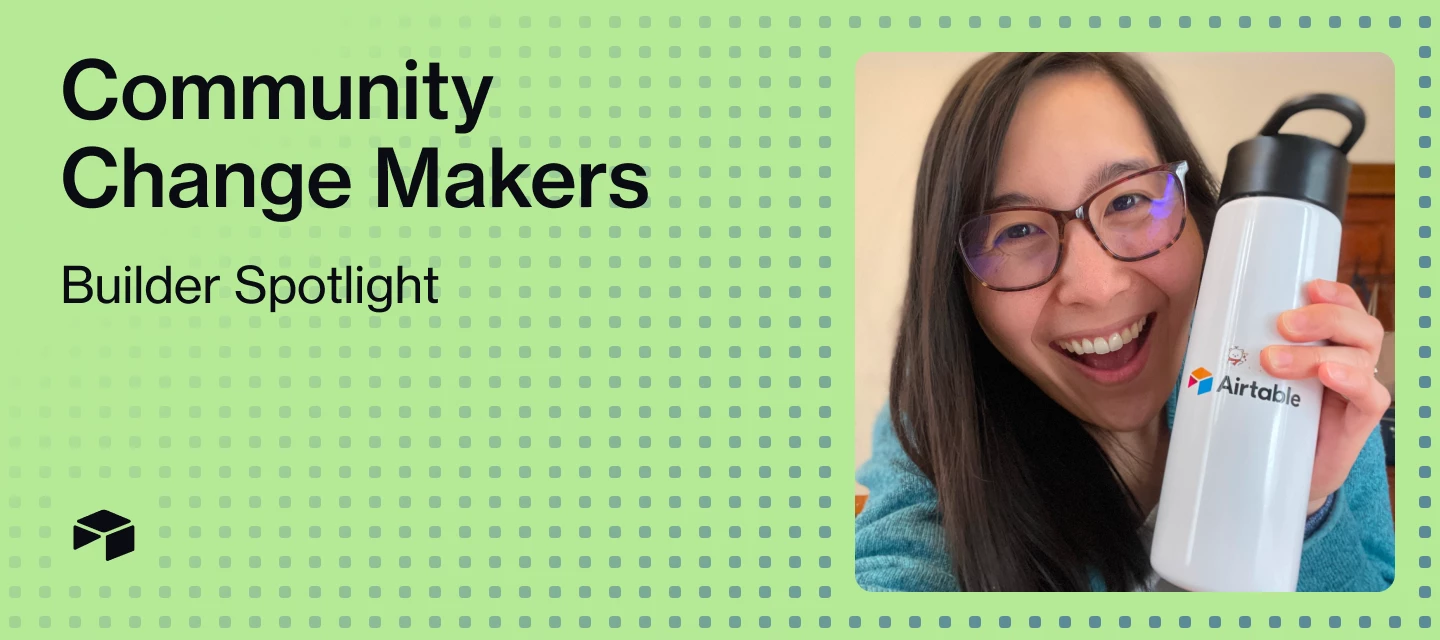
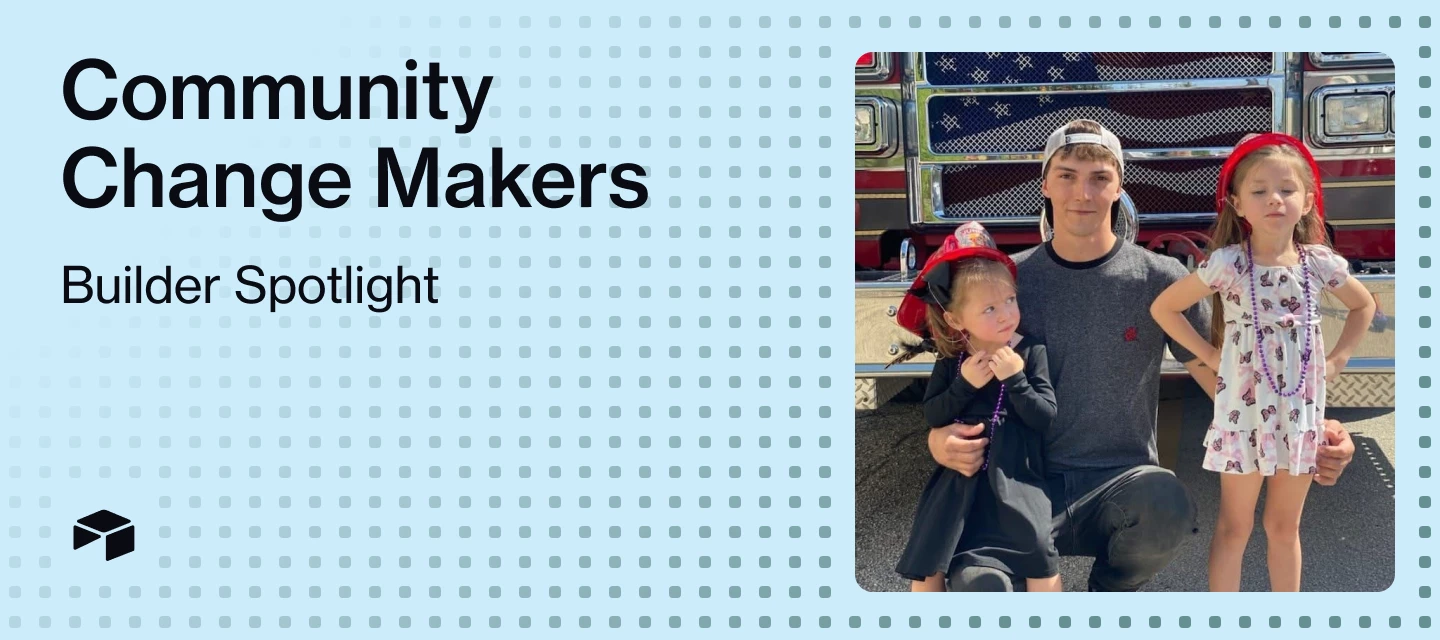
Welcome to Change Makers, our series highlighting customer stories and builders making an incredible impact with Airtable. Today’s Change Maker was the community-led hackathon Airtable AI winner who built an educational RPG game designed to rid any initial fear of learning a new tool all on Airtable!About the BuilderLisa Bauer (@itslisabauer) recently joined Link Logistics, the US's largest operator of last-mile industrial real estate, as the Operations Manager on their Innovation Team. As someone who's passionate about enabling others through change, she's currently spending her maternity leave rekindling her relationship with Airtable and exploring how to onboard new users. What's a fun fact most people (or your coworkers) don't know about you?Back when I was in the classical music world, I performed with Sister Hazel (an American rock band) and with actor Jeffrey Wright who was narrating Peter and the Wolf.What's the first thing you ever built with Airtable?At IDEO, I redesigned th
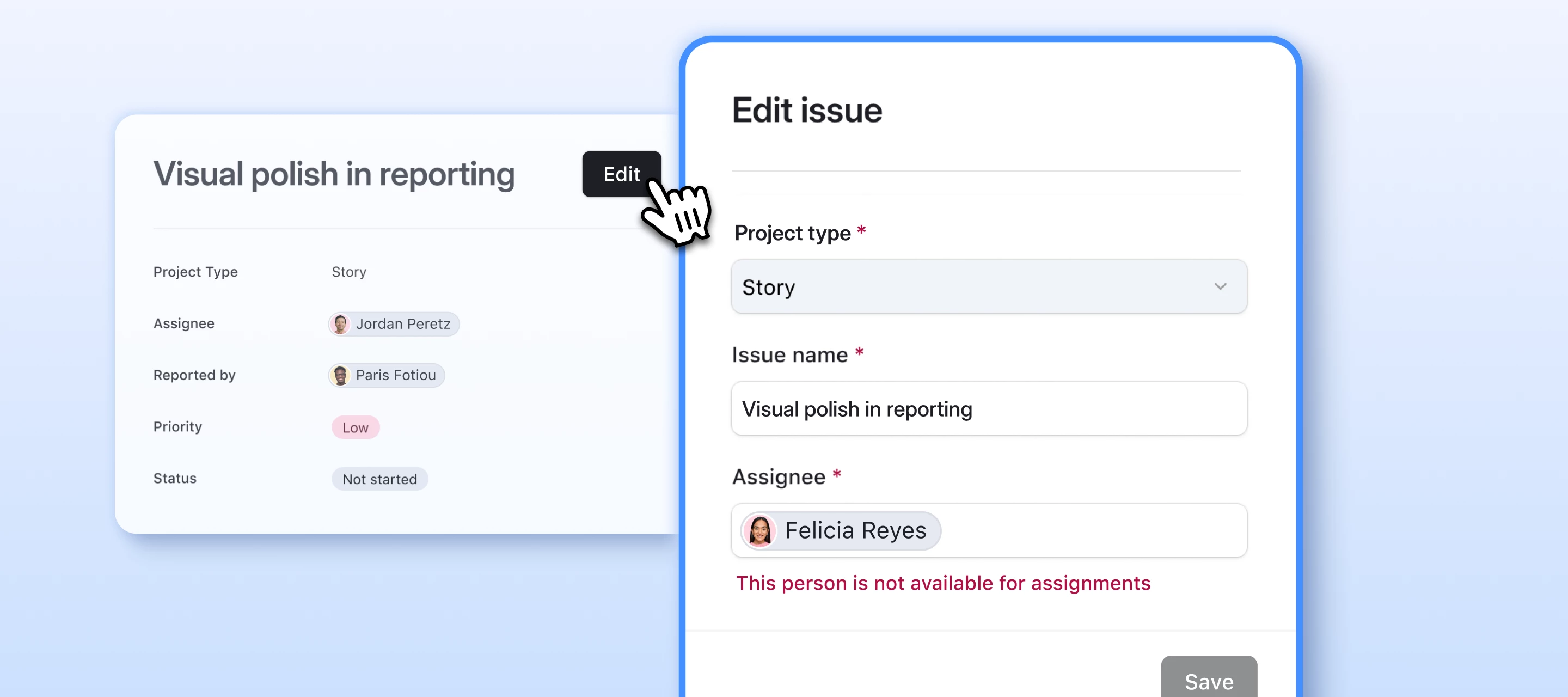
Hi everyone,I'm Akshar Patel (AP), a Product Manager here at Airtable. Today I'm sharing a new way to edit records on record detail pages in interfaces: Form editing.Until now, record detail pages supported inline editing where users click into fields and update values directly on the page. That works great for quick updates, but if you've ever wanted more structure around how data gets changed, things like validation rules, a controlled set of fields, a clear submit action, inline editing doesn't quite get you there.Now it can. Introducing Form editing for record detail pages When you enable Form editing, an "Edit" button appears on the record detail page. When a user clicks it, a customizable form opens in a modal. They make their changes, and submit them all at once. The record detail page itself stays read-only — all editing happens through the form. This gives you full control over the editing experience.Why this mattersData validation: Set rules that submitted values must meet be
Welcome to Change Makers, our series highlighting customer stories and builders making an incredible impact with Airtable. Today’s Change Maker is an Airtable MVP who transformed his organization’s product operations into a connected, AI-powered operating system within Airtable.About the BuilderKassim Alani (@kalani), Head of Product Operations at Flatiron Health, discovered Airtable while seeking a solution to consolidate scattered product information across multiple Google Sheets. As a systems thinker at his organization, he's transformed their product operations from fragmented documentation into a comprehensive, connected operating system.☕️ Coffee, tea, or something else entirely to fuel your workday?Coffee — and I mean coffee. I'm usually on my third cup by the time the day's really rolling. My go-to is a black Americano (I make it at home on an espresso machine).🦸 What's your superpower at work?I'm pretty sure my coworkers would say I'm "the Airtable guy," but the real superpo
ICYMI: Airspace LA brought together builders from across the community for a night of collaboration, experimentation, and building with Airtable AI.The energy in the room was high from the moment the buildathon kicked off. Builders spent the day sharing ideas, testing workflows, helping each other troubleshoot, and turning ambitious concepts into working demos in just a few hours. From AI agents to automations to research tools, every project showed a different way Airtable can power smarter and more creative ways of working. 👉 Interested in hosting or joining more IRL community events? Learn more about Airtable Crews and bring builders together around the world. At the end of the event, four standout projects were recognized for their creativity, technical execution, and real-world impact. Check out the highlights below! 💥 🎬 Automated Content — James NevadaJames built an Automated Marketing Video Asset Management System designed to streamline creative production workflows. By feedi
Join us on May 27 for Set the Table: Builder Basics: a live session designed for anyone just getting started with Airtable.We’ll walk through the fundamentals step-by-step, including:🛠️ Core Airtable building blocks👀 Optional hands-on build-along❓ Live Q&A with our teamNo experience needed, this session is specifically made for beginners who want to learn the basics and start building with confidence.Can’t make it live? Register anyway and we’ll send the recording afterward.Register Here Hope to see you there!
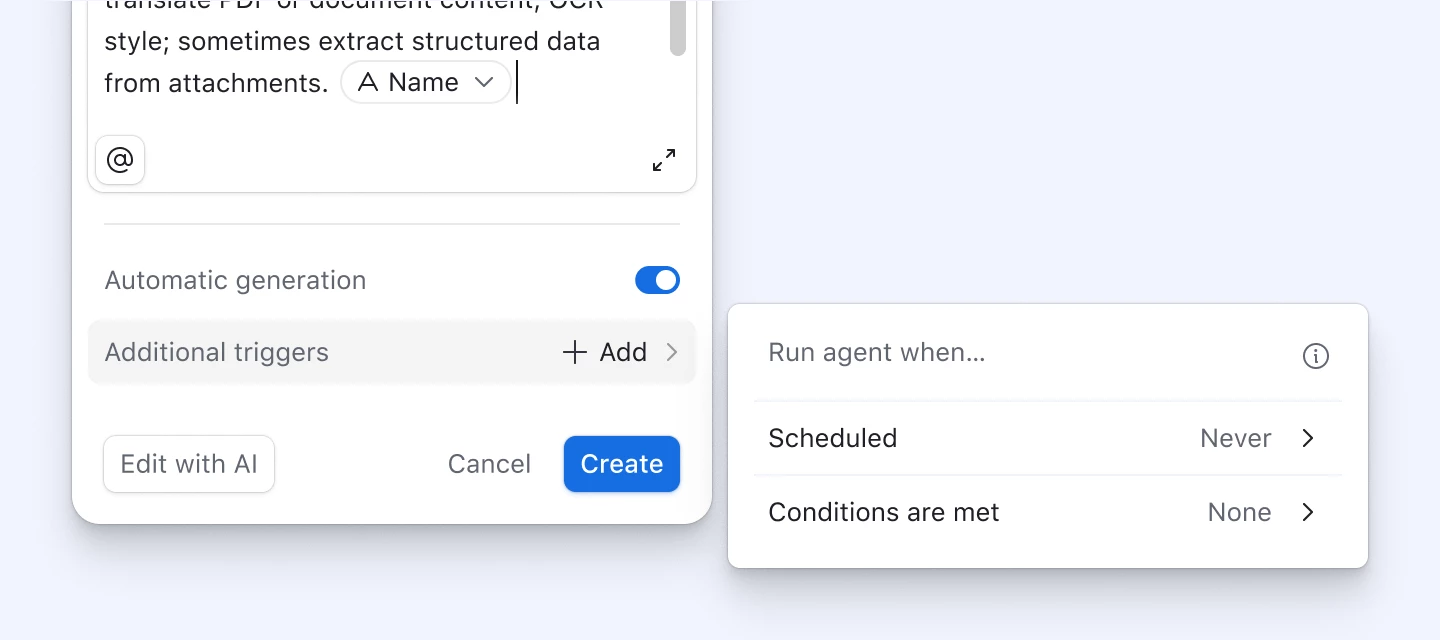
Available to all users by April 24, 2026 Hey Builders! We’re launching two updates that give you more control over how and when your field agents run, and that make them easier to configure. Field agent generation triggersUntil now, field agents could only run in two ways: automatically whenever referenced fields changed, or manually when you clicked to generate. Now you have the option to run field agents automatically on a schedule or when a condition is met.Trigger types[new] On a schedule: Runs at a particular time Scheduled triggers can also have conditions applied to the schedule, to only run a subset of records on the schedule [new] When a condition is met: Runs when a record meets the specified condition(s) [existing] Run automatically: Runs when the field agent’s referenced fields change Example use casesCompetitive price monitoring: Run every morning to pull updated competitor news via internet search. Contract renewal warnings: Fire when days-until-expiry crosses 60, gener
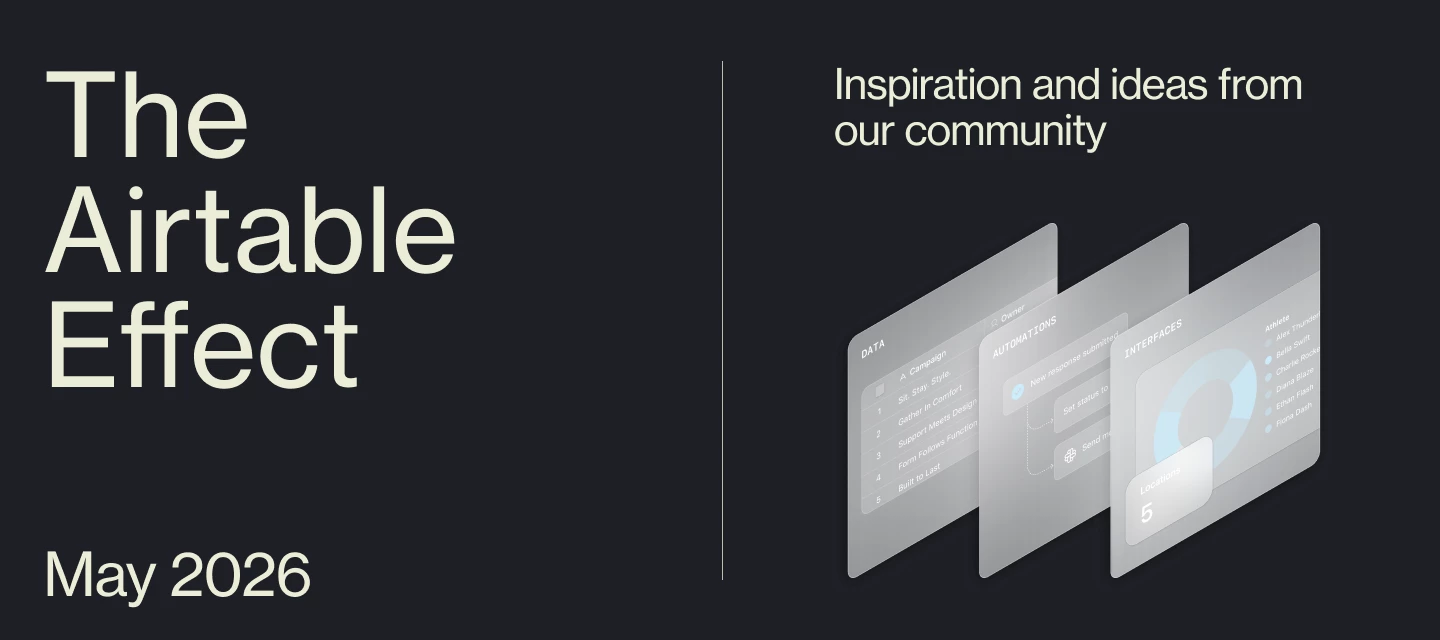
Welcome to the May 2026 edition of The Airtable Effect—a monthly roundup of what’s new, what’s inspiring, and what’s possible with Airtable. Whether you're an everyday builder, a certified pro, or just getting started, this newsletter is for you.In each rendition of the newsletter, we’ll bring you:New product and program launches and updates The latest educational content from Airtable Academy Highlights from the Airtable Community Upcoming events you won’t want to missYou can find The Airtable Effect every month:In your inbox (are you opted into marketing emails?) On LinkedIn (make sure to subscribe to this newsletter!) In the Airtable Community (check the Onboarding Resources section)Let’s take a look back at what happened in Airtable last month. 🛠️ Build with Us at #BOSTechWeekBoston builders, this one's for you. Airtable is hosting a hands-on AI Hackathon as part of Boston Tech Week, and we'd love for you to join. Spend the afternoon with fellow builders, operators, and founders p
Welcome to our first ever Top Contributors recap! Each month, we’ll be highlighting the top contributors in the Airtable Community who have gone above and beyond to help others learn and grow their skills with Airtable. We define a Top Contributor as someone who is passionate, helpful, friendly, and an active user. These members continue to share their profound knowledge by answering questions, starting new threads, and going out of their way to share the benefits of Airtable with their extended networks. In January, our Top Contributors offered 84 solutions, started 24 new threads, wrote 356 replies, and received 203 kudos 🔥 *click the usernames and links below to learn more about January’s Top Contributors. Top Solution Authors 🧠 @TheTimeSavingCo - 56 Solutions Authored @kuovonne - 20 Solutions Authored @Ben_Young1 - 8 Solutions Authored Most Threads Started 🗣️️ @Ashley_Jackson - 9 Conversations Start
Welcome to Change Makers, our series highlighting customer stories and builders making an incredible impact with Airtable. Today’s Change Maker is an Airtable MVP and community-led hackathon Grand Jury winner who built a live action game with configurable systems, persistent run history, and AI-directed entity design all on Airtable!About the BuilderNick Akins (@NickEFSJ) is a Manufacturing Systems Engineer at E. F. San Juan, a high-end custom architectural and woodworking company, where he's building a fully end-to-end ERP system inside Airtable. For the Airtable Hackathon, he decided to push the platform's boundaries by creating "Last Admin Standing," a roguelike survivor game that explores what happens when you treat Airtable as something that can actively drive a system instead of just store data.What's a fun fact most people (or your coworkers) don't know about you?I used to rehab wild baby squirrels!What's your superpower at work?I think it's my desire to fully understand things
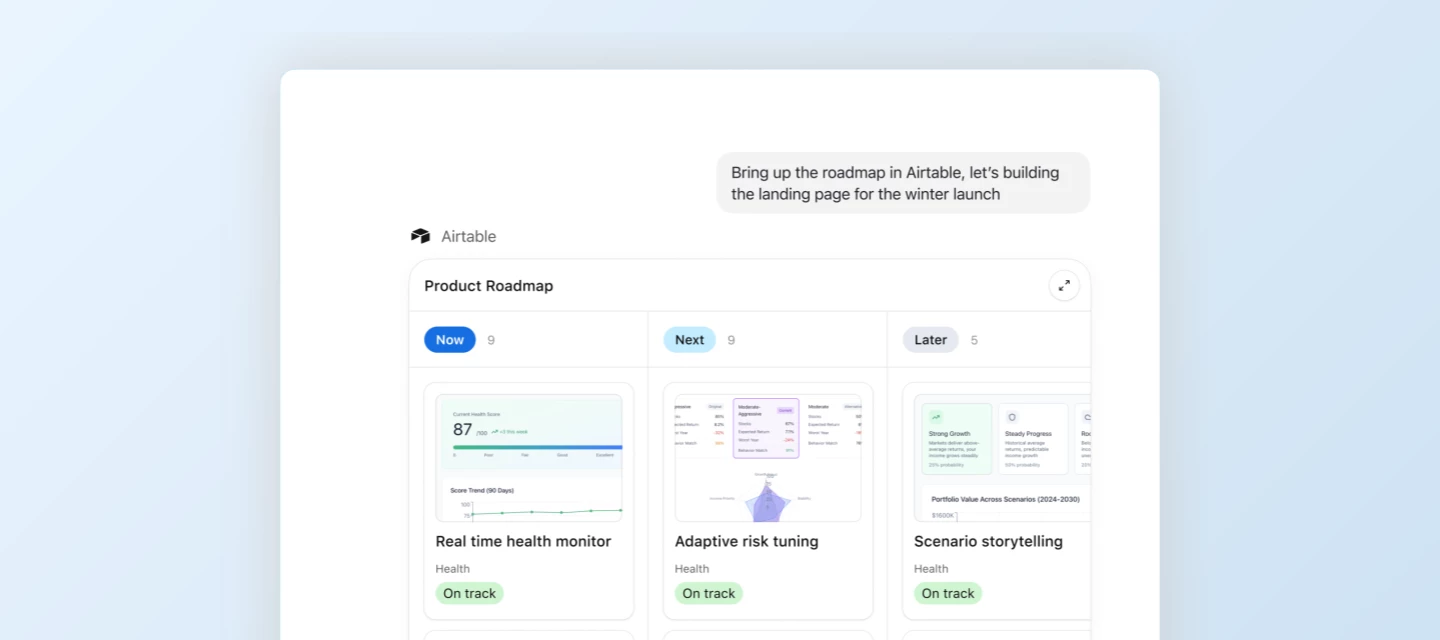
Today, we’re excited to announce a new Airtable app for ChatGPT is now available. Users can now bring data and operational context from Airtable into the flow of your ChatGPT conversations. That means you can directly interact with your Airtable data—and make quick updates—without leaving the chat. What can you do with Airtable in ChatGPT? Airtable for ChatGPT is ideal for any workflow where you need quick access to structured data to inform decisions and drive action. You can now:Reference Airtable data while generating content in ChatGPT: Pull the latest product roadmap updates as you prepare for a meeting, analyze patterns in customer feedback, or understand why your best marketing campaigns are overperforming. Give ChatGPT operational context: Instead of switching between tools, bring structured, internal data directly into the conversation to inform your work. Make quick updates to Airtable without leaving the chat: Keep your bases current with the changes that matter, right from
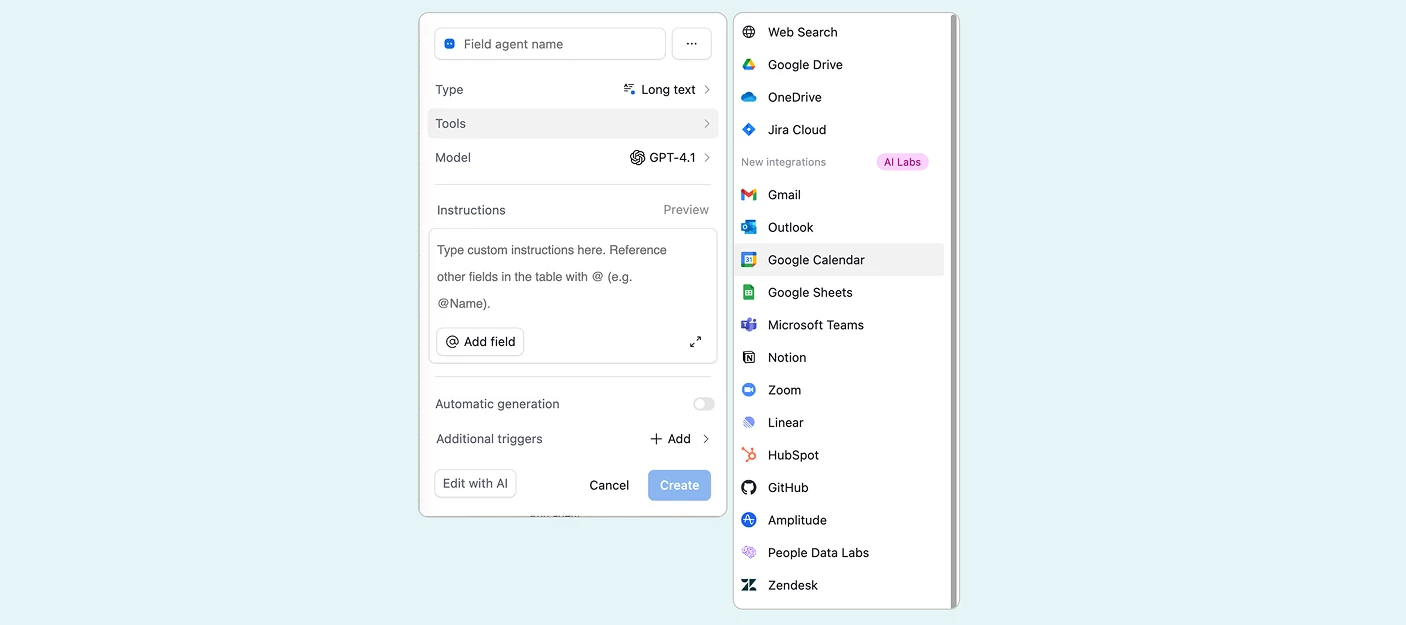
Available in AI Labs for Free and Teams customers as of April 23, 2026Hey Airtable Community,Today we're rolling out more 3rd party connectors for Field Agents — a major expansion that lets your agents read and write data from the tools your team already uses, right from within Airtable.Field Agents now support 16 integrations, including 13 new ones:Gmail · Outlook · Google Calendar · Google Sheets · Microsoft Teams · Notion · Zoom · Linear · HubSpot · GitHub · Amplitude · People Data Labs · Zendesk...along with existing support for Google Drive, OneDrive, and JIRA Cloud. How customers are using connectorsDaily briefing: Each morning, pull the day's meetings and associated docs from Google Calendar and Google Drive to generate a prep brief with context and talking points for every call. Product launch readiness: Pull the latest status from Linear issues tagged to a launch, the PRD from Notion, and open customer requests from Zendesk to generate a launch readiness scorecard every week.
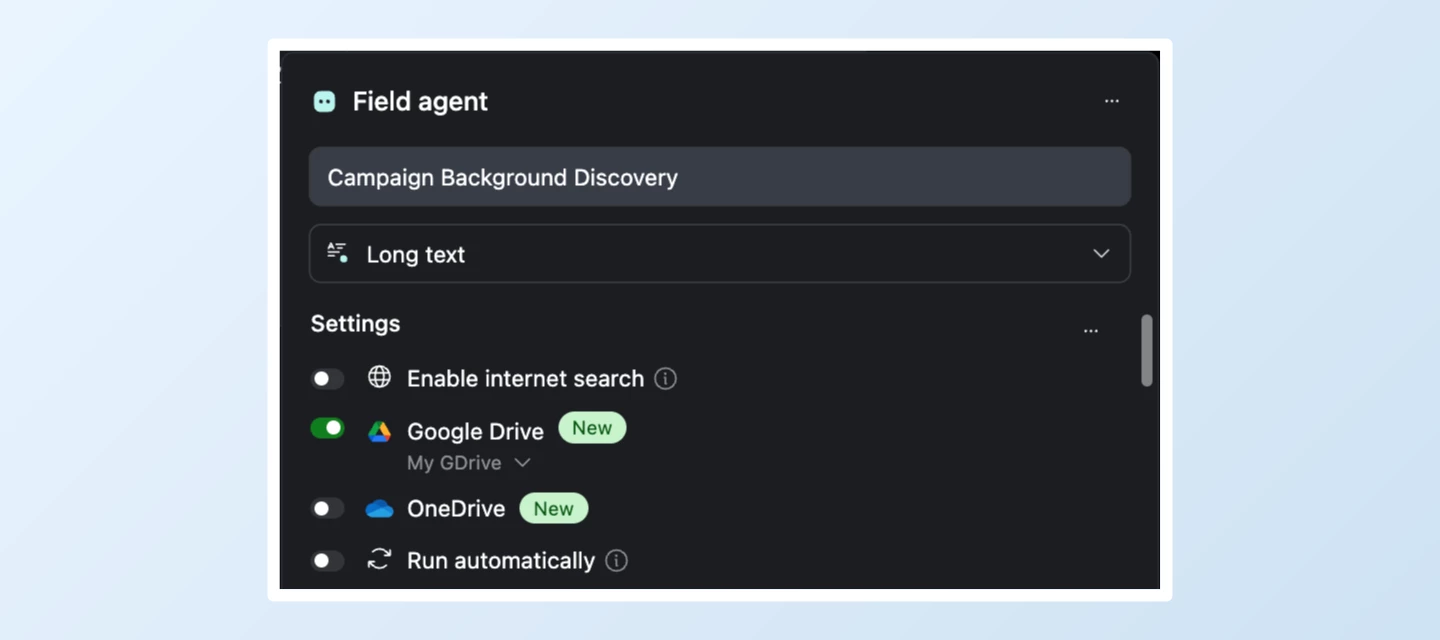
Welcome to the October 2025 edition of The Airtable Effect—a monthly roundup of what’s new, what’s inspiring, and what’s possible with Airtable. Whether you're an everyday builder, a certified pro, or just getting started, this newsletter is for you.In each rendition of the newsletter, we’ll bring you:New product and program launches and updates The latest educational content from Airtable Academy Highlights from the Airtable Community Upcoming events you won’t want to missYou can find The Airtable Effect every month:In your inbox (are you opted into marketing emails?) On LinkedIn (make sure to subscribe to this newsletter!) In the Airtable Community (check the Onboarding Resources section)Let’s take a look back at what happened in Airtable last month -- and happy Spooky Szn! 🎃 🤖 Introducing Google Drive and OneDrive connectors for Field AgentsWe’re excited to announce the launch of Google Drive + OneDrive connectors in Airtable field agents, a powerful new way to connect your files
Hey everyone! 👋If you’re new to Airtable and looking for a friendly place to start, we’ve got something for you. Our next session of Set the Table: Builder Basics is on March 26 — a beginner-focused event that will help you understand the core building blocks of Airtable and how to start creating your first base.During this live session, we’ll walk through the fundamentals with a guided demo and show how a simple base comes together. You’re welcome to open a practice base and follow along if you’d like, and we’ll wrap up with time for live Q&A so you can get your questions answered.The session will be led by @zachkrumrey , one of our Scaled Customer Success Managers, so you’ll be learning directly from someone who knows the most common beginner questions and best ways to get started. 👉 Save your spot here Hope to see you there! 🚀
Hey builders! 👋Starting something new can feel like staring at a blank canvas — exciting, but also where do I even click first?That's exactly why we run Set the Table: Builder Basics — a live, beginner-friendly session designed to take you from "I just signed up" to "oh wait, I can actually build this" in under an hour.📅 Tuesday, April 29, 2026 💻 Live virtual session What You'll Walk Away With🖥️ A guided demo of Airtable's core features — tables, views, field types, and how they all connect. We'll walk through it step by step, and you can follow along in a practice base if you want to get hands-on.💬 Live Q&A with our team — no question is too basic. Seriously. That's the whole point. Bring whatever's on your mind and we'll try and work through it together. Who This Is ForThis one's for the folks who are just getting started. Maybe you joined your company's workspace last week. Maybe you've been poking around but haven't built anything yet. Maybe you just want a proper walkthro
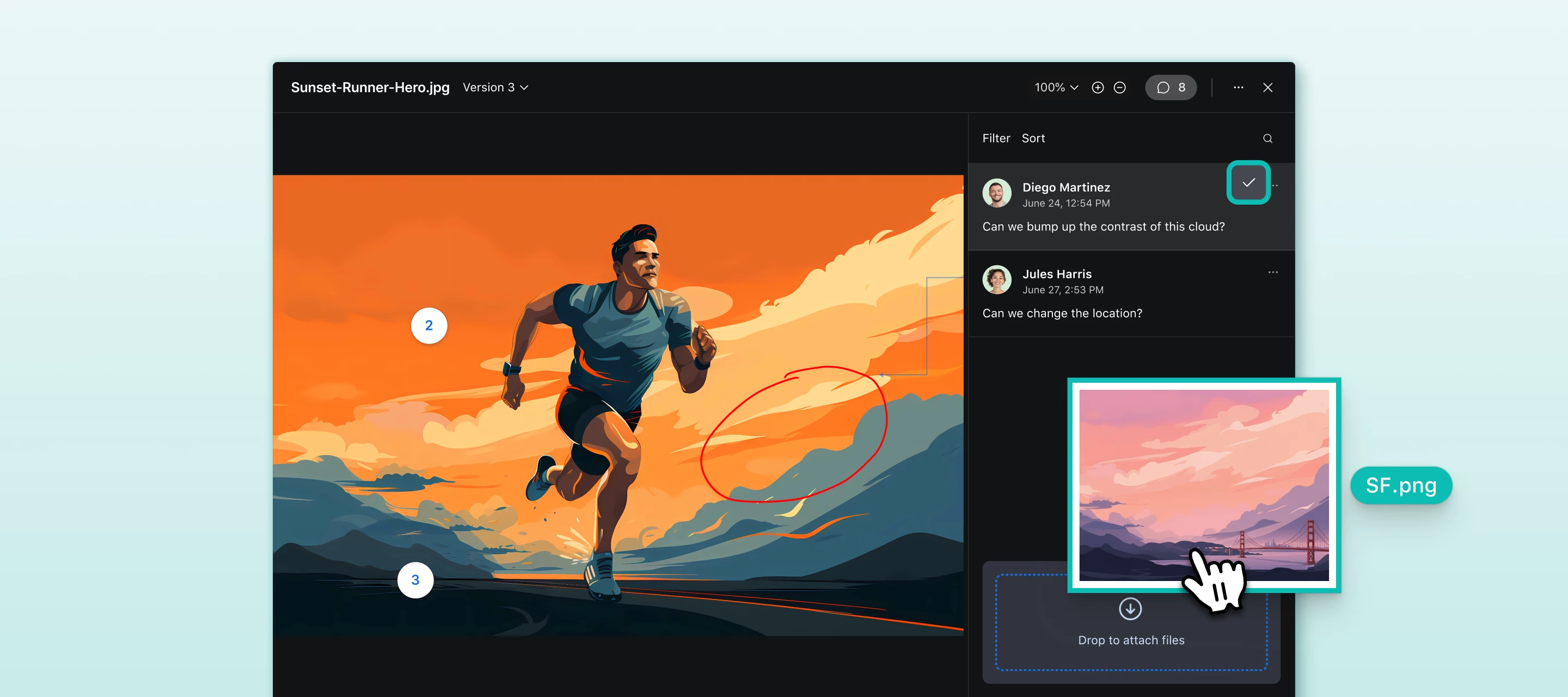
Hi everyone, I'm Akshar Patel (AP), a Product Manager here at Airtable. As we close out Q1, I wanted to share a few quality of life improvements we've been working on. These are the kinds of updates that make your Airtable experience meaningfully better every day. Comment Resolution & File AttachmentsEarlier this quarter we launched the ability to resolve comments and attach files to comments on records. Now, we're bringing those same capabilities to our proofing viewer (attachments set to “versions” mode). If your team reviews creative assets in Airtable, you can now resolve comments and attach files directly within the attachment viewer keeping all your feedback organized and actionable right where the review happens. Date Dependencies Auto-Calculate Start Date For my fellow date dependency fans, we've updated the date calculation logic for Fixed dependency mode to auto-calculate the Start Date of a record when its predecessor is selected. As soon as a predecessor is linked to a
Welcome to Change Makers, our series highlighting customer stories and builders making an incredible impact with Airtable. Today’s Change Maker is an Airtable MVP who helped his wife automate her bakery’s product tags workflow so tags are polished, have cohesive branding, and enticing to customers who visit!About the BuilderUm Han Gyeol (@UM HANGYEOL) supports his wife's bakery café by leveraging Airtable to drive operational improvements, despite his primary career being in a different field. He first discovered Airtable when creating an HR information database for the bakery's employees.What's your go-to productivity hack or ritual?Constantly asking myself: "Is this really the best way to do this?" I spend a lot of time questioning whether there's a better approach. In the past, turning that kind of reflection into a meaningfully better solution took a long time — and came with a lot of failures along the way. But now, through conversations with AI and tools like Airtable, I'm able
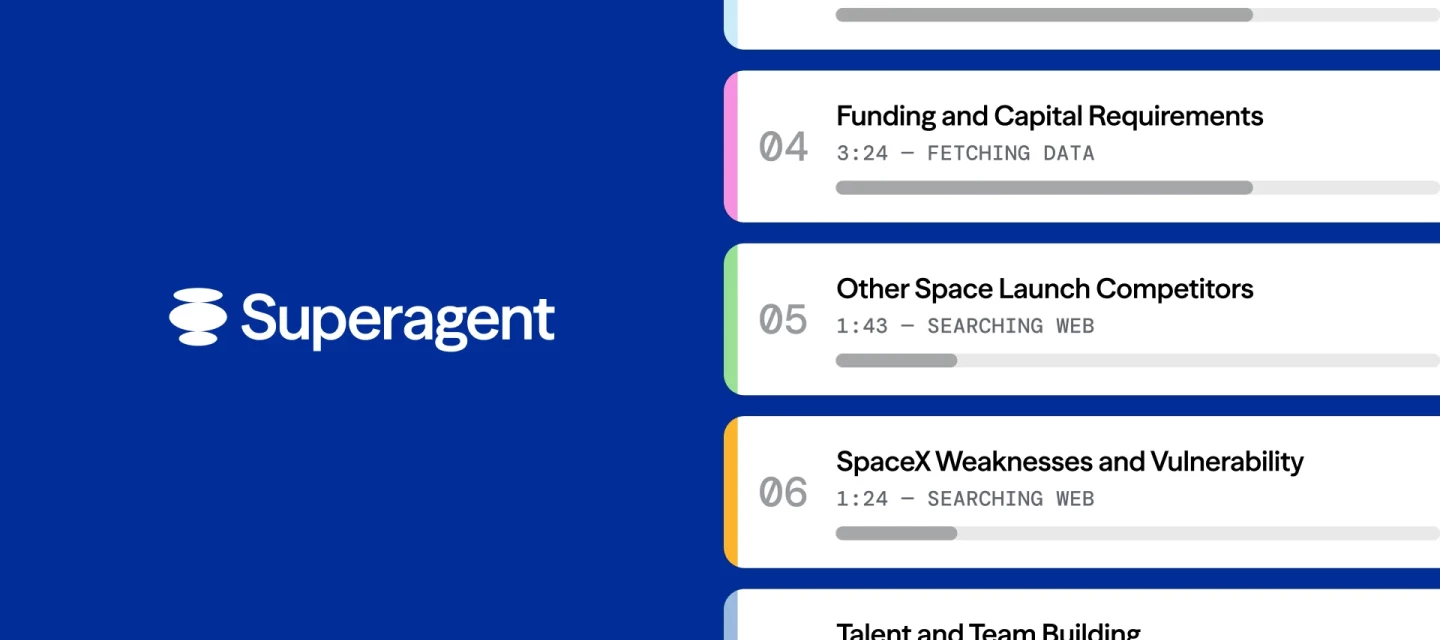
We just launched Superagent, and I'm excited to share what we've been building.Hopefully you have seen by now that we just launched Airtable’s first standalone product, Superagent. I am the co-founder and CEO of Superagent, which is an evolution of the acquisition of DeepSky last fall. Most AI agents hit a wall when you ask them to tackle the kind of work that normally takes a team weeks to complete—comprehensive market research, competitive intelligence that tracks evolving landscapes, financial modeling that requires coordinating multiple analytical threads. They either get lost in their own complexity or produce surface-level summaries that miss what actually matters.Superagent is different because it thinks like an organization, not like a single analyst grinding through a checklist. Instead of cramming everything into one context window and hoping for the best, it builds a knowledge graph around business intent. Every piece of research knows why it exists, what goal it serves, and
Build something amazing, then share it with the world. We're launching the Airtable Creator Club, a program to amplify builders who create short-form video content showing the AI use cases they've built on Airtable.We're not necessarily looking for people with massive followings. We're looking for people who actually use Airtable to solve real problems and are willing to show off their work on camera.(FYI: the Creator Club is the “always-on” extension of the one-time Community Creator Challenge we ran in December/January) Who we're looking for:Airtable builders who are already posting video content Airtable builders who are eager to learn content creation Content creators who are eager to learn Airtable deeplyWe're specifically interested in use cases that centrally feature our AI capabilities such as agents, Omni, and custom interfaces. What you’ll be doing:Creating 2-4 vertical short-form videos per month showing AI use cases you've built. Talk to the camera, show what you’ve buil
Welcome to the April 2026 edition of The Airtable Effect—a monthly roundup of what’s new, what’s inspiring, and what’s possible with Airtable. Whether you're an everyday builder, a certified pro, or just getting started, this newsletter is for you.In each rendition of the newsletter, we’ll bring you:New product and program launches and updates The latest educational content from Airtable Academy Highlights from the Airtable Community Upcoming events you won’t want to missYou can find The Airtable Effect every month:In your inbox (are you opted into marketing emails?) On LinkedIn (make sure to subscribe to this newsletter!) In the Airtable Community (check the Onboarding Resources section)Let’s take a look back at what happened in Airtable last month.🤖 Airtable is live in the Claude Connector directoryConnect Airtable to Claude and turn AI conversations into real projects, structured data, and automated workflows your team can build on.With Airtable MCP, you’re up and running with a c
AI-generated interface elements are now available to everyone and out of beta. Since launching in AI Labs last year, this feature has become one of the most popular ways builders unlock entirely new ways to visualize, interact with, and act on their Airtable data. It's now fully supported across all plans.Just describe what you need in plain language, and Omni builds a fully custom element tailored to your exact workflow. Go beyond what's available out of the box to create exactly what your team needs. No templates to configure, no coding required. Since the initial launch, we've shipped major improvements based on your feedback, including multi-table support, version history, and the ability to revert and undo changes directly in Omni. There are two ways to get started:From Interfaces: Create a new interface, select "Generate with Omni," and either type a prompt describing what you want or choose from Omni's suggestions. From Omni chat: Ask Omni to "Create a custom element" and then
Today we’re excited to announce the launch of Google Drive + OneDrive connectors in field agents—a powerful new way to connect your files directly to your Airtable workflows. You can now direct field agents to search, reference, and summarize content from your Google Drive and OneDrive documents. Key use cases:Get up to speed with context: Instantly search for background information and insights from your Drive or OneDrive to ramp up on new projects—no more digging through folders or old documents. Summarize comment threads: Quickly generate overviews of conversations on a document, such as a product requirements doc, so you can drive alignment. Search knowledge bases to answer questions: Surface answers from documentation or support articles stored in your cloud drives to resolve questions faster and keep your team moving. Refer to specific documents from your prompt: Directly point your field agents at collaborative docs like brand guidelines, campaign briefs, or strategic plans, en
Hey Airtable Community,Spring has officially sprung! As we shake off the last of winter and settle into April, it's the perfect time to look back and celebrate the incredible people who kept our Community buzzing throughout March. Whether you were asking questions, sharing solutions, or cheering on fellow members, your energy made all the difference.Let's give it up for March's Top Contributors 👏Our Top Contributors are recognized based on a combination of quantitative data (likes received, answers given) and the quality of their contributions. All recognized members follow our Code of Conduct and Community Guidelines.In March, our Top Contributors provided 12 answers, 207 replies, and received 123 likes. And, at the top of the leaderboard, our top 5 earners cumulatively collected 1,702 points 🤯 Top Solution Authors 🧠@TheTimeSavingCo - 5 Answers Given @ScottWorld & @leok - 2 Answers Given @Mike_AutomaticN, @DisraeliGears01, @anmolgupta, @bredah, @ssundaram18 - 1 Answer Gi
Hey Builders! 🚀Something big is landing in LA on May 12 — and you're invited. Airspace LA is a one-day, immersive event for anyone building the future of work with Airtable and AI. Whether you've been shipping agentic workflows since day one or you're just starting to explore what's possible, this is the room you want to be in.Think keynotes from executives scaling AI-powered operations, live product showcases, real customer stories, hands-on building — and yes, cash prizes.It's the kind of event that will change how you build with Airtable AI. 🗓️ What to ExpectHere’s how the day will flow:⚡ Keynote & Product Showcase — Hear directly from Airtable executives, product experts, and pioneering customers charting the path forward. ⚡ Lunch & Networking — Connect with leaders and builders tackling the same challenges you are. Visit partner booths for deeper dives. ⚡ Afternoon Tracks — Choose your own adventure (more on that below 👇). ⚡ Closing Keynote, Awards, & Happy Hour — L
What stood out most from the NYC Buildathon?The builders. Full stop. That disposable camera vibe 🤙Last week in New York City, hundreds of Airtable builders came together — and it was honestly incredible to watch what happened when you put that many creative, systems-minded people in one room.You could feel it immediately:Tables of strangers turning into teammates… then into besties by the end of the day. Builders swapping ideas, pressure-testing workflows, and helping each other push builds further. People fully locked in — mapping, iterating, and showing in real time that there are no limits to what you can create with Airtable AI. MVPs in the house! ⚡ Some moments we won’t forget:A group pooling their AirCoins to buy chocolate bars from the swag store… just to hand them out to other attendees WWE-style championship belts awarded to bounty winners (yes, they are as epic as they sound) The Oprah moment when @kev asked everyone looked under their chairs for golden ticketsBounty winne
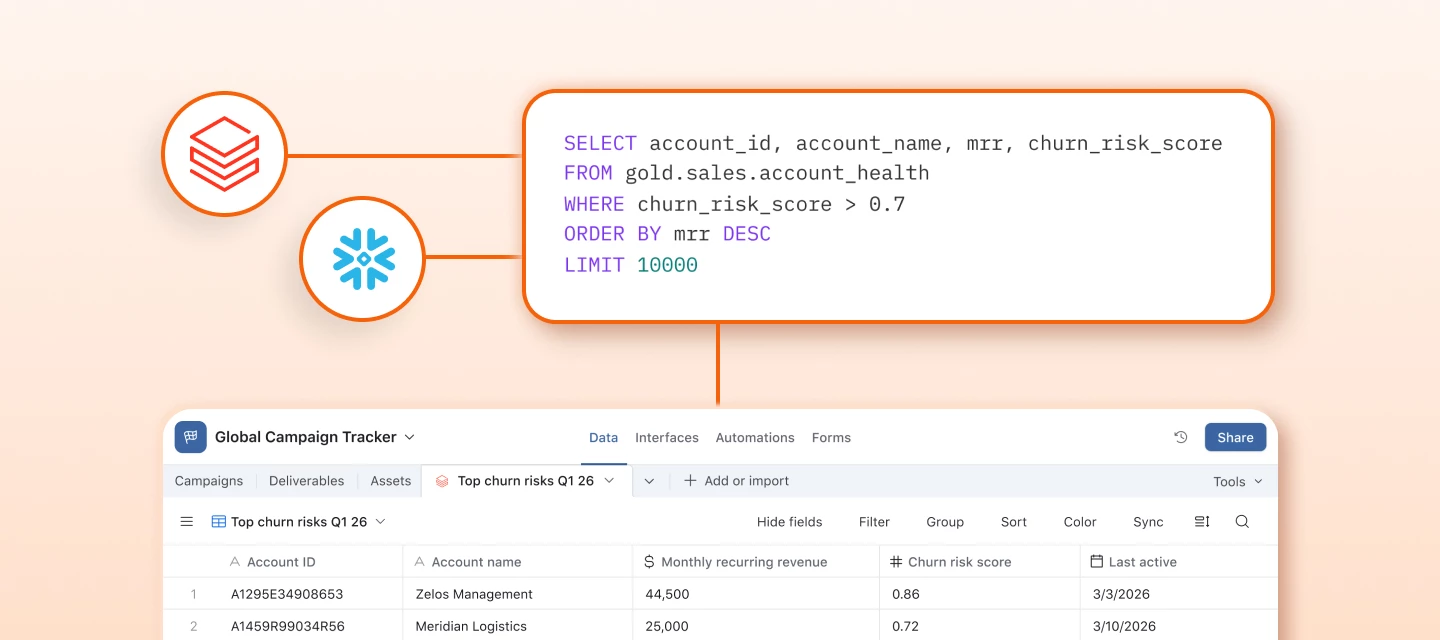
Hey Airtable Community,We're excited to announce two key updates for Enterprise Scale customers: a brand-new Databricks sync integration and expanded custom SQL support for both Databricks and Snowflake.What's newDatabricks is now available as a native sync source. And for both Databricks and Snowflake, you can now sync the result of any custom SQL query, not just predefined views or tables, directly into Airtable.This means any user with permission to execute queries within a warehouse can write precise queries to sync data to Airtable tables on a schedule, ready for automations, interfaces, and cross-functional workflows.Why this mattersData warehouses hold your company's most trusted data, but that data has historically been locked behind SQL and BI dashboards. With these syncs, you can operationalize warehouse data directly in Airtable: users can enrich warehouse data with local context, trigger automations on data thresholds, surface prioritized records for sales and ops teams, an
Already have an account? Login
Enter your E-mail address. We'll send you an e-mail with instructions to reset your password.